The open source tool DLSS Updater version 4.2.0 has released, bringing with it some improvements for Linux users of it. Plus security updates.
What actually is it? A program that can scan your system to detect games with different upscaling and frame-generation DLLs (DLSS / XeSS / FSR), then allow you to upgrade the versions they use. It should work across various different game launchers.
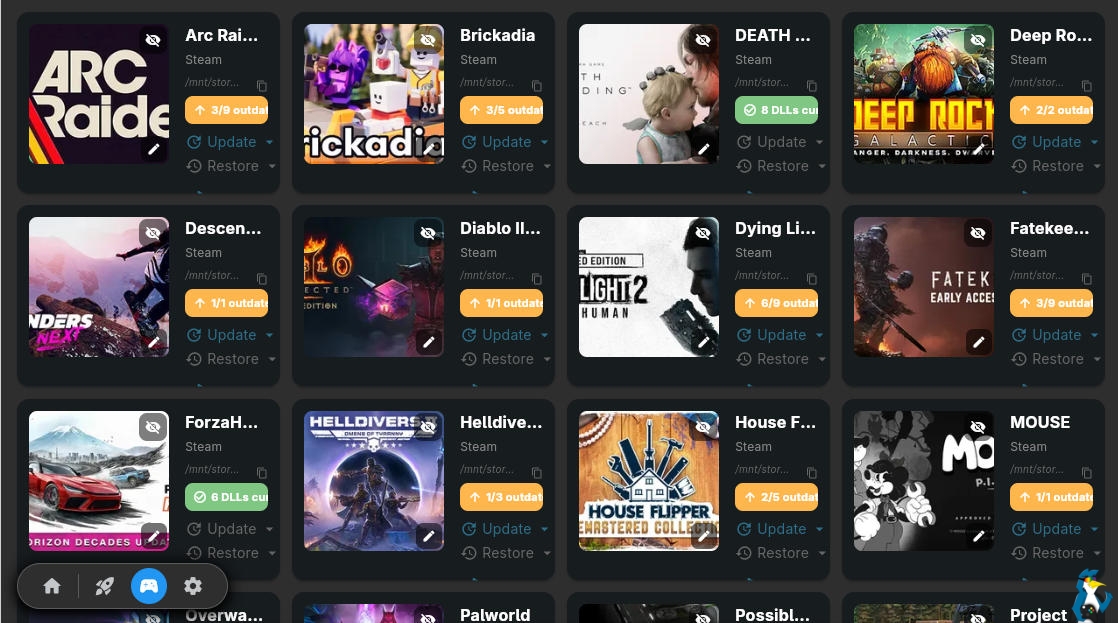
From the changelog for the latest version released today, June 22nd:
Linux changes:
- Folder paths now understand ~ and environment variables, so you can type ~/.steam or $HOME/Games instead of the full /home/yourname/... path — these used to be silently rejected: #228
- If you add a folder that's outside the Flatpak sandbox, the app now shows you the exact flatpak override command to grant access, instead of an unhelpful "Directory does not exist" message.
- Auto-Detect now actually finds your Steam libraries on Linux — previously it only worked on Windows and quietly did nothing on Linux.
General changes:
Dependency upgrades to mitigate reported security vulnerabilities for some Python packages.
Wonderful to see so many different tools like this out there now, and with actual Linux support too. We've come a long way!
🌐 External Sources: github.com


About the author - Liam Squires-Hand

I am the owner of GamingOnLinux. After discovering Linux back in the days of Mandrake in 2003, I constantly checked on the progress of Linux until Ubuntu appeared on the scene and it helped me to really love it. You can reach me easily by emailing GamingOnLinux directly.
See more from me
Some you may have missed, popular articles from the last month:




 You can also find comments for this article on social media:
All posts need to follow our rules. Please hit the Report Flag icon on any post that breaks the rules or contains illegal / harmful content. Readers can also email us for any issues or concerns.
1 comment
 Linux_Rocks 22 Jun 2026

Version 420 for all you burnout potheads out there. lol
1 Likes 😂 (1) See more...
 Patreon
 PayPal