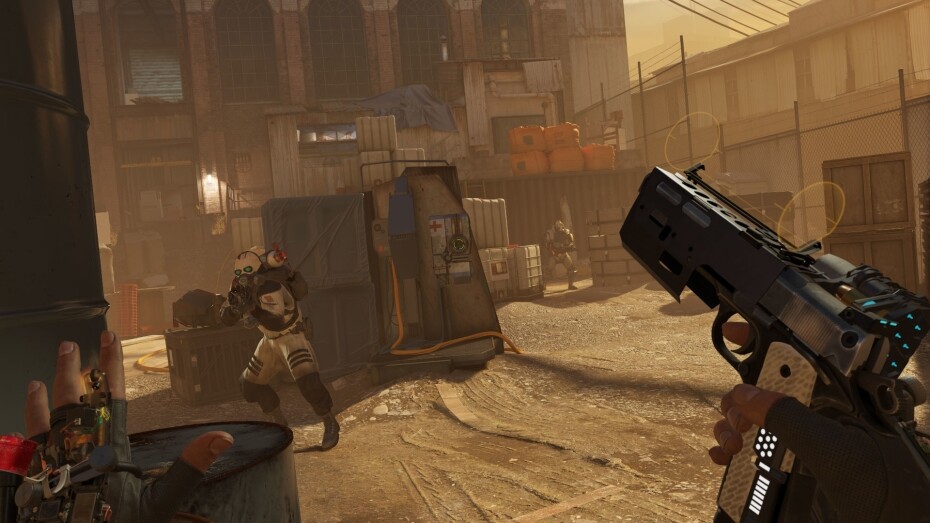
Valve are still adding in improvements to the excellent VR game Half-Life: Alyx, with the latest update out now. With Foveated Rendering on desktop now available, many more gamers across different VR kits should be able to use it.
From the changelog:
Key Features
- Add a setting under Advanced Performance to enable Foveated Rendering on desktop for supported hardware (for DirectX: NVIDIA GTX 16XX+, RTX 20XX+; AMD requires launching with -vulkan). Can increase rendering performance. Enable eye-tracking on your headset for best results. More information here.
- Enable stencil buffer tagging when running natively on Steam Frame to help improve reprojection quality.
- Fix several rendering crashes common in workshop content.
- Fix "Gnome Alone" achievement failing to unlock for some users.
In the linked guide it notes:
The VR headset must support eye tracking in their SteamVR driver, here are example of SteamVR drivers capable of it:
- SteamLink on Valve Steam Frame, Meta Quest Pro, HTC VIVE Focus Vision, Play For Dream MR, Samsung Galaxy XR, Pico 4 Pro/Enterprise.
- Virtual Desktop on Meta Quest Pro, HTC VIVE Focus Vision, Play For Dream MR, Samsung Galaxy XR.
- Bigscreen Beyond 2e.
- Oasis for Windows Mixed Reality on HP Reverb G2 Omnicept.
- Somnium VR1 Visionary, Titan and Ultimate edition.
- Apple Vision Pro with KRVR.
More headsets are capable of sending eye tracking data to SteamVR with additional 3rd party drivers:
- Sony Playstation VR2 with Bnuuy Solutions's PSVR2 Toolkit.
- Pimax Crystal series and Dream Air series with Sboys3's CustomHeadsetOpenVRor Pimax-EyeTracker-SteamVR
- Varjo Aero, VR and XR series with Varjo-EyeTracker-SteamVR.
- (probably more that we don't know about!).
🌐 External Sources: store.steampowered.com


About the author - Liam Squires-Hand

I am the owner of GamingOnLinux. After discovering Linux back in the days of Mandrake in 2003, I constantly checked on the progress of Linux until Ubuntu appeared on the scene and it helped me to really love it. You can reach me easily by emailing GamingOnLinux directly.
See more from me
Some you may have missed, popular articles from the last month:


 You can also find comments for this article on social media:
All posts need to follow our rules. Please hit the Report Flag icon on any post that breaks the rules or contains illegal / harmful content. Readers can also email us for any issues or concerns.
4 comments



How well does foveated rendering work in practice? Does it keep up with the eye tracking really well, or do you notice it lagging behind, and showing blurry output before it catches up?
2 Likes 👍 (2) See more...


Quoting: PhlebiacHow well does foveated rendering work in practice? Does it keep up with the eye tracking really well, or do you notice it lagging behind, and showing blurry output before it catches up?The YouTubers that could test the feature on Steam Frame said that tracking was way faster than the eye can see.
Last edited by Berny23 on 29 Oct 2026 at 9:23 am UTC
2 Likes 👍 (2) See more...
 walther von stolzing 7 days ago

Quoting: Berny23So, above 30fps?Quoting: PhlebiacHow well does foveated rendering work in practice? Does it keep up with the eye tracking really well, or do you notice it lagging behind, and showing blurry output before it catches up?The YouTubers that could test the feature on Steam Frame said that tracking was way faster than the eye can see.
0 Likes
 Patreon
 PayPal