 Support us on Patreon
 PayPal
GE-Proton 10-29 has arrived to bring more game compatibility to SteamOS / Linux with a bunch of fixes and improvements throughout.
If you're new to SteamOS / Linux land be sure to check out the GamingOnLinux explainer on the different Proton versions and the GamingOnLinux guide to install GE-Proton to get started with it. You generally only need GE-Proton for very specific games as it's best to stick with Valve's official Proton for support.
From the GE-Proton 10-29 changelog:
Proton:
- wine updated to latest bleeding edge
- dxvk updated to latest git
- dxvk-nvapi updated to latest git
- vkd3d updated to latest git
- vkd3d-proton updated to latest git
- FEX updated to upstream version
- vrclient upstream changes imported
- wineopenxr upstream changes imported
- make + Makefile upstream changes imported
- zst build result removed as it is no longer used/needed (originally built for umu)
Protonfixes:
- build fixed to allow aarch64 compilation
- controller fix for ds4 in bioshock 2 remastered/classic
- controller fix for ds4 in dragons dogma: dark arisen
- gamedrive option enabled and libglesv2 disabled under wayland for duet night abyss
- upscalers: add support for upgrading libxess_dx11.dll
- fix added for Dark Earth save game error
- remove incorrect GTA IV fix for Independence FM. Game works fine without it when using supported audio formats. Open-Wine-Components/umu-protonfixes@2a348a2
Patches:
- em-10/wine-wayland patches updated
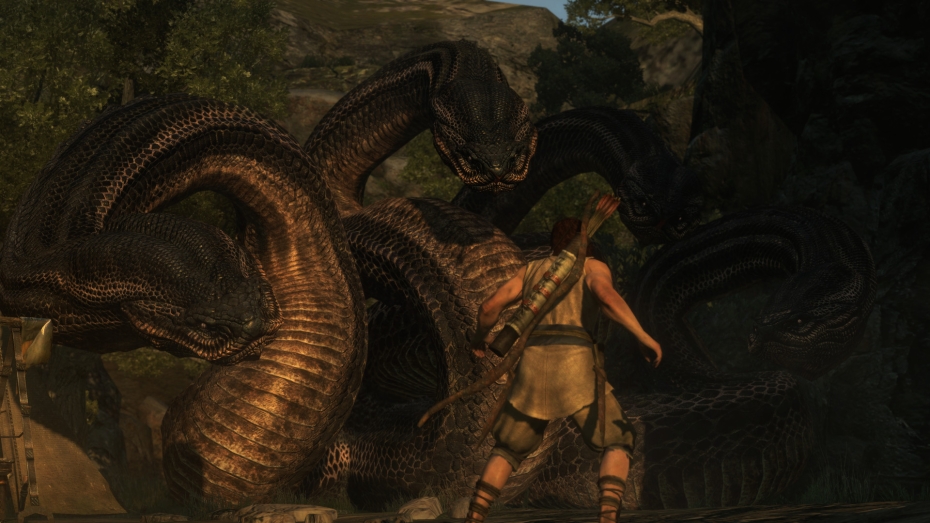
Pictured - Dragon's Dogma: Dark Arisen
Source: GitHub




About the author - Liam Dawe

I am the owner of GamingOnLinux. After discovering Linux back in the days of Mandrake in 2003, I constantly checked on the progress of Linux until Ubuntu appeared on the scene and it helped me to really love it. You can reach me easily by emailing GamingOnLinux directly.
See more from me
See more from me
Some you may have missed, popular articles from the last month:


 You can also find comments for this article on social media:
 All posts need to follow our rules. Please hit the Report Flag icon on any post that breaks the rules or contains illegal / harmful content. Readers can also email us for any issues or concerns.
1 comment

I know this is a Linux gaming site, but DXMT for Wine gaming on macOS is a big thing. I believe Crossover creates it and should be similar to DXVK for Linux. DXMT is DirectX to Metal like DXVK is DirectX to Vulkan. It has to be Metal on macOS unfortunately as the OS doesn't support Vulkan out of the box.
1 Likes
 How to setup OpenMW for modern Morrowind on Linux / SteamOS and Steam Deck
 How to install Hollow Knight: Silksong mods on Linux, SteamOS and Steam Deck