 Support us on Patreon
 PayPal
KDE Plasma is set to gain even more useful features with the upcoming Plasma 6.7 release, one especially good for online gaming. As detailed in a new development blog post, feature work continues on Plasma 6.7 now that Plasma 6.6 has a Beta release available.
One of my favourite upcoming features for Plasma 6.7 is that there will be a global push-to-talk feature. Enabling you to set a global hotkey, and if you do it will make all connected microphones muted until the key is held down. Great for gaming as a number of games have an open microphone by default, and for any video calls you're going to make in future too.
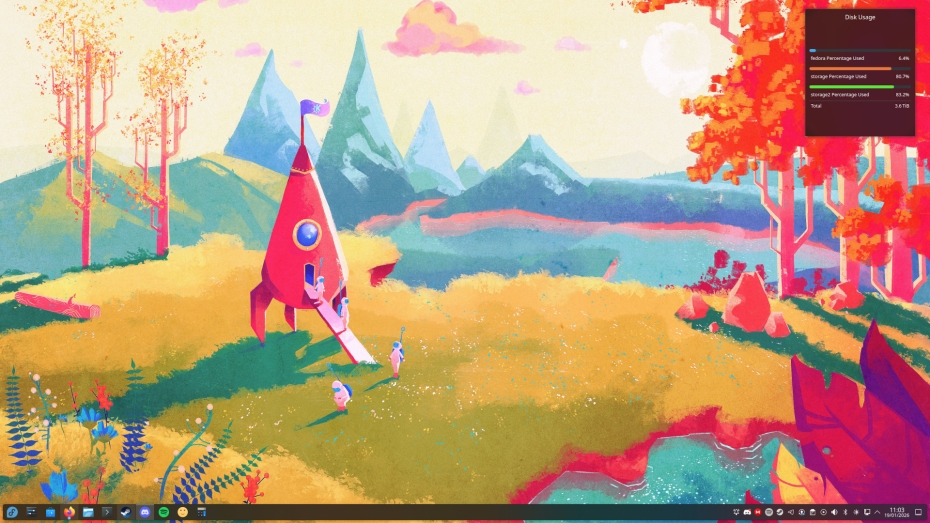
Another little useful feature is the addition of a switch in the Brightness and Colour widget to instantly swap between light and dark mode.
Coming earlier for Plasma 6.6 is also another great sounding addition with System Monitor letting you set the priority of processes graphically, which is something the older KSysGuard app did. A number of other tweaks to come for Plasma 6.6 including:
- Mounting a removable disk no longer performs a file system scan by default; now this is a manual action you initiate from the expanded actions list.
- The screen chooser dialog now includes a search/filter field so you can easily find a screen by name even when there are a zillion windows open.
- Kicker’s search results no longer flicker or resize while typing, keeping columns stable during searches for a smoother and snappier experience.
- HDR Calibrator now offers a summary page with a setting to better support Windows HDR applications and games.
- Replaced some technical gobbledygook in the titles of Bluetooth status and error notifications with more relevant and user-friendly text.
And even more for Plasma 6.7:
- System Settings’ Game Controller, Mouse, and Touchpad pages now only appear when the devices they configure are present.
- Improved how the global edit mode works with a touchscreen.
- On System Settings’ Accessibility page, the Mouse Navigation tooltip now explains how to switch mouse click modes with the numeric keypad.
- Searching for “memory” now turns up the System Monitor app in search results.
Love seeing all the work that goes into KDE Plasma!





See more from me



 You can also find comments for this article on social media:
  mZSq7Fq3qs 19 Jan 2026
 fenglengshun 19 Jan 2026



Which is weird, as more than half of the software I use is still coming from kde's stables.
For example, just today I discovered that kwrite has a vi mode.
I'm all for it.
 20 Jan 2026
Last edited by PJ on 20 Jan 2026 at 3:09 pm UTC

Quoting: PJI'd be more happy if the KDE team had finished remote desktop support (RDP etc) on Wayland, so there would be a way to login to session, not access one that is already running.Supposedly this is coming after the SDDM login manager is dropped, and Plasma Login Manager starts being used.
 How to setup OpenMW for modern Morrowind on Linux / SteamOS and Steam Deck
 How to install Hollow Knight: Silksong mods on Linux, SteamOS and Steam Deck