 Support us on Patreon
 PayPal
NVIDIA have today released the Beta for their new Native Linux app for GeForce NOW, available as a Flatpak so it should run across most x86-64 systems. Thanks to NVIDIA I was able to get some early testing in to see how the experience holds up, with NVIDIA providing Ultimate-plan access.
What actually is it? GeForce NOW is a cloud gaming service from NVIDIA. It allows you to play games streamed from their servers to your devices. This includes various free to play games and games you own from your own libraries across Steam, Epic Games Store, Xbox PC Game Pass, Battle.net, Ubisoft Connect and EA. There's currently over 4,500 games available.
The new Native Linux Beta is really just an expansion and upgrade of the existing app they released back in May 2025 that was supported only on the Steam Deck (which I was quite a fan of). This really seems like a natural progression for it, since a lot of the work was already done but now they will actually throw their support behind desktop Linux.
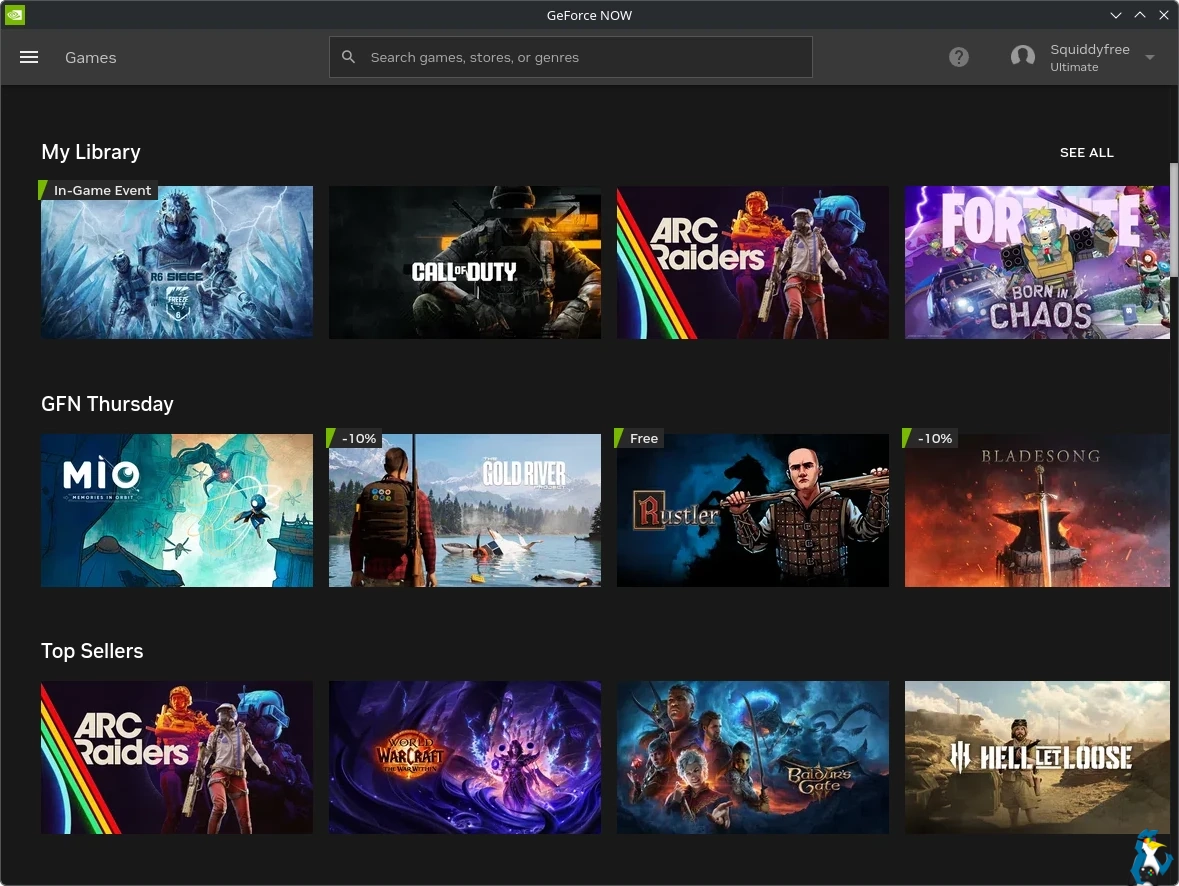 Pictured - NVIDIA GeForce NOW app on Linux
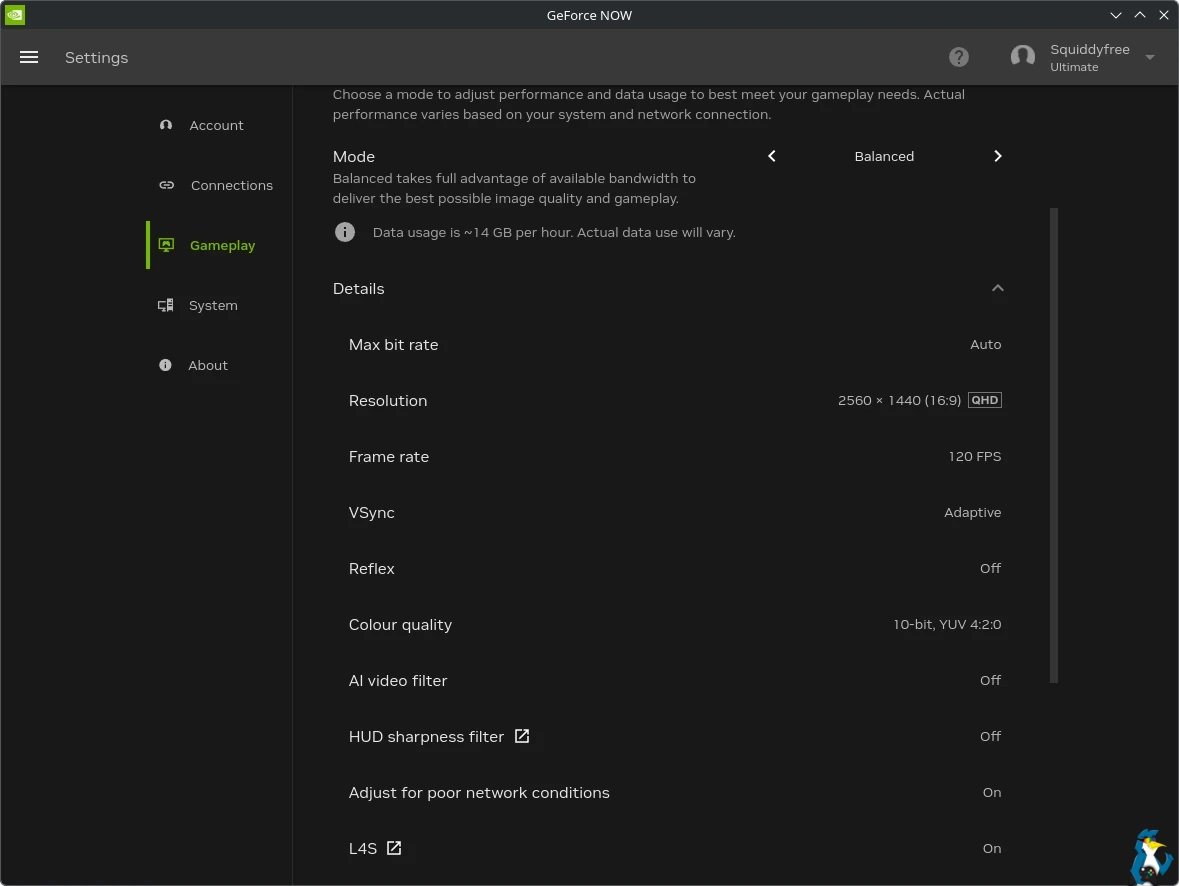
Pictured - NVIDIA GeForce NOW app on Linux - the Desktop settings I've been using
Their current support target is Ubuntu 24.04. However, since it's a Flatpak, you should be able to install it on any Linux distribution that has Flatpak support. If you have an NVIDIA GPU they recommend driver version 580.126.09+ and for Intel / AMD the recommended Mesa version is 24.2.8. For Ubuntu users, you'll need to actually go and manually setup Flatpak since Ubuntu does not include it by default.
Desktop testing - My own personal testing has actually been on Fedora KDE 43 over Ethernet, and I'm pleased to report that the experience has so far been absolutely outstanding. I've been able to connect all my accounts up without a fuss, and jump into a big mixture of games. No actual bugs encountered with the GeForce NOW app directly.
The game I decided to test the most initially for this was ARC Raiders. Because not only do I have a lot of hours in it locally to compare the overall feel of it, but the combat really needs a lot of quick reaction times and so input lag would be very noticeable.
A good 99% of the time I simply couldn't tell that the game was not running locally unless I was really focusing my eyes hard to specifically look for a bit of streaming roughness in the image. And when you do that enough, you can tell it's being streamed when you see a bit of blurring but it's not enough to detract from the experience at all. When just enjoying the game, I don't notice any issues thanks to the input feeling exactly like it does in local games. Overall the tech behind GeForce NOW really is impressive.
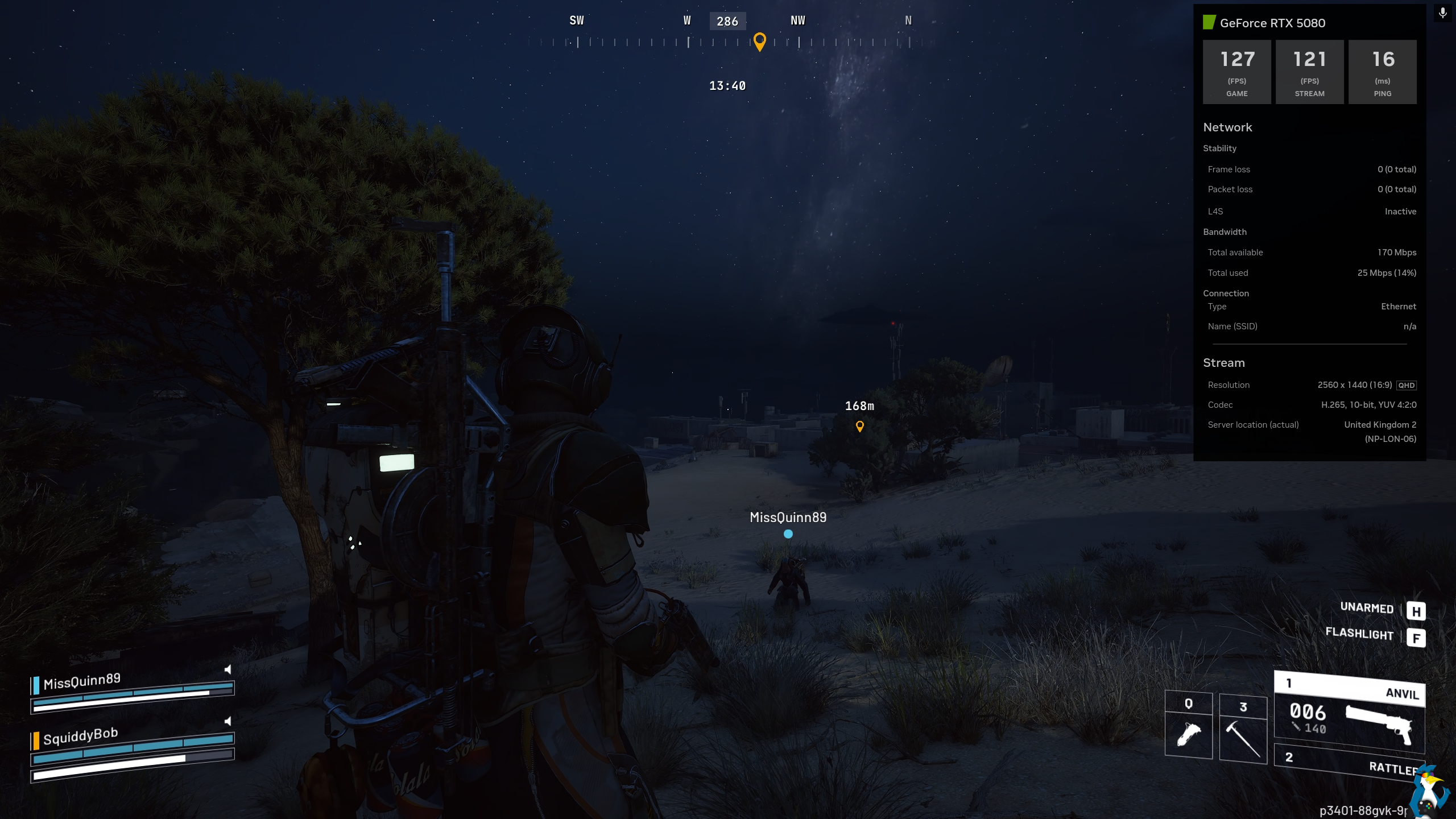
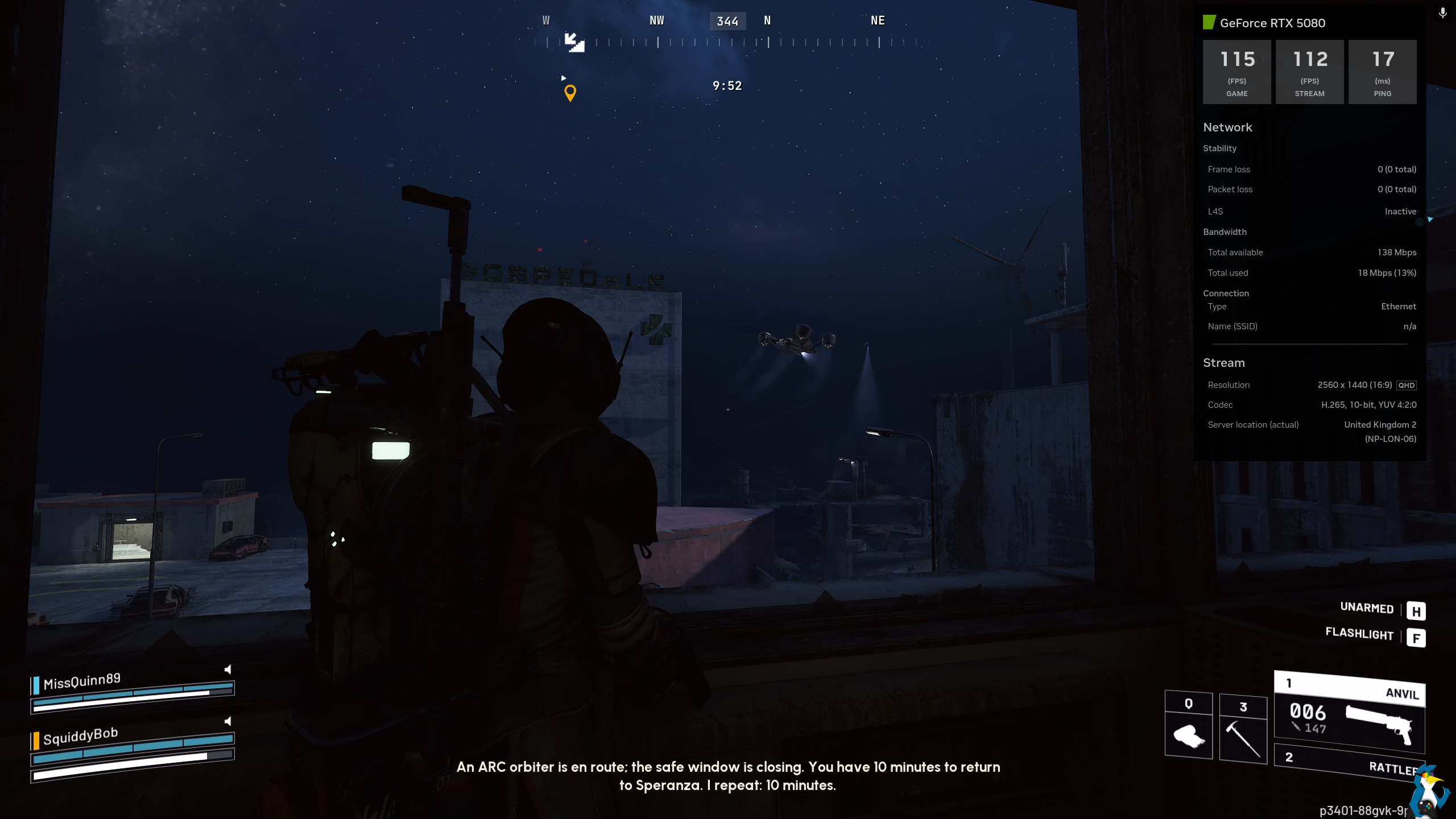
Pictured - ARC Raiders / GeForce NOW on Linux
Call of Duty Warzone is another I put a number of hours in to test. This one is an especially interesting choice since there's no way to play this locally on Linux, and here everything felt great as well. I have a fair bit of experience with this one, previously playing it quite a lot on a console (and Windows at times years ago) so I at least knew what to expect.
Here I saw very smooth performance, with surprisingly quick loading times and no issues encountered. Call of Duty Warzone was another vitally important test on how the input felt, because much like with ARC Raiders - quick reaction times are an absolute must and again the input really does feel shockingly good. Not that it helped me win, as my FPS skill is as terrible as it always was. But the most important thing was the fun factor - and it was awesome to blast through a number of rounds on it.
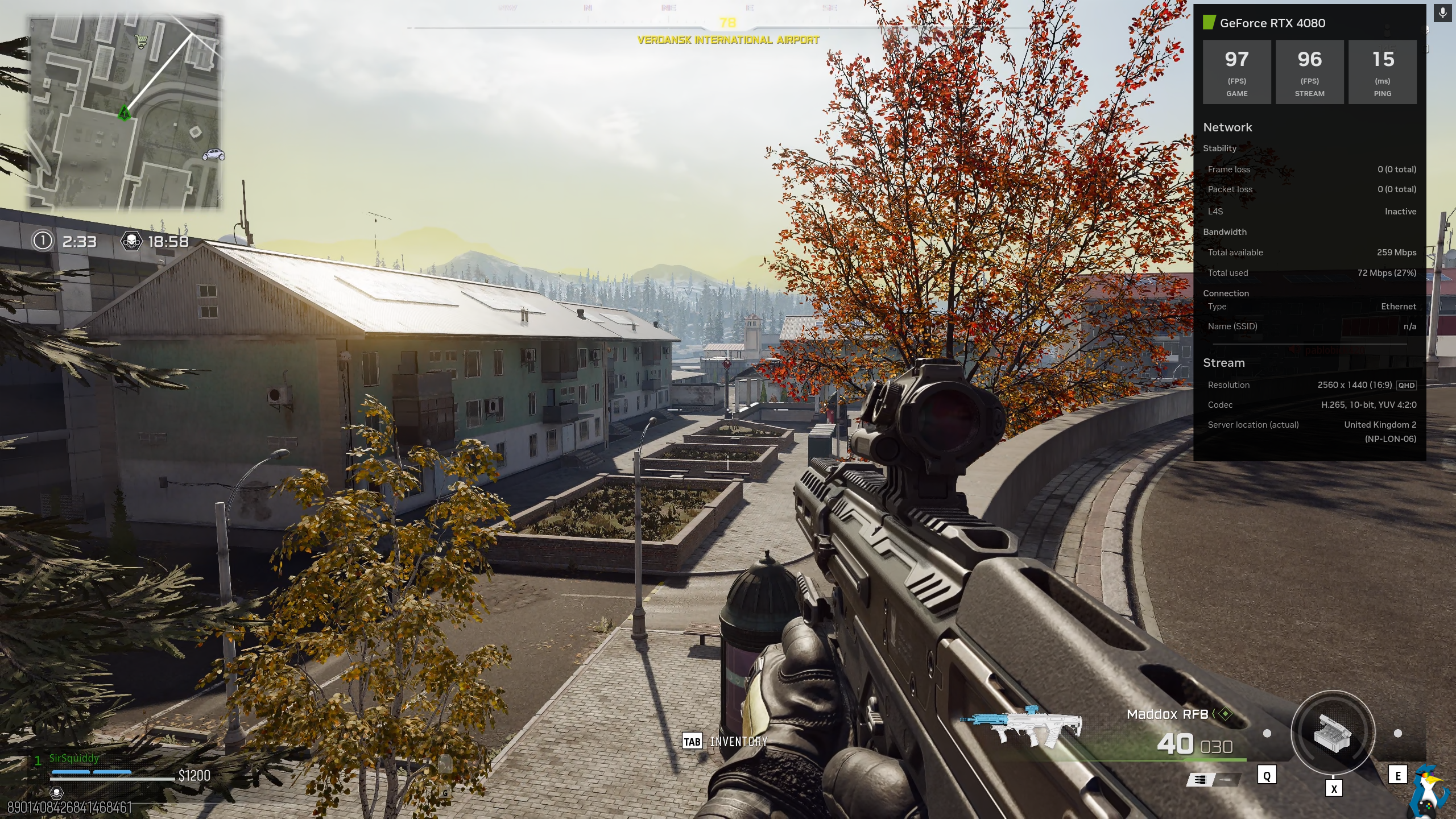
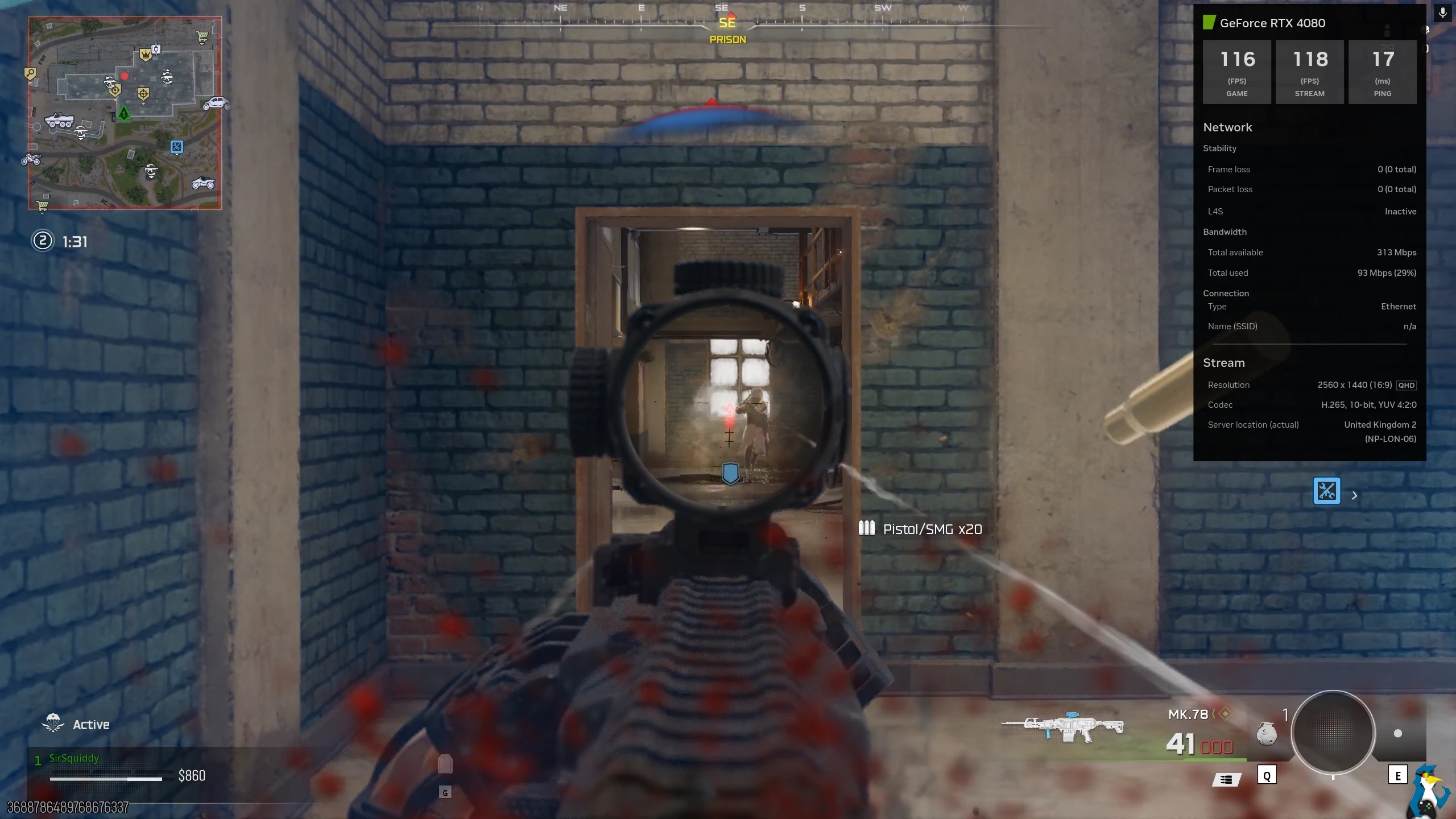
Pictured - Call of Duty Warzone / GeForce NOW on Linux
Since I am a true glutton for punishment, another game I went diving head-first into was Tom Clancy's Rainbow Six Siege X. Much like Call of Duty Warzone, it's one that you simply cannot play directly on Linux. This one I don't have a lot of experience with, as I previously put less than 4 hours total into it across any platform. Until now that is. Thanks to GeForce NOW, I've gained quite the sweet-spot for it and diving into it for a round or two here and there is just incredible to be able to do.
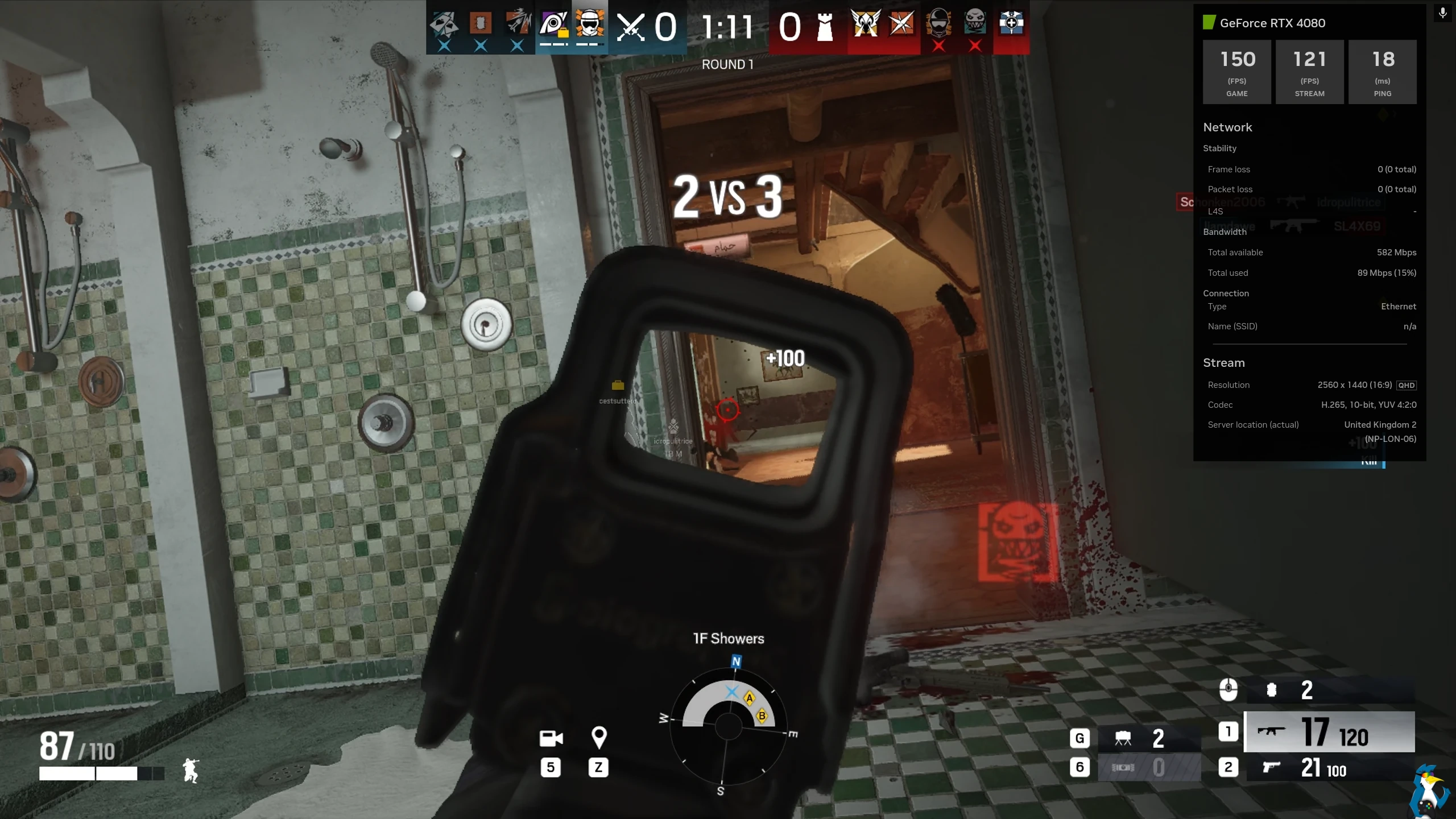
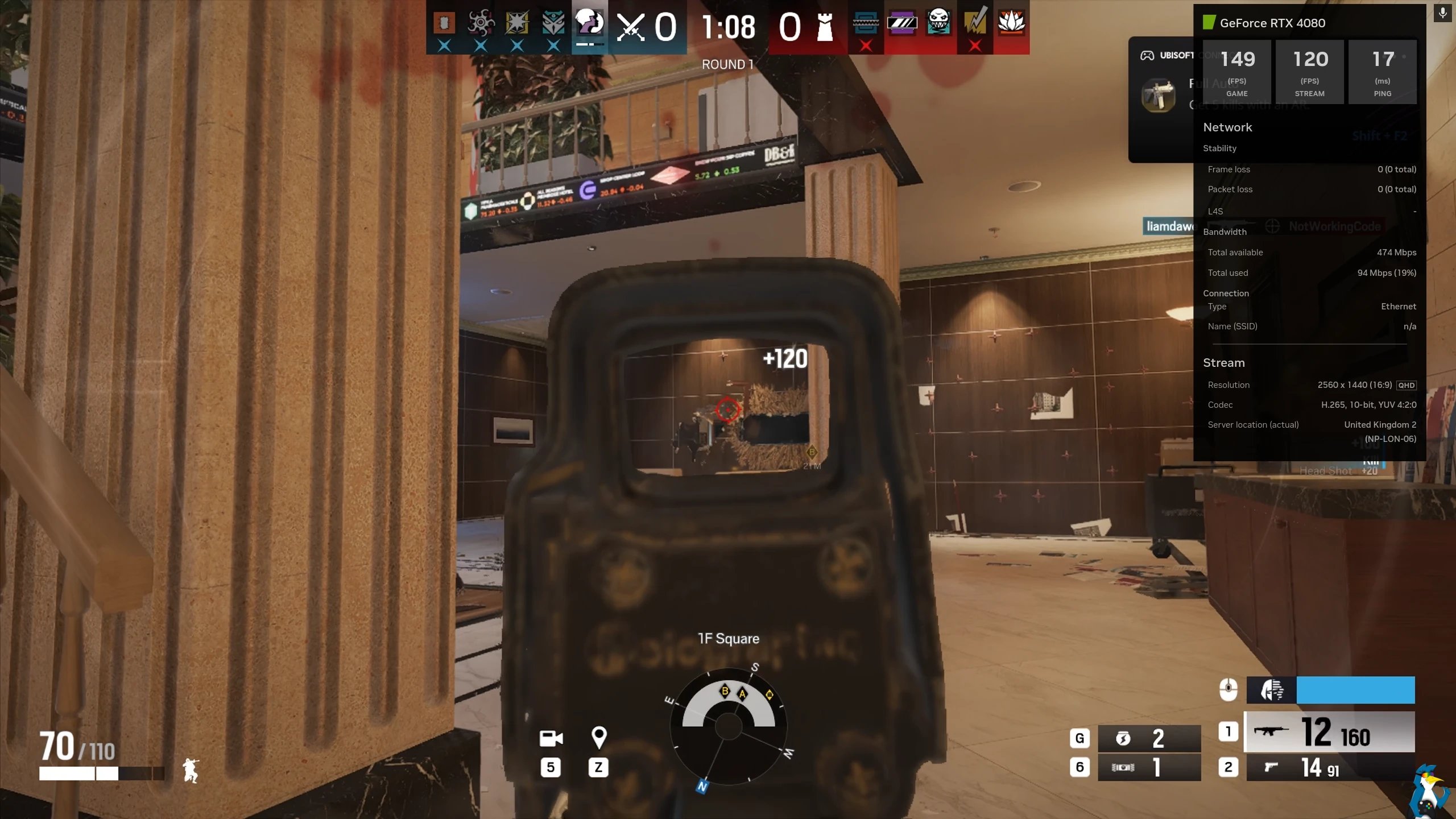
Pictured - Rainbow Six Siege X / GeForce NOW on Linux
One single issue I have encountered, although I'm not sure you could really call it an issue, is the ALT+TAB behaviour. Some input gets locked to the GeForce NOW app and so I have to bring up the GeForce NOW overlay with CTRL+G to properly interact with anything. A small thing, but something to keep in mind if you're needing to interact with Discord or anything else in the background. That is, I think, the only thing that could be called an issue that I have encountered in my few days of testing.
Laptop testing - I also managed some testing on my old 2022 HP Dev One laptop, freshly re-loaded with Pop!_OS 24.04 LTS which is much closer to the Ubuntu 24.04 actual support requirements from NVIDIA. This was initially over WiFi, which you really need 5Ghz to be stable (as per NVIDIA's recommendations). This is a system I would be much more likely to use for GeForce NOW, since it wasn’t made for gaming and can’t run much.
Here the experience was - not great at all. This is most likely to have been an issue with the WiFi in the laptop, as my Steam Deck works perfectly with GeForce NOW on the same network, but the laptop was a very stuttery mess quite often with packet loss. So it made it quite unplayable.
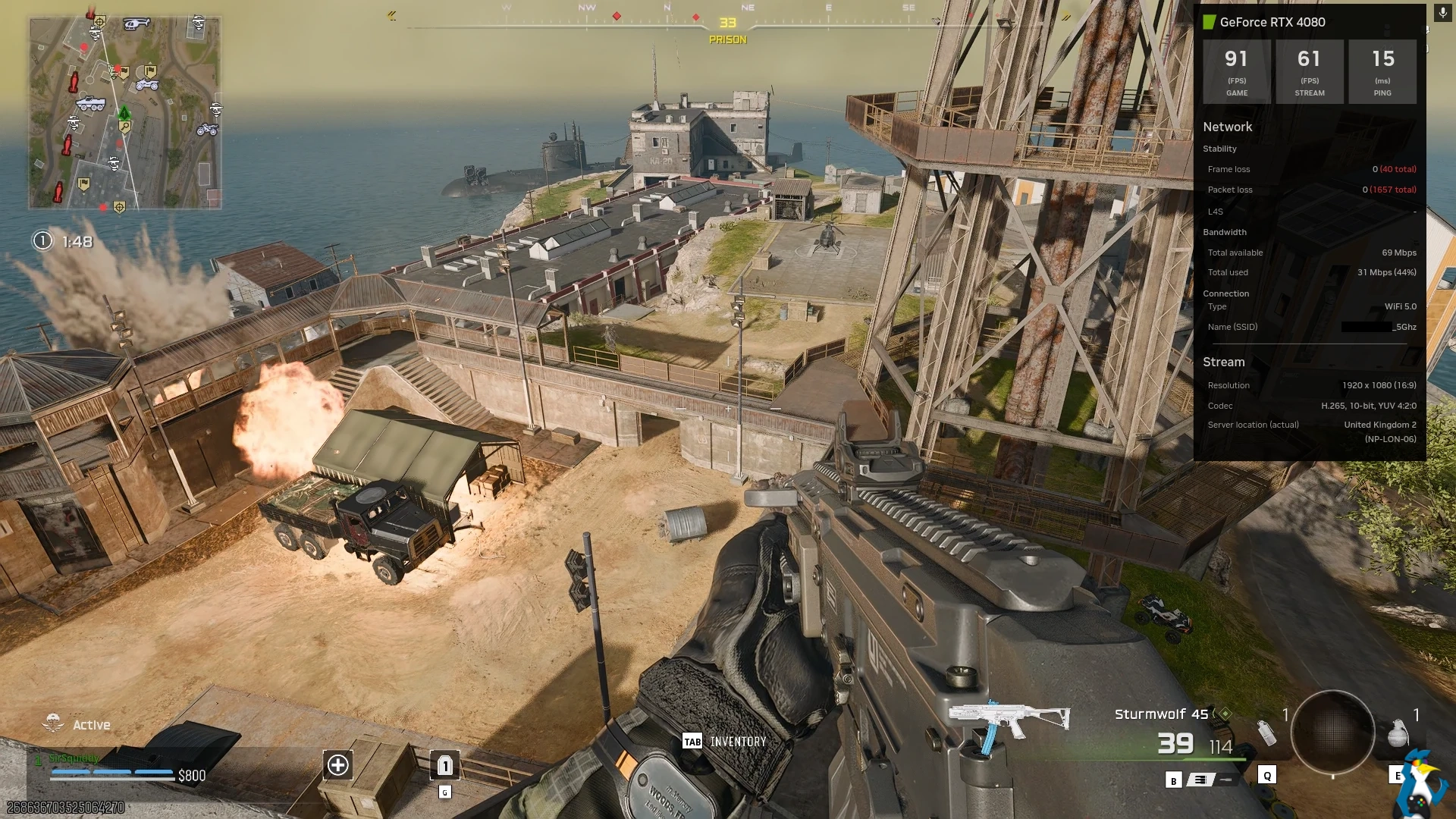
Pictured - Call of Duty Warzone / GeForce NOW on Pop OS HP Dev One (WiFi)
Luckily, I had a USB to Ethernet adapter to also test with the laptop. With this plugged in, the result was much better as expected. Just as flawless as it was on my desktop.
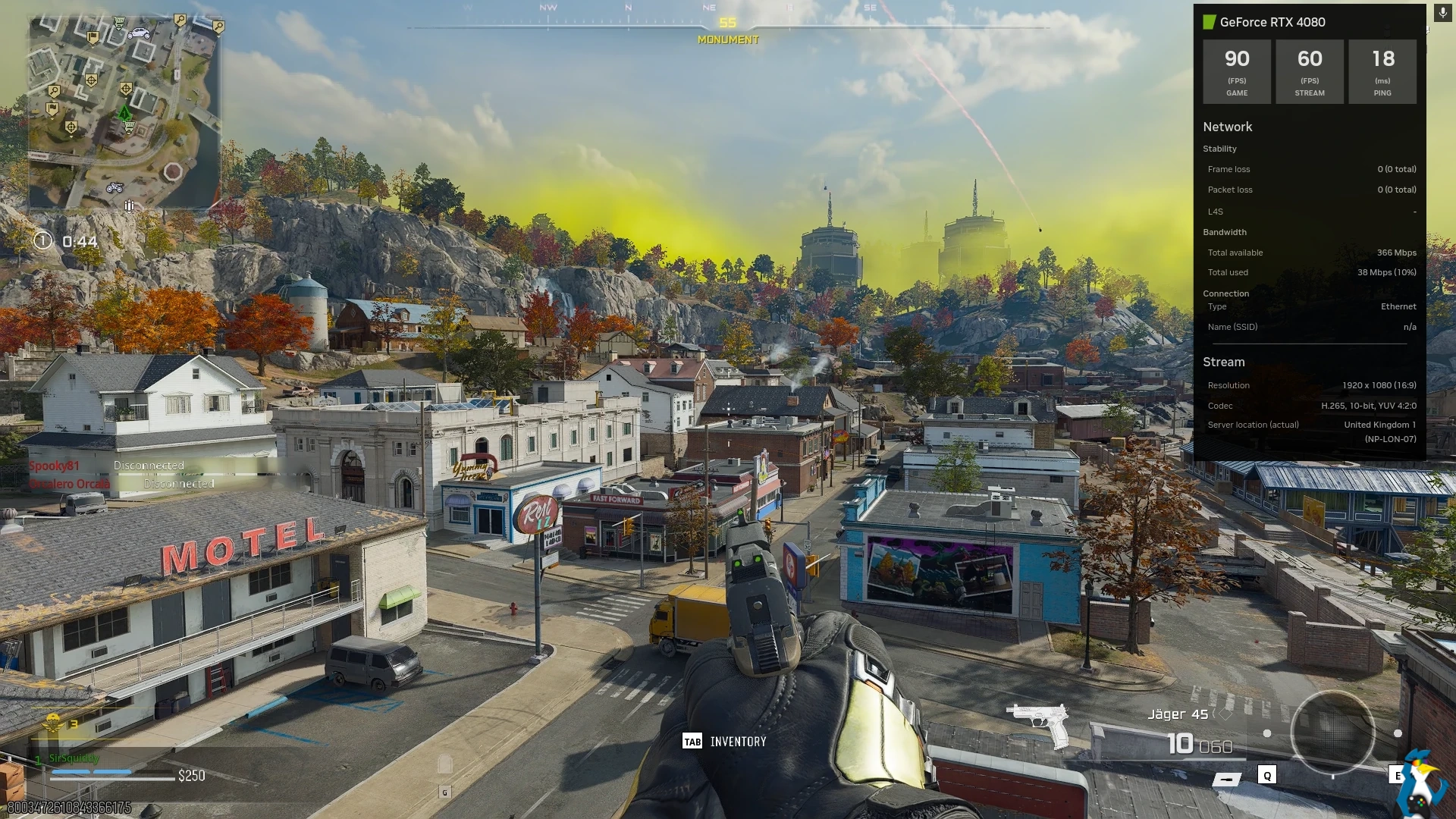
Pictured - Call of Duty Warzone / GeForce NOW on Pop OS HP Dev One (Ethernet)
So it seems like the WiFi in my laptop just isn’t good enough. Goes to show clearly, that if your WiFi card or router aren’t amazing - the experience might be quite rough.
Given the price of hardware right now and even before the price rises how the higher-end stuff prices a lot of people out of it, NVIDIA GeForce NOW can be a great way to run games you wouldn't normally be able to. An additional big bonus for Linux platforms specifically is that you can run games that have blocked Linux with their anti-cheat, giving you at least an option you can try so you don't miss out on gaming with friends that are hooked on certain titles.
I don't personally think GeForce NOW is a replacement for local gaming (far from it), but more options are a good thing. Back a while ago, I remember how Google Stadia seemed far superior in tech and how it was all integrated but Stadia is gone and GeForce NOW feels pretty great. And, unlike Google's silly business plan for Stadia, you don't have to re-buy games since it reuses your library. So as an additional way to play games, GeForce NOW is not a bad choice.
The three main problems with GeForce NOW as I see them are: you need reasonably good internet for it, you have to pay a subscription fee to play more than an hour at a time and for better quality options (the free plan is very limited and has adverts), and even when paying you're limited to 100 hours a month unless you pay even more.
The current pricing:
- Free - with adverts:
- 1 hour per session.
- Smaller game selection.
- 1080p max resolution.
- Up to 60FPS.
- Performance - £9.99 a month:
- 6 hours per session.
- 1440p max resolution.
- Up to 60FPS.
- Ready-to-Play games and Install-to-Play games.
- Ultimate - £19.99 a month:
- 8 hours per session.
- Up to 4K resolution.
- Up to 240FPS.
- Ready-to-Play games and Install-to-Play games.
- Select games get GeForce RTX 5080 performance with higher FPS, resolution and DLSS 4 Multi-Frame Generation.
If you run over your 100 hour limit, you have to pay for more in 15 hour blocks at a cost of £5.99 on Ultimate and £2.99 on Performance. Or, you can swap over to the Free plan until your time resets each month. You also roll over 15 hours of unused time from one month to the next.
Just like with the original Steam Deck Flatpak app for GeForce NOW, this will only be available direct from NVIDIA and they confirmed no current plans to put it on Flathub.
Do I recommend it? That highly depends! If you have an internet connection that meets either the 15 Mbps minimum for 720p, or 25 Mbps minimum requirement for at least 1080p gaming, along with a good connection to your router and you can afford the subscription - there's simply no denying that it's an impressive option for gaming on Linux. Especially if you're on a lower-end system, or you want to play games that have their anti-cheat blocked on Linux. I like it a lot for how it works but I do wish it was cheaper (especially considering the time limits).
If you plan to stick with lower-end systems, it might work out quite well for you. At £239.88 a year for Ultimate, it might seem like a tough pill to swallow, but comparatively against real hardware - paying two years of Ultimate is around the cost of a Radeon RX 9060 XT. So it's all about if you personally feel the cost is worth it.
You can see more in their official announcement. The Native Linux app can be found on their main download page.

Direct Link
Additionally, NVIDIA have put up two special support pages if you have issues including:





See more from me


 You can also find comments for this article on social media:
Yes, still fuming that Rockstar changed the A/C and GTA Online is not playable anymore in Linux.

At least they've preemptively put time limits on the cheaper accounts too.
Go (back) to hell nvidia.

https://international.download.nvidia.com/GFNLinux/GeForceNOWSetup.bin
 Liam Dawe 29 Jan 2026

Last edited by Liam Dawe on 29 Jan 2026 at 8:56 pm UTC
 TheRealSpesch 29 Jan 2026
 Liam Dawe 29 Jan 2026
Quoting: TheRealSpesch@Liam On Bazzite, after about 2 minutes the error message “Problem detected” appears and you can just close the app. However, if you start a game session quickly enough, you can dismiss the message with CTRL+G and the stream continues to run normally. Do you also get this error message on Fedora?Nope, never seen that here.
 ThatSpoonyBard 29 Jan 2026
Quoting: TheRealSpesch@Liam On Bazzite, after about 2 minutes the error message “Problem detected” appears and you can just close the app. However, if you start a game session quickly enough, you can dismiss the message with CTRL+G and the stream continues to run normally. Do you also get this error message on Fedora?I also get this on Bazzite. From what I've read, it's not unique to Bazzite, though. On Reddit, I saw another report it on CachyOS.
 Gerarderloper 30 Jan 2026

 hardpenguin 30 Jan 2026


Quoting: Liam DaweTheir script just sets up their Flatpak and their repository for it. You don't have to be given a flatpak file for it to be installed via a Flatpak.It is an executable that installs a flatpak. I totally do not get why they do not just upload it on flathub as the main method. Since they did made it a flatpak it does not make any sense to me to not use flathub.
Liam Dawe 30 Jan 2026
Quoting: lucinosFlathub isn't the be-all and end-all of the Flatpak world, part of the point of Flatpak is you don't have to use one central repository. I do wish they would though, but they clearly want to control every single part of it and so they host it direct.Quoting: Liam DaweTheir script just sets up their Flatpak and their repository for it. You don't have to be given a flatpak file for it to be installed via a Flatpak.It is an executable that installs a flatpak. I totally do not get why they do not just upload it on flathub as the main method. Since they did made it a flatpak it does not make any sense to me to not use flathub.

Quoting: Liam DaweI do wish they would though, but they clearly want to control every single part of it and so they host it direct.Making it harder for end-users to find and install their client and also quite pointless since there already is an unofficial "GeForce Infinity" one that works very well and is available on Flathub.
Quoting: Liam DaweTheir script just sets up their Flatpak and their repository for it. You don't have to be given a flatpak file for it to be installed via a Flatpak.So it also is shipped as a binary blob? Oh wow, this is even worse than I thought. Do they even realize that flatpakrefs can also contain flatpak remotes?
Last edited by AsciiWolf on 30 Jan 2026 at 12:10 pm UTC
Liam Dawe 30 Jan 2026
They just make everything harder for their Linux users for no apparent reason - and even more harder since they distribute it as a binary blob instead of a standard *.flatpakref. Why?
Binary blob installers were a thing back in 2005s.
They probably do this for two reasons:
1. Add a Flathub remote and install additional dependencies from there. I however believe that a regular flatpakref can also do this and none of this was needed if they published it on Flathub.
2. Install and setup Flatpak support on Ubuntu (which does not have Flatpak support). But is it actually necessary since almost every other distro comes with a Flatpak support out-of-box?
Last edited by AsciiWolf on 30 Jan 2026 at 12:44 pm UTC
mr-victory 30 Jan 2026
Liam Dawe 30 Jan 2026
Quoting: AsciiWolfUgh, nope? Linux is not Windows. Do they also distribute their Android client as an *.apk?You're right, it's not Windows. But that doesn't really mean anything here. As for Android, no it's on the Play store - but that is the official central way to get any Android apps so it makes sense there.
They just make everything harder for their Linux users for no reason - and even more harder since they distribute it as a binary blob instead of a standard *.flatpakref. Why?
Binary blob installers were a thing back in 2005s.
They probably do this for two reasons:
1. Add a Flathub remote and install additional dependencies from there. I however believe that a regular flatpakref can also do this and none of this was needed if they published it on Flathub.
2. Install and setup Flatpak support on Ubuntu (which does not have Flatpak support). But is it actually necessary since almost every other distro comes with a Flatpak support out-of-box?
I don't know why we're acting like Flathub is the only right / official / proper way to do Flatpak? It's not, again - that's part of the point of it. This isn't Snap.
I don't see anything actually wrong with how NVIDIA are doing this. All desktop platforms Windows, macOS and Linux get a direct download from NVIDIA.
Quoting: Liam DaweI don't know why we're acting like Flathub is the only right / official / proper way to do Flatpak? It's not, again - that's part of the point of it. This isn't Snap.Flathub kind of is the official (but not only) way to do Flatpak. :-)
I don't see anything actually wrong with how NVIDIA are doing this. All desktop platforms Windows, macOS and Linux get a direct download from NVIDIA.
Sure, I wouldn't be so mad if they did it the correct way. Proper *.flatpakref that is click-to-install.
Quoting: AsciiWolfUgh, nope? Linux is not Windows. Do they also distribute their Android client as an *.apk?way worse than that. .apk I think is a package format like .deb (for debian based) or .msi (for windows). What they are doing is the completely chaotic windows way of .exe installers.
For those who want to try it without running a random installer:
App-ID:
flatpak install -y --user GeForceNOW com.nvidia.geforcenowFlatpak Repo:
flatpak remote-add --user --if-not-exists GeForceNOW https://international.download.nvidia.com/GFNLinux/flatpak/geforcenow.flatpakrepoLast edited by jrt on 31 Jan 2026 at 10:48 am UTC
Quoting: jrtwtf it's not even a script. This is the most Nvidia-way to distribute a flatpak.For ease of use here is a flatpakref: https://gist.github.com/jrtberlin/9002737b9b74d2e3e59ca664de92a84d
For those who want to try it without running a random installer:
App-ID:com.nvidia.geforcenow
Flatpak Repo:https://international.download.nvidia.com/GFNLinux/flatpak/geforcenow_repo
 How to setup OpenMW for modern Morrowind on Linux / SteamOS and Steam Deck
 How to install Hollow Knight: Silksong mods on Linux, SteamOS and Steam Deck