The CachyOS madness hasn't quite caught on for me, but I definitely want to take a good look at what all the fuss is about soon - and there's a big new release. An Arch Linux-based distribution, with an aim to be powerful but user-friendly enough for anyone to play with it.
With the CachyOS January 2026 Release as the first of the year, it's filled with good sounding changes, and perhaps a great time to actually check it out with a significantly reworked installer, which also now includes bootloader selection and helpful info.
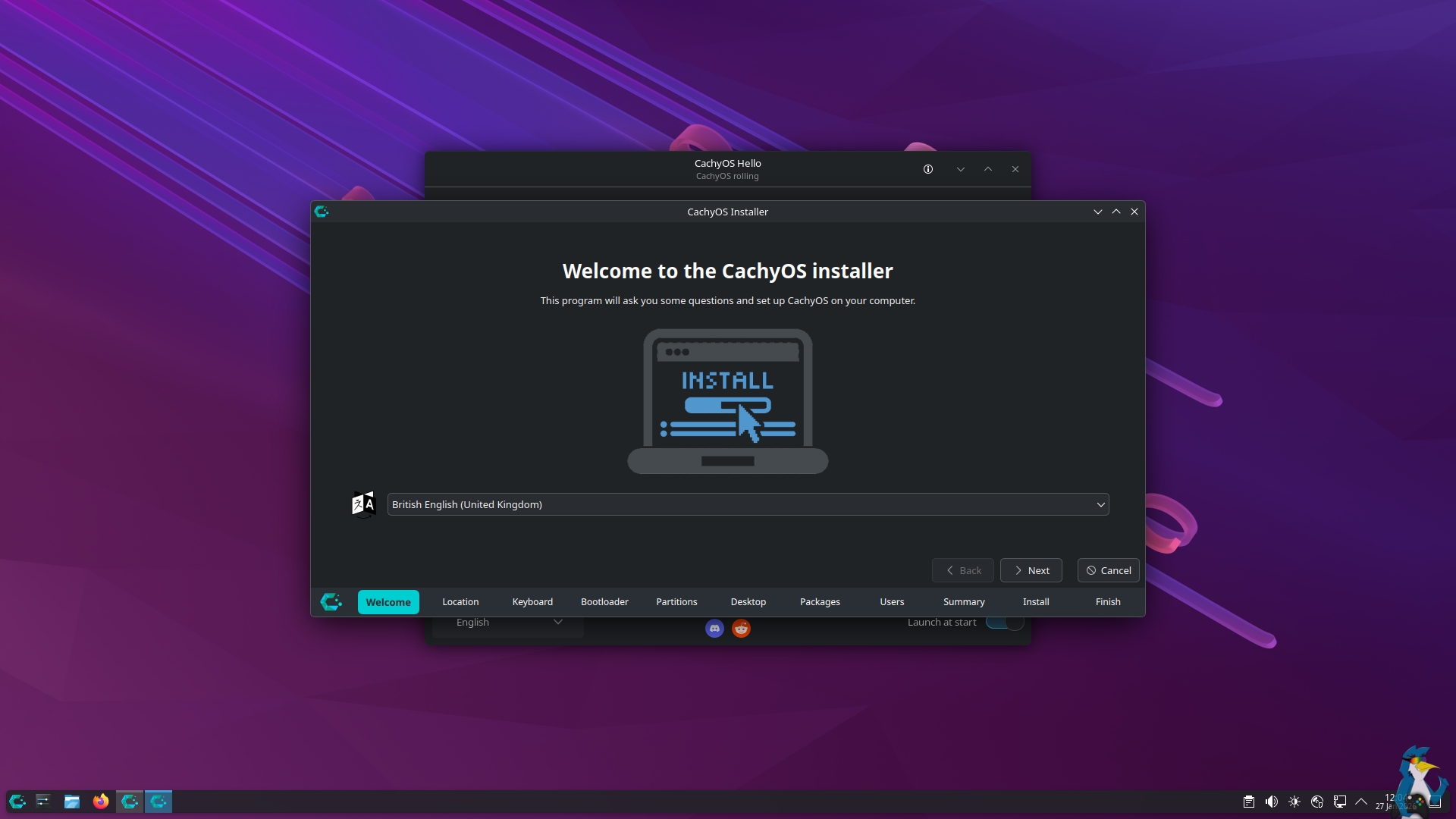
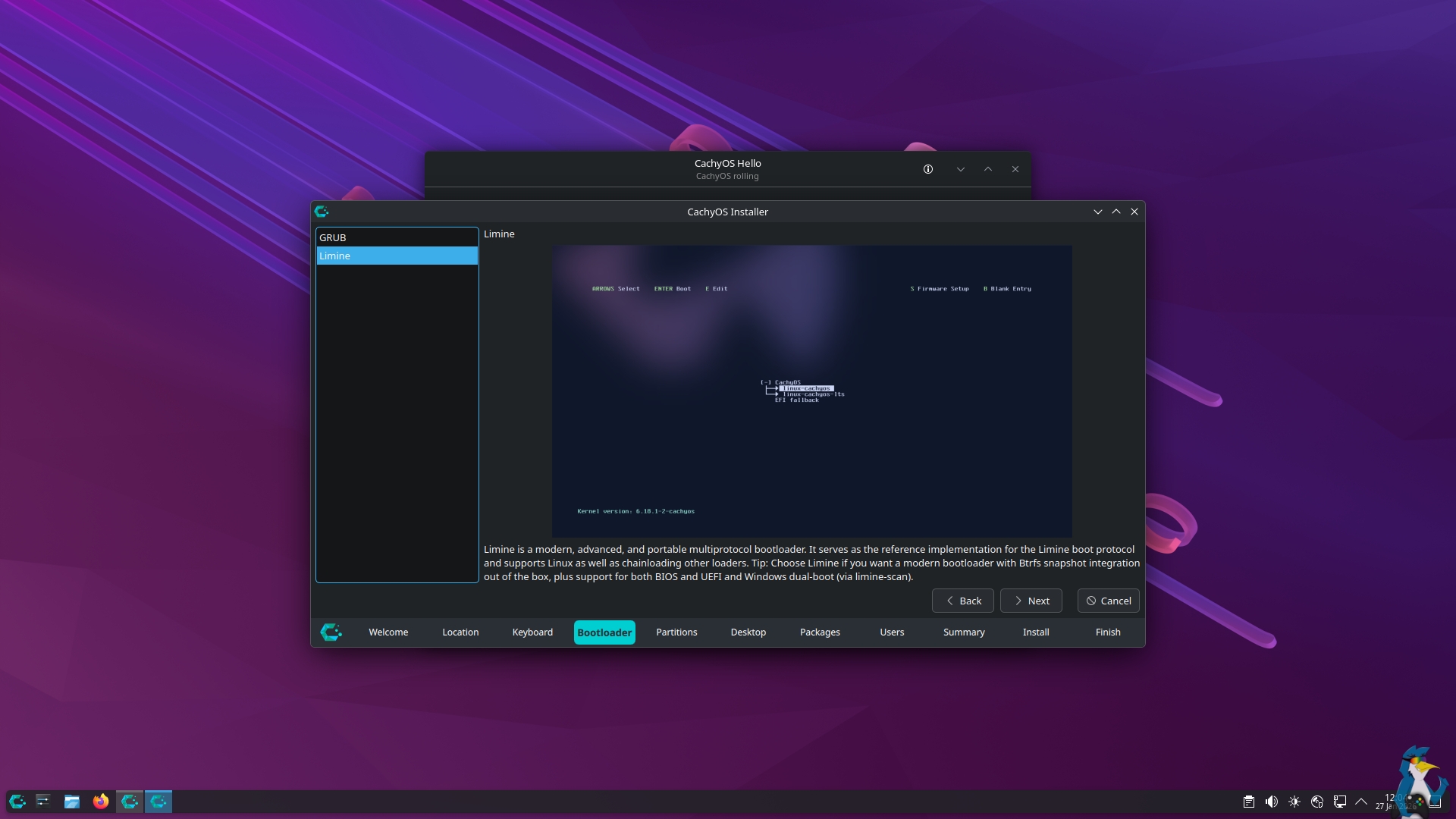
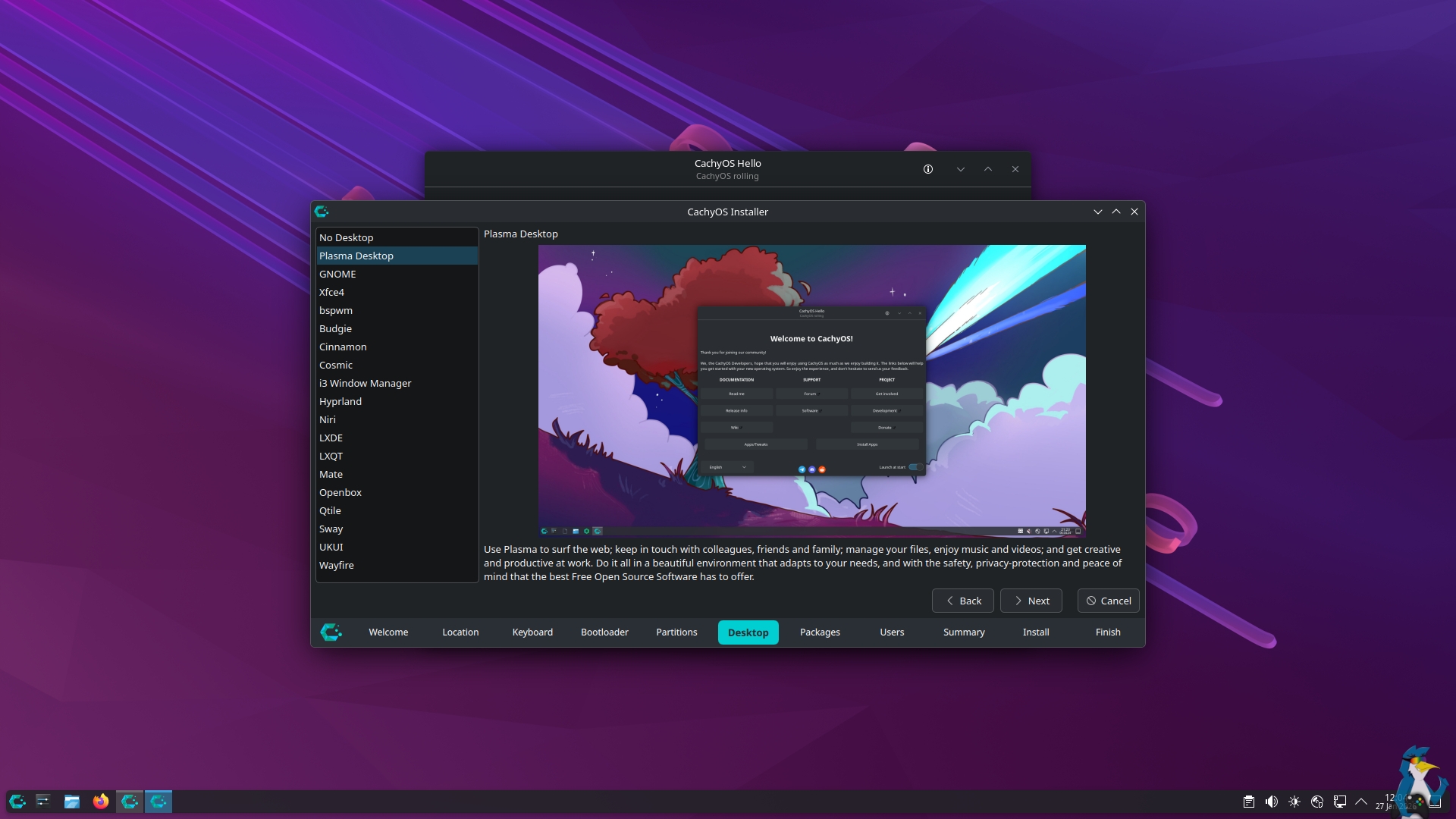
For the new ISO download it now uses Wayland along with the newer Plasma Login Manager. On top of that the ISO ships with a stable Linux kernel, along with an LTS kernel they say will "improve compatibility for newer devices and hardware". The GNOME installation also saw lots of work to clean it up.
NVIDIA support saw a bunch of tweaks with this release too, like better handling for older GPUs.
Their own Proton-CachyOS, which is a fork of Valve's gaming compatibility layer Proton specifically for use with CachyOS also saw some upgrades like support for FSR4 ML Frame Generation on RDNA4 and RDNA3 cards. Along with D7VK officially now part of Proton-CachyOS.
It's available in a traditional Desktop build or Handheld edition which acts a bit more like SteamOS and Bazzite.
Changelog, click me
Features:
- Installer:
- Moved bootloader selection to Calamares; management is now consolidated into a single package.
- Architecture detection is now performed before the base system installation to reduce download size.
- GRUB now uses LUKS2 for encryption.
- Pass —needed to pacman to avoid installing packages twice.
- Use single-level compression on NVMe for Btrfs
- Removed xorg dependecies on Wayland desktops environments
- ISO:
- Switched to
plasma-login-managerfor the ISO environment. - The ISO now contains both Stable and LTS kernels. The Stable kernel is selected by default.
- Switched the ISO session from X11 to Wayland.
- Switched to
- Netinstall:
- Plasma installations now use
plasma-login-managerinstead of SDDM. - Niri now uses
noctalia-shelland updated dotfiles. - Cleaned up the GNOME installation process.
- Plasma installations now use
- Slides: Fixed typos in the Calamares slides and added a new slide showcasing the Wiki.
- Mirrors: The mirror status page (https://packages.cachyos.org/mirrors) now displays the syncing state of CachyOS mirrors.
- cachyos-settings: Enabled
EnableAggressiveVblankfor the NVIDIA module. This reduces time spent in the interrupt top half for low-latency display interrupts. - chwd:
- Installs
nouveau-fwto enable VA-API support in Nouveau for NVIDIA Kepler-family cards. - Added AI-SDK support for several new AMD GPUs.
- Replaced HHD with
steamos-managerandinputplumber.
- Installs
- Proton-CachyOS:
- Added FSR4 MLFG (Machine Learning Frame Generation) support; automatically enabled when using
PROTON_FSR4_[RDNA3_]UPGRADE - Added
d7vkmodule support. This can be enabled viaPROTON_DXVK_DDRAW=1 - Imported DualSense haptic feedback patches
- Added
WINE_BLOCK_HOSTSto prevent Wine from connecting to specific domains - Automatically enable
ENABLE_HDR_WSI=1when usingwinewaylandon NVIDIA dGPUs - Fixed keyboard layout issues when using
winewayland.drv - Removed a long-standing patch that was causing degraded 1% low FPS
- Patched
protonfixesto better handle DLSS preset selection andlibxess_dx11.dllredirection - proton-cachyos-slr is now used as default in the “gaming-meta”. The native version will be still supported.
- Added FSR4 MLFG (Machine Learning Frame Generation) support; automatically enabled when using
Fixes:
- Limine: Increased boot partition size to 4192MB to accommodate high requirements from
limine-snapper-sync. - Installer:
- The installer now blocks/prevents proceeding if the EFI partition is too small when using “alongside” or “replace partition” options.
- Fixed an issue, when selected a desktop and go a step further, then going back again and selecting a different desktop it would result that both are selected.
- chwd: Removed the environment variable forcing
libva-nvidia-driver, as it caused issues on dual-GPU systems. - cachyos-hello: Fixed an issue that cachy-update shows being disabled, while its enabled.
- Controller: Fixed several controllers input due updating the input rules to the latest.
- Framework 16 (Zen5): Fixed an issue that the session freeze, when writing into calamares
Source: CachyOS Blog





See more from me


 You can also find comments for this article on social media:
I'd like them to include ChaoticAUR by default, like Garuda does, but it's straightforward enough to add manually. If you haven't used ChaoticAUR before, it's a precompiled version of the AUR - very fast, because it acts like any other Arch source. No waiting around for AUR compiles.
My next challenge with CachyOS is integrating the boot with TPM, so I don't have to manually unlock my disks at startup. If that's successful, I don't think I'll be distro-hopping for a long, long time.

a significantly reworked installer, which also now includes bootloader selection
I can vouch that CachyOS installer included a bootloader selection screen since I've first tried it (more than a year ago). Maybe even earlier. :)
 Liam Squires-Hand 27 Jan 2026

Quoting: CurupiraI'm not too clued up on it, but it seems it was done differently before. Direct from their blog post "bootloader selection has been moved directly into the installer".a significantly reworked installer, which also now includes bootloader selection
I can vouch that CachyOS installer included a bootloader selection screen since I've first tried it (more than a year ago). Maybe even earlier. :)
Quoting: Liam DaweYeah, it's weird. When I fist installed this, about 8 months back, it asks if you want Grub, SystemD-boot or a couple of others. So it's technically been there for a while. I wonder how it's changed that warrants that update message?Quoting: CurupiraI'm not too clued up on it, but it seems it was done differently before. Direct from their blog post "bootloader selection has been moved directly into the installer".a significantly reworked installer, which also now includes bootloader selection
I can vouch that CachyOS installer included a bootloader selection screen since I've first tried it (more than a year ago). Maybe even earlier. :)
Quoting: Liam DaweI'm not too clued up on it, but it seems it was done differently before. Direct from their blog post "bootloader selection has been moved directly into the installer".
Oh yeah, the bootloader selection screen appeared before the installer. Now it makes sense, thanks.

Quoting: scaineThe bootloader selection was updated to offer summaries of the choices to better help people choose, but most importantly the default selection was shifted from systemd-boot to Limine. This means that bootable snapshot integration will be available to the people that don't know enough to select something other than the default. Prior to this, new users just going with systemd-boot were at a pretty big disadvantage to those who selected Limine or Grub.Quoting: Liam DaweYeah, it's weird. When I fist installed this, about 8 months back, it asks if you want Grub, SystemD-boot or a couple of others. So it's technically been there for a while. I wonder how it's changed that warrants that update message?Quoting: CurupiraI'm not too clued up on it, but it seems it was done differently before. Direct from their blog post "bootloader selection has been moved directly into the installer".a significantly reworked installer, which also now includes bootloader selection
I can vouch that CachyOS installer included a bootloader selection screen since I've first tried it (more than a year ago). Maybe even earlier. :)
 fenglengshun 27 Jan 2026
Preliminary opinion is that it is blazing fast. I know I'm coming from a jank NixOS with cobbled together Jovian (Game Mode) and nix-cachyos-kernel, but even compared to Bazzite it still feels very fast. I like a lot of the included or easily-installable gaming packages as well - `proton-cachyos-slr` offering a Proton that is managed by the package manager.
There are still a lot of things for me to go through. Their wiki do assume a decent level of familiarity with Linux though. See [here](https://wiki.cachyos.org/cachyos_basic/why_cachyos/), [here](https://wiki.cachyos.org/configuration/gaming/), and [here](https://wiki.cachyos.org/installation/installation_on_root/). This really isn't a Manjaro, Garuda, or Endeavour style of "baby's first Arch-based install", it's more of "Okay, we assume you know the basics - here is what we offer and you may make a value judgement based on it." For the most part? It seems to offer some great stuff.
Quoting: scaineI suppose the performance thing is cool, but the bit of CachyOS I love is that it integrates snapper into grub seamlessly, so if you break your system (say, an aberrant Arch update), you just reboot into an earlier snapshot and you've learned your lesson. Takes all the pressure off the fact it's Arch. Or being an idiot like me and constantly experimenting with stuff and breaking things.Yes, the installer is kinda ehh. Coming from Bazzite that sets everything up for you, I had chosen to just forgo encryption setup because I can't be arsed to manually set it up.
I'd like them to include ChaoticAUR by default, like Garuda does, but it's straightforward enough to add manually. If you haven't used ChaoticAUR before, it's a precompiled version of the AUR - very fast, because it acts like any other Arch source. No waiting around for AUR compiles.
My next challenge with CachyOS is integrating the boot with TPM, so I don't have to manually unlock my disks at startup. If that's successful, I don't think I'll be distro-hopping for a long, long time.
I liked Chaotic AUR, but it requires trusting someone else to build the AUR packages correctly and without any bad intention. I personally trust the team, but should a distro maintainer make that judgement for their users? Also, what happens if it gets abandoned a la their [Chaotic Nyx](https://www.nyx.chaotic.cx/) project?
And snapper function isn't unique to CachyOS - I think Manjaro already have it since 3 or more years ago (if you installed with btrfs filesystem) and before then I used Garuda with it as well. But yes, it should be standard in all Arch and Arch-based install IMO, saved my butt multiple times before (though there was nothing it could do if the issue was bootloader or you messed up a nofail fstab entry).
Quoting: CurupiraIn the previous version, it asks you which ones you want to choose BEFORE the Calamares installer starts (see Mutahar's video [here](https://youtu.be/DsTlxRKkPyY?t=744)).Quoting: Liam DaweI'm not too clued up on it, but it seems it was done differently before. Direct from their blog post "bootloader selection has been moved directly into the installer".
Oh yeah, the bootloader selection screen appeared before the installer. Now it makes sense, thanks.
That's because for each of the different bootloader you want, it seems a different Calamares package is called. So there are four Calamares packages. I'd imagine that's a bit complicated and fragile (judging by the links in my link above, there has been a noted installation issues with mirrorlist and Calamares versions since October 2025).
And Limine seems interesting. I'd love it if they use it and offers an automated/simple encryption setup a la Bazzite and touchscreen support like rEFInd apparently does, while maintaining the current stated speed of it.

Quoting: scaineI suppose the performance thing is cool, but the bit of CachyOS I love is that it integrates snapper into grub seamlessly, so if you break your system (say, an aberrant Arch update), you just reboot into an earlier snapshot and you've learned your lesson. Takes all the pressure off the fact it's Arch. Or being an idiot like me and constantly experimenting with stuff and breaking things.Oh, really have to find out how to set up snapper now in my CachyOS.
I'd like them to include ChaoticAUR by default, like Garuda does, but it's straightforward enough to add manually. If you haven't used ChaoticAUR before, it's a precompiled version of the AUR - very fast, because it acts like any other Arch source. No waiting around for AUR compiles.
My next challenge with CachyOS is integrating the boot with TPM, so I don't have to manually unlock my disks at startup. If that's successful, I don't think I'll be distro-hopping for a long, long time.
Would have loved to have it when Arch rolled out a new systemd revision which completely broke my internet xD

Quoting: scaineI suppose the performance thing is cool, but the bit of CachyOS I love is that it integrates snapper into grub seamlessly, so if you break your system (say, an aberrant Arch update), you just reboot into an earlier snapshot and you've learned your lesson. Takes all the pressure off the fact it's Arch. Or being an idiot like me and constantly experimenting with stuff and breaking things.I wish it was always that easy. Apparently if the update include a kernel update as well and you roll back, things break sort of irreversibly.I wasn't able to boot into GUI, or perform any commands. Thank god the team has though of that too, so you can use the live usb to chroot and re-update the rolled back packages.
I'd like them to include ChaoticAUR by default, like Garuda does, but it's straightforward enough to add manually. If you haven't used ChaoticAUR before, it's a precompiled version of the AUR - very fast, because it acts like any other Arch source. No waiting around for AUR compiles.
My next challenge with CachyOS is integrating the boot with TPM, so I don't have to manually unlock my disks at startup. If that's successful, I don't think I'll be distro-hopping for a long, long time.
Been using it for a year and a half now, my only issue was a KDE issue where Adaptive Sync - Always was making the screen flicker and lose signal ALL the time. Took me several reinstalls to finally pin point the issue and just set that option to Never.

Quoting: scaineI suppose the performance thing is cool, but the bit of CachyOS I love is that it integrates snapper into grub seamlessly, so if you break your system (say, an aberrant Arch update), you just reboot into an earlier snapshot and you've learned your lesson. Takes all the pressure off the fact it's Arch. Or being an idiot like me and constantly experimenting with stuff and breaking things.Have you actually managed to break it yet? I haven't which is a first for me :) Alot of people talk about how Arch updates break their systems but I update all the time with zero issues. Although I haven't used ChaoticAUR yet so that maybe a factor? it's a nice feeling having snapper setup for you as a safety net though.
I'd like them to include ChaoticAUR by default, like Garuda does, but it's straightforward enough to add manually. If you haven't used ChaoticAUR before, it's a precompiled version of the AUR - very fast, because it acts like any other Arch source. No waiting around for AUR compiles.
My next challenge with CachyOS is integrating the boot with TPM, so I don't have to manually unlock my disks at startup. If that's successful, I don't think I'll be distro-hopping for a long, long time.
Quoting: scaineIt does but it looks different now. Also before I think SystemD-boot was pre-selected but now Limine is the new default. It's a great bootloader and I haven't had any issues at all.Quoting: Liam DaweYeah, it's weird. When I fist installed this, about 8 months back, it asks if you want Grub, SystemD-boot or a couple of others. So it's technically been there for a while. I wonder how it's changed that warrants that update message?Quoting: CurupiraI'm not too clued up on it, but it seems it was done differently before. Direct from their blog post "bootloader selection has been moved directly into the installer".a significantly reworked installer, which also now includes bootloader selection
I can vouch that CachyOS installer included a bootloader selection screen since I've first tried it (more than a year ago). Maybe even earlier. :)
Last edited by Brokatt on 28 Jan 2026 at 9:27 am UTC

Hardware being used i9-12900KF and RTX 5070, games work with frame gen using proton-GE latest and cachy proton but found GE to be more stable with frame gen especially on arc raiders (seeing 400fps+)
Temps on hardware are much lower than windows seeing 20-30degrees on CPU which i never saw on windows before.
Yes, it takes some time to learn linux especially arch but this distro won me over.
 Patreon
 PayPal