GNOME 50 “Tokyo” is out now as the latest major update to the popular Linux desktop environment, and there's some big new goodies in this one.
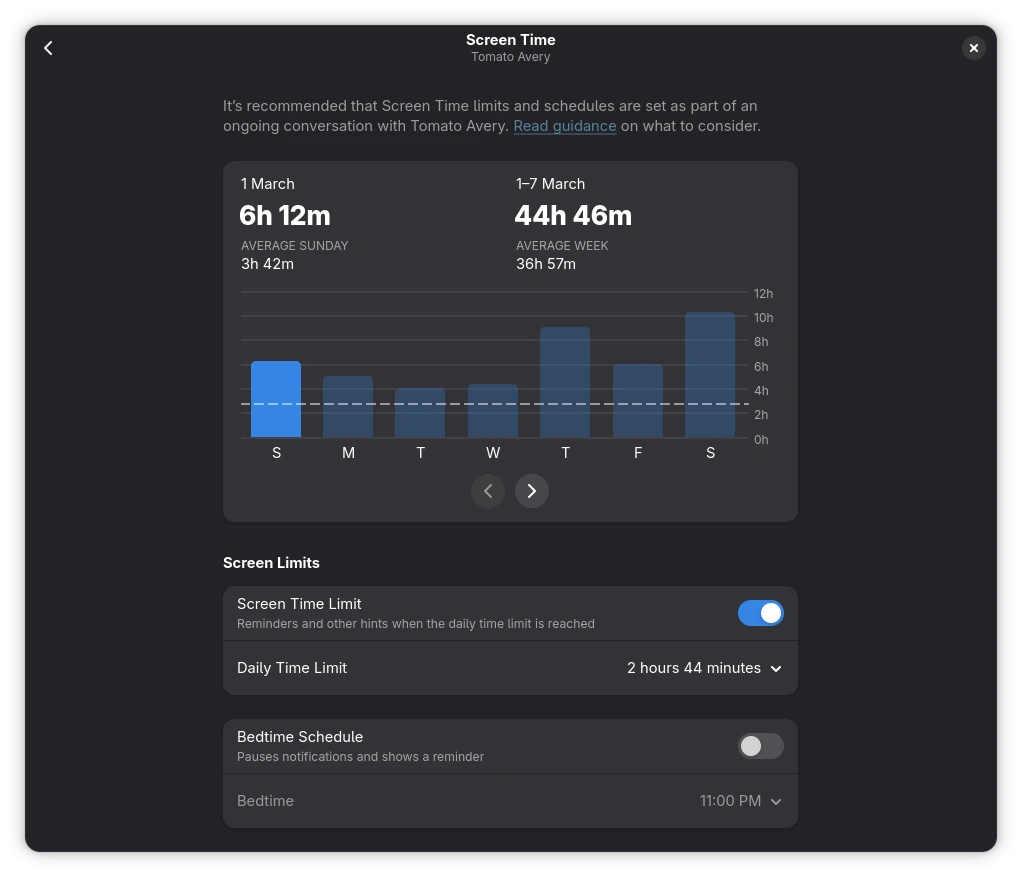
For parents it's quite an important one too, modernising and expanding the parental controls that are available. You can now monitor screen time and set limits, allowing you to have the screen automatically lock when certain limits are reached - or extend their time if needed. This is integrated across various places in the GNOME desktop.
There's also some more focus on accessibility like a reduced motion setting plus:
- A brand new preferences window has an enhanced design and is more consistent with other GNOME apps.
- All settings are now global, eliminating the need to save settings on a per-application basis, such as for web browsers. Settings can, of course, still be saved on a per-application basis when doing so is desired.
- Automatic language switching has been added both for web content and app UI.
- Browse mode has been extended to all document content, and sticky mode has been adjust to automatically turn on for Electron apps. Braille support has also been enhanced.
- Mouse Review can now be used in Wayland sessions.
Lots more in this release like faster thumbnail loading in the file manager along with reduced memory usage, there's been significant improvements to the remote desktop capabilities, and perhaps even more exciting is their work on display handling improvements:
- Improved Variable Refresh Rate (VRR) and Fractional Scaling Support: VRR and fractional scaling have both been improved for GNOME 50, with bug fixes, stability, and user experience improvements. Some distributions enabled these features in previous releases, so many users will have used them already. However, for other distros, these features are now enabled by default in GNOME 50.
- For users with compatible monitors, VRR provides a tear-free experience where the display’s refresh rate matches the application’s frame rate, resulting in significantly smoother motion.
- Fractional scaling allows what is displayed on screen to be scaled in increments, to better suit a range of display densities. When it is enabled, users can natively select scales like 125% or 150% in the display settings.
- Low-Latency Cursor in VRR: The mouse cursor now operates independently of the application’s frame rate while VRR is active. This ensures the cursor remains fluid and responsive at the monitor’s maximum refresh rate (e.g., 144Hz) even if a game or professional app is running at a lower frame rate.
- NVIDIA Performance Boosts: Workarounds for NVIDIA driver quirks have been implemented, targeting stuttering and frame-timing issues. The result is noticeably smoother window animations and general desktop fluidity for users with NVIDIA GPUs.
Next-Gen Color Management: Support for version 2 of the Wayland color management protocol has landed. This provides the technical foundation for creative professionals to achieve higher color accuracy across different apps and hardware.
- HDR Screen Sharing: Building on GNOME’s modern color pipeline, it’s now possible to screen share monitors displaying High Dynamic range (HDR) content. This allows screen recording software to record the screen content with the same vivid colors as displayed on the physical screen.
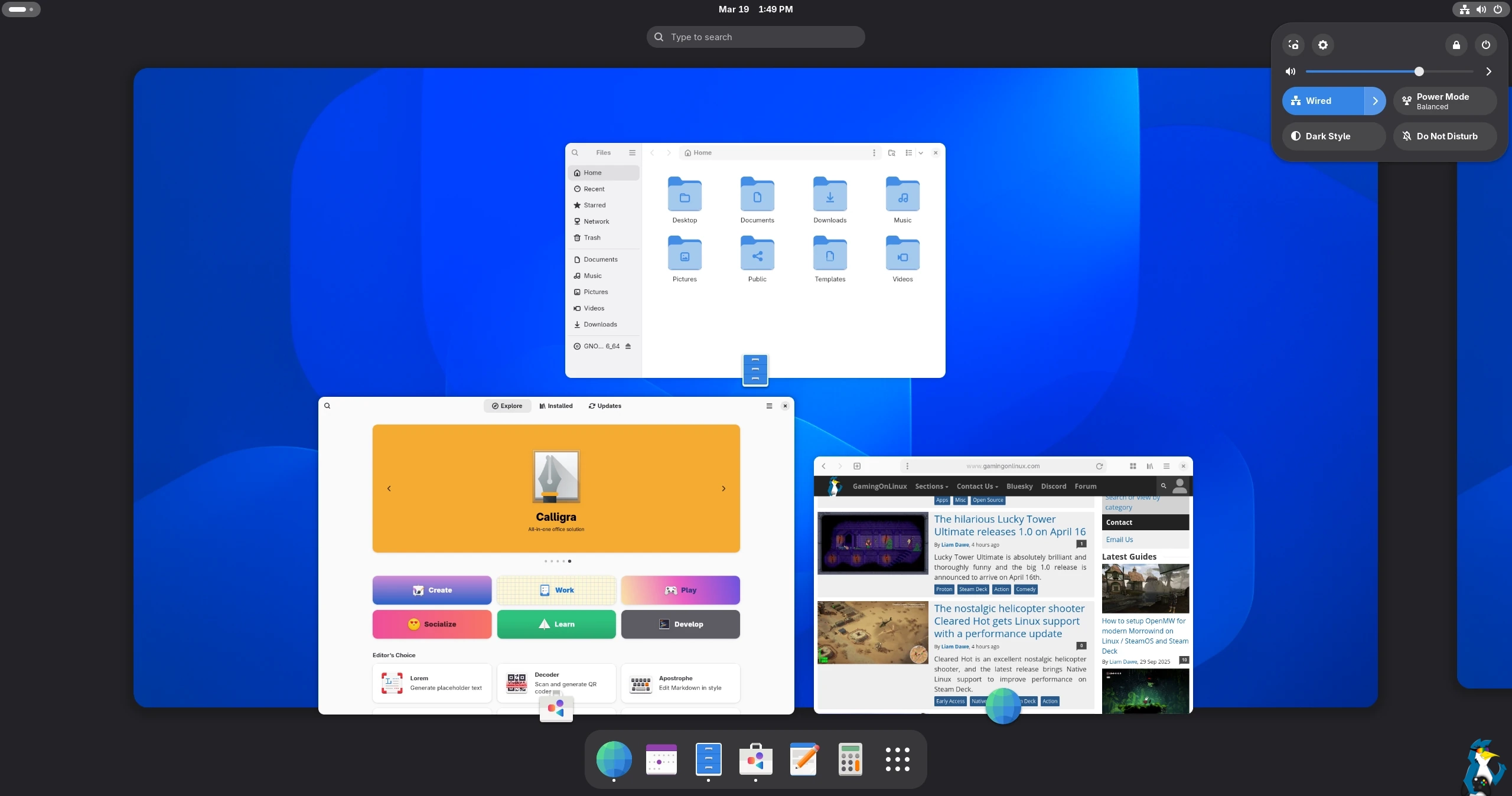
GNOME seems like it's in a really good place right now, lots of modernisations have been happening over the last few releases that really make it feel a lot better.
Lots more to see in the release notes.





See more from me

 You can also find comments for this article on social media:


Although my kids are actually very good at self policing themselves right now, so maybe it's not really needed for me?
 Kimyrielle 19 Mar 2026

Quoting: grigiI would love a clone of this parental controls to work with Plasma too.I never used parental controls for mine, only good old talks. I can safely say that it worked. But I guess it depends on a lot of things that might or might not be different in other families, so YMMV.
Although my kids are actually very good at self policing themselves right now, so maybe it's not really needed for me?
In the end it doesn't matter. Smart kids will ALWAYS find a way to get around stuff like that.
For me, I'm much more concerned just about in-general parenting them to have screen time limits across all screens and devices and just doing it myself.
 Linux_Rocks 19 Mar 2026

Quoting: JarmerIn the end it doesn't matter. Smart kids will ALWAYS find a way to get around stuff like that.In fact, I want my kids to problem solve.


Quoting: shadowofwardThe last time i tried gnome i couldn't even make a short cut on the desktop has this been changed?GNOME's design choice is not having desktop icons at all, so that isn't going to change any time soon...
Instead users are encouraged to use the dash in activity view for apps and favourites/bookmarks for their files.
I love GNOME and I use it on my main machine, but I understand it can be troublesome to use for some.
Quite fortunately KDE these days is getting really polished too, and I've got to admit, I like them both a lot. If I was a new user I would have a hard time choosing between those two...
Quoting: omer666That is certainly the default, but there's options. One of them:Quoting: shadowofwardThe last time i tried gnome i couldn't even make a short cut on the desktop has this been changed?GNOME's design choice is not having desktop icons at all
https://extensions.gnome.org/extension/2087/desktop-icons-ng-ding/

 Arehandoro 20 Mar 2026

Quoting: shadowofwardThe last time i tried gnome i couldn't even make a short cut on the desktop has this been changed?Oh... And suddenly, just like that, we have all forgotten, that there are GNOME Extensions and we can "extend" the functionality any way we like... 🤔
Like e.g. add the icons back to the desktop... 😁
 JohnLambrechts 24 Mar 2026
Quoting: WorMzyEw. I love Tokyo, it's a wonderful place to visit. Gnome, on the other hand... No.Gnome is great, if you like a Mac OS like feel.
KDE and Plasma handle my HDR screen better though, I wonder if Gnome 50 is better
 Patreon
 PayPal
 Anticheat check - which competitive games actually work on Linux?
 How to give Valve feedback when Proton games have issues on Linux / SteamOS