 Support us on Patreon
 PayPal
If you want to do livestreaming or video recording on Linux, OBS Studio is easily the best free and open source app you can get for it and v32.1.0 is out now.
With this release the main new features are:
- Added new Audio Mixer.
- Added WebRTC Simulcast Support.
- Added missing undo/redo actions for scene items:
- Scale filtering, blending mode, blending method, deinterlacing mode and deinterlacing field order.
- Added partial support for Canvases to obs-websocket.
WebRTC Simulcast support is definitely a headline feature here. Allowing multiple quality levels to be sent over one track in WebRTC. Similar in a way to what Twitch have with Enhanced Broadcasting. More technical details in the original GitHub post.
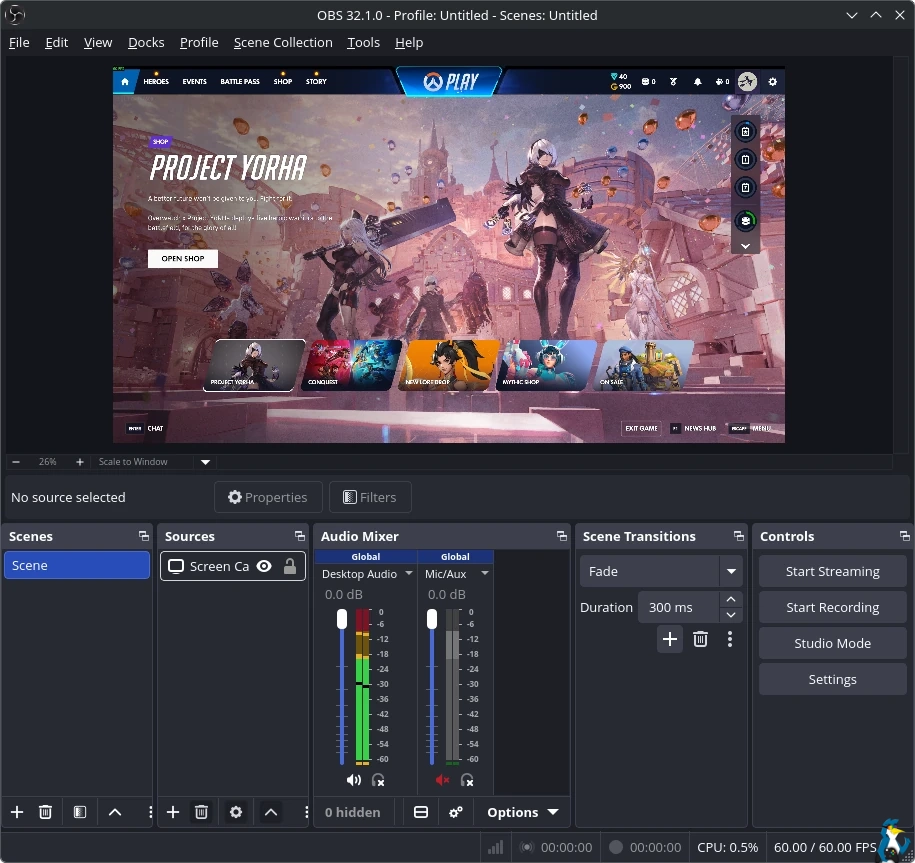
Plenty more improvements came with the release including:
32.1 Changes
- Improved security of browser sources using local files.
- Improved plugin manager by allowing enabling/disabling missing plugins.
- Removed "Source" from source names.
- Updated the Edit Transform dialog.
- Changed copying a scene item to copy all properties.
- Disabled dock animations.
- Moved transition preview button to button box.
- Rearranged default dock positions.
- Increased media source playback slider update rate.
- Enabled palette for Light theme audio mixer.
- Changed default bitrates to 6000 kbps.
32.1 Bug Fixes
- Fixed a crash if some source data was null.
- Fixed a crash on Linux when changing profiles or on application shutdown.
- Fixed a possible crash on macOS during application shutdown if YouTube docks were active.
- Fixed an issue where projector resolutions had decimals.
- Fixed sync of Preview/Program size and positioning.
- Refactored OBSBasic::Save to only save frontend canvas scenes/groups.
- Fixed NAL type for HEVC caption/BPM SEIs.
- Fixed an issue where video scaling could be incorrect in multivideo encoder scenarios.
- Fixed an issue with chapter markers having incorrect time when using file splitting.
- Fixed an issue where some recordings could have black thumbnails.
- Fixed an issue where the NVIDIA Blur and Background Blur could have banding or look splotchy.
- Fixed an issue where macOS Screen Capture would select an item for capture by default.
- Fixed an issue with PipeWire when capturing a device that does not require a framerate.
- Fixed an issue where PipeWire Camera framerates listed could be incorrect.
- Fixed an issue where HDR video playback in Media Source could be darker than expected.
- Fixed an issue that could cause OBS to become unable to change profiles or video settings.
- Fixed an issue that could cause transitions to become locked.
Source: GitHub




About the author - Liam Dawe

I am the owner of GamingOnLinux. After discovering Linux back in the days of Mandrake in 2003, I constantly checked on the progress of Linux until Ubuntu appeared on the scene and it helped me to really love it. You can reach me easily by emailing GamingOnLinux directly.
See more from me
See more from me
Some you may have missed, popular articles from the last month:

 You can also find comments for this article on social media:
 All posts need to follow our rules. Please hit the Report Flag icon on any post that breaks the rules or contains illegal / harmful content. Readers can also email us for any issues or concerns.
No comments yet!
 How to setup OpenMW for modern Morrowind on Linux / SteamOS and Steam Deck
 How to install Hollow Knight: Silksong mods on Linux, SteamOS and Steam Deck