 Support us on Patreon
 PayPal
A new Steam Beta update for Desktop and Steam Deck / SteamOS allows you to add hardware details for reviews and give more Steam Deck Verified feedback.
Being able to attach your hardware to a Steam review is an interesting one, as Valve already previously made it so reviews of games played mostly on Steam Deck could be selected. But with this wider push to show more details, especially for a lot of newer AAA games, you might be able to see what type of experience you will get a little easier based on what others say.
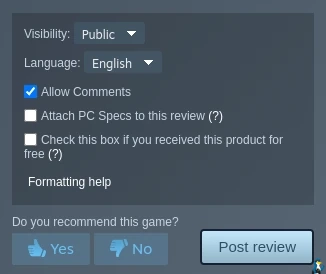
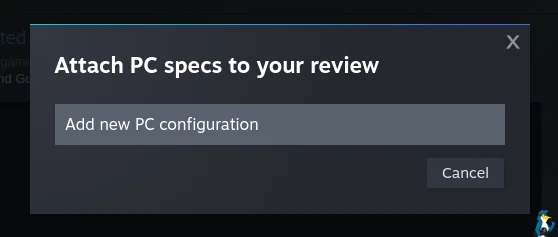
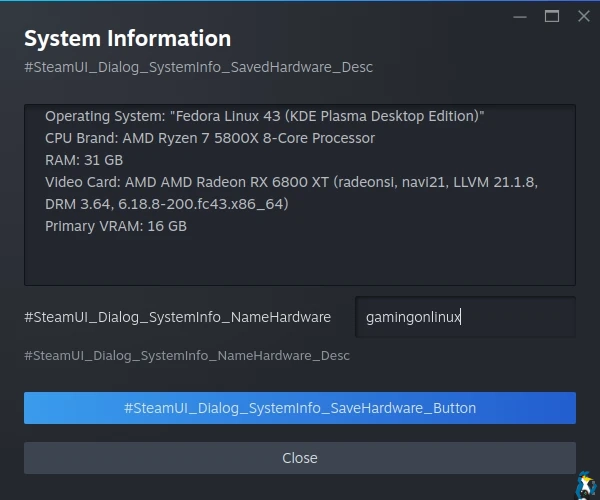
It's not entirely automatic though, you need to actually go in and save your hardware details to Steam. Seems like it still needs a bit of work.
For the main PC changelog:
General
Added the option to attach hardware specs when writing or updating a Steam User Review on a game's store page
Added the option to provide anonymized framerate data. When enabled Steam will collect gameplay framerate data, stored without connection to your Steam account but identified with the kind of hardware you are playing on. This data will help us learn about game compatibility and improve Steam. This feature is currently in Beta with a focus on devices running SteamOS.
Steam Families
- Improved setting layout and navigation on desktop, deck and mobile devices.
Streaming
Fixed a case where streaming could leave downloads throttled even after the stream stopped.
Linux
- Fixed a bug that could result in Proton games showing up as "Not valid on current platform" for users with very large libraries when using offline mode.
Steam Deck
When submitting feedback on whether you agree with a Deck Verified rating, if you disagree we'll now ask for the reason. Providing a reason is optional.
Looking over the Steam Deck / SteamOS changelog these apply just for them:
- Display the highest resolution capsule image available for the featured game in the Recent Games carousel when online.
- Fixed an issue that could make the currently selected element rapidly gain and lose focus which could also result in gamepad inputs being ignored.
- Fixed an issue that made it impossible to install some games if you have a large game library.
- Fixed an issue that prevented your selected keyboard theme from applying while in offline mode.
- Fixed an issue that could cause the gaming mode footer to flicker or disappear.
On Steam Deck / SteamOS devices when going to play a game you'll now see this:
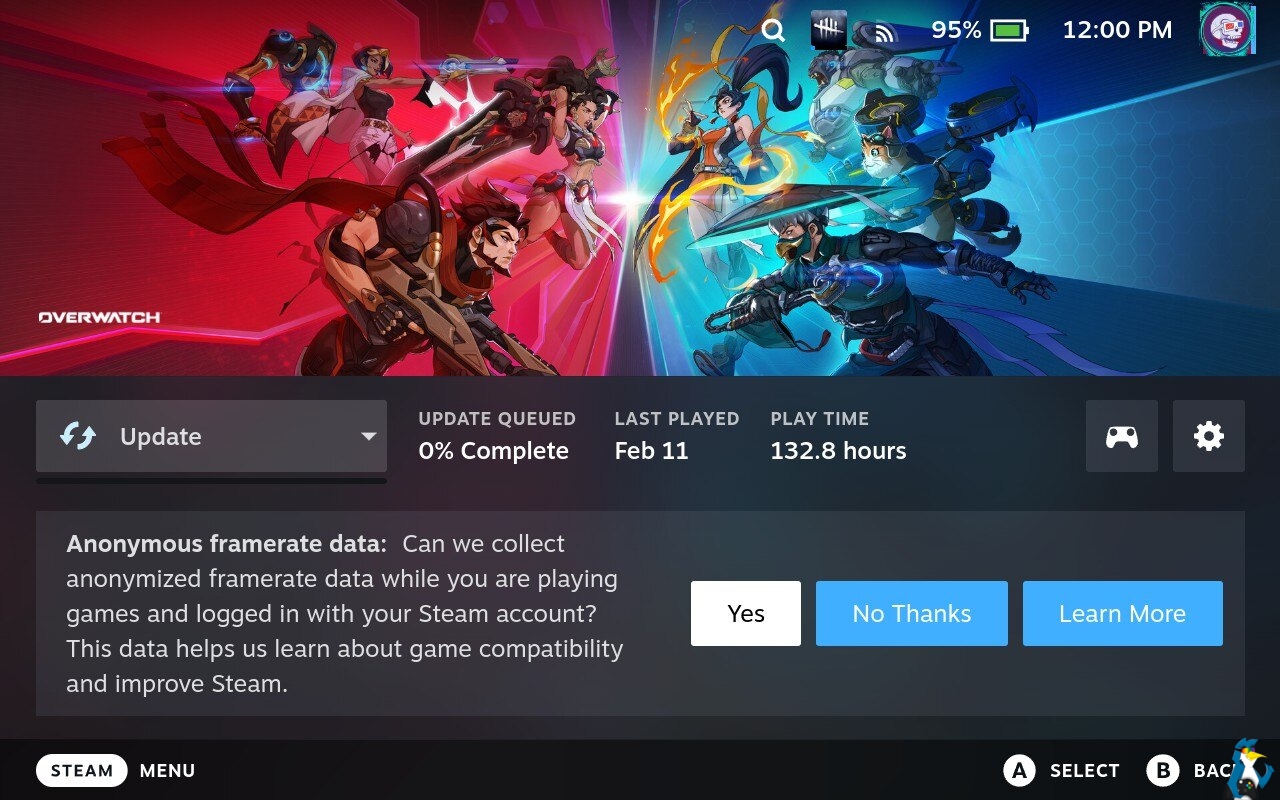
The setting is also available at the bottom of your Data & Browsing account details on Steam.
Some really interesting additions added by Valve here, as they're clearly making an effort to improve various parts of Steam. Perhaps with the new framerate data, and the ability to add extra feedback to their Steam Deck Verified questions, we might see a few less complaints in future about games being Steam Deck Verified that clearly shouldn't be. This is something that will be quite important for when the Steam Machine releases to get Steam Machine Verified right too.





See more from me



 You can also find comments for this article on social media:

So this is making good steps to remedy that! I like it.
This also seems like they're inching toward what protondb does. Which I also like!
Last edited by Jarmer on 13 Feb 2026 at 1:58 pm UTC
IMHO would be great to also add option to enable sending hardware/software information more or less "permanently" and not only when prompted to submit it… would give better overview of the echosystem.
 Arehandoro 13 Feb 2026


 How to setup OpenMW for modern Morrowind on Linux / SteamOS and Steam Deck
 How to install Hollow Knight: Silksong mods on Linux, SteamOS and Steam Deck