 Support us on Patreon
 PayPal
CachyOS continues being one of the most popular Linux distributions, and the brand new release comes with lots of welcome improvements to setting it up. Should be smoother, and easier to install it while looking pretty slick too.
What actually is CachyOS? They say it's a "fully optimized Arch Linux desktop with CPU-specific package builds, a tuned kernel, and your choice of desktop environment. Browse, develop, create, and game on a system built for speed — powered entirely by free and open-source software". As of the most recent Steam Survey it was third in the list of popular Linux distros.
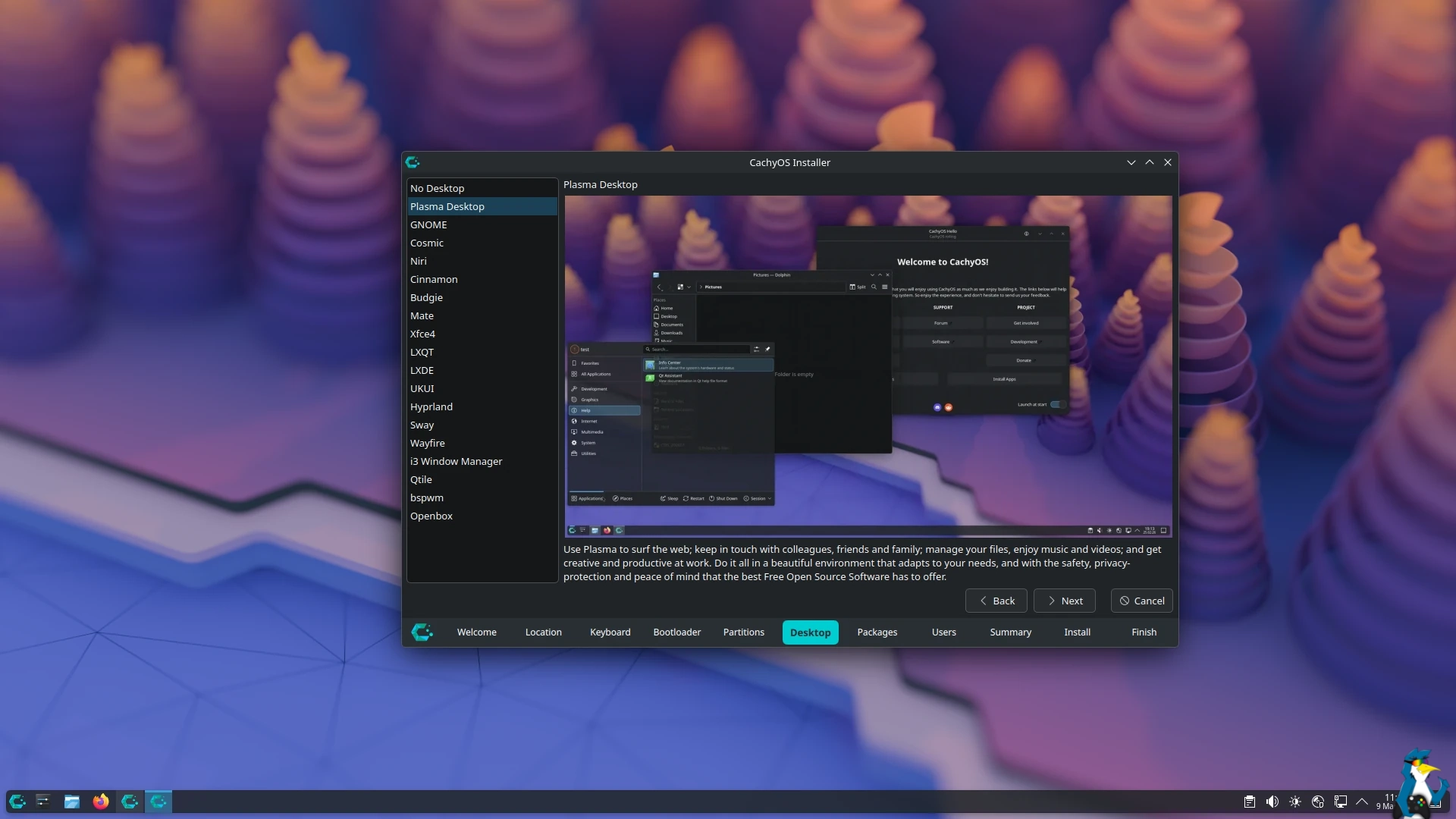
The refreshed installer looks good, giving you video previews of the different desktop options, along with some other behind the scenes improvements to make it work better overall.
I think I'm really going to have to give CachyOS a proper go soon to see what all the fuss is about, but I don't want to break my current Fedora KDE install which has been running smoothly for quite some time now. But the distro-hop feeling is getting stronger over here. Let me know how you're getting on with CachyOS in the comments. Convince me!
All the changes are listed below:
Features:
- Installer:
- Added support to show GIF/WebP videos in the Desktop Selection to showcase the desktops. This is enabled for Plasma, GNOME, Niri and COSMIC
- Added support for JPEG XL in the Desktop Selection to reduce image sizes
- Cachy-Update is now enabled by default for the GNOME and KDE installations
- Improved microcode installation logic — it will now detect the hardware and install the proper microcode instead of installing both and then removing the unneeded one
- Improved error message when the EFI partition is too small
- Sorted the Desktop Environment list from easy and accessible setups to more advanced ones like WMs
- CachyOS-Welcome:
- Added a button to easily install and enable “Winboat” for an easy Windows Docker VM
- Added support for FFMUC DNS server in DNS selection
- Added Ukrainian translation
- chwd: Decreased the initramfs size massively for NVIDIA dGPU configurations
- linux-cachyos: Instead of generating a
0001-cachyos-base-all.patch, a release is now generated in a Linux repository for each release of our patched kernel- cachyos-rate-mirrors: Improved the experience for users in China&Russia massively with a proper check before rating the mirrors
- cachyos-settings: Added support to automatically set the wireless regulatory domain based on timezone
- website: The website design has been reworked and improved to follow more modern standards
- GitHub: Added issue templates to important GitHub repos to improve the quality of bug reports and provide guidance for the user
- Mirrors: New mirrors in Russia (jura12, cachy-arch.ru), Sweden (Zyner), and Canada (All Things Linux)
Fixes:
- Installer:
- Removed support for bcachefs in the filesystem selection due to the requirement of bcachefs-dkms
- Fixed encryption when LUKS2 is used for specific devices
- Fixed enabling the “ly” display manager
- cachyos-settings:
cachyos-bugreport.shnow redacts IP, username, hostname, and MAC address- chwd:
- Generic handheld profiles and improved support for handheld GPUs
- fwupd is now enabled for Lenovo handhelds
Changelog for Handheld Edition:
- gamescope-session: Replaced gamescope-session-plus with gamescope-session-cachyos, which is forked from Valve’s gamescope-session
- Enables firmware updates for Steam Deck and Lenovo Legion Go devices
- plasma-login-manager: Replaced SDDM with plasma-login-manager for the login manager
- bootloaders: Limine is now selected as default with automatic snapshots. systemd-boot will still be selectable
- Installer: Merged Handheld Calamares with desktop edition calamares together
- ISO: ISO now uses Wayland instead of X11.
See the CachyOS website for more.





See more from me




 You can also find comments for this article on social media:

Last edited by tmtvl on 9 Mar 2026 at 11:35 am UTC
 How to setup OpenMW for modern Morrowind on Linux / SteamOS and Steam Deck
 How to install Hollow Knight: Silksong mods on Linux, SteamOS and Steam Deck