 Support us on Patreon
 PayPal
The open-source app for monitoring and controlling supported cooling devices on Linux, CoolerControl, has a big new release out with major new features.
A really easy to use app for monitoring your system, with a nice friendly (ish) UI for seeing everything at a glance. Now, it's even better as you can do more with it. It already includes support for all this:
- System daemon with built-in Web UI and optional desktop application
- Auto-detection of hwmon/sysfs, liquidctl, NVIDIA, and AMD GPU devices
- GPU fan control for most NVIDIA and AMD GPUs
- Customizable Profiles (Fixed, Graph, Mix, Overlay) applied to any fan or pump
- Functions for hysteresis, thresholds, directionality, and response-time control
- System-wide Modes to switch all device settings at once
- Custom Sensors from files or combinations of existing sensors
- Dashboards and Alerts for monitoring and anomaly detection
- Headless and remote access support
- Reapplies settings after sleep
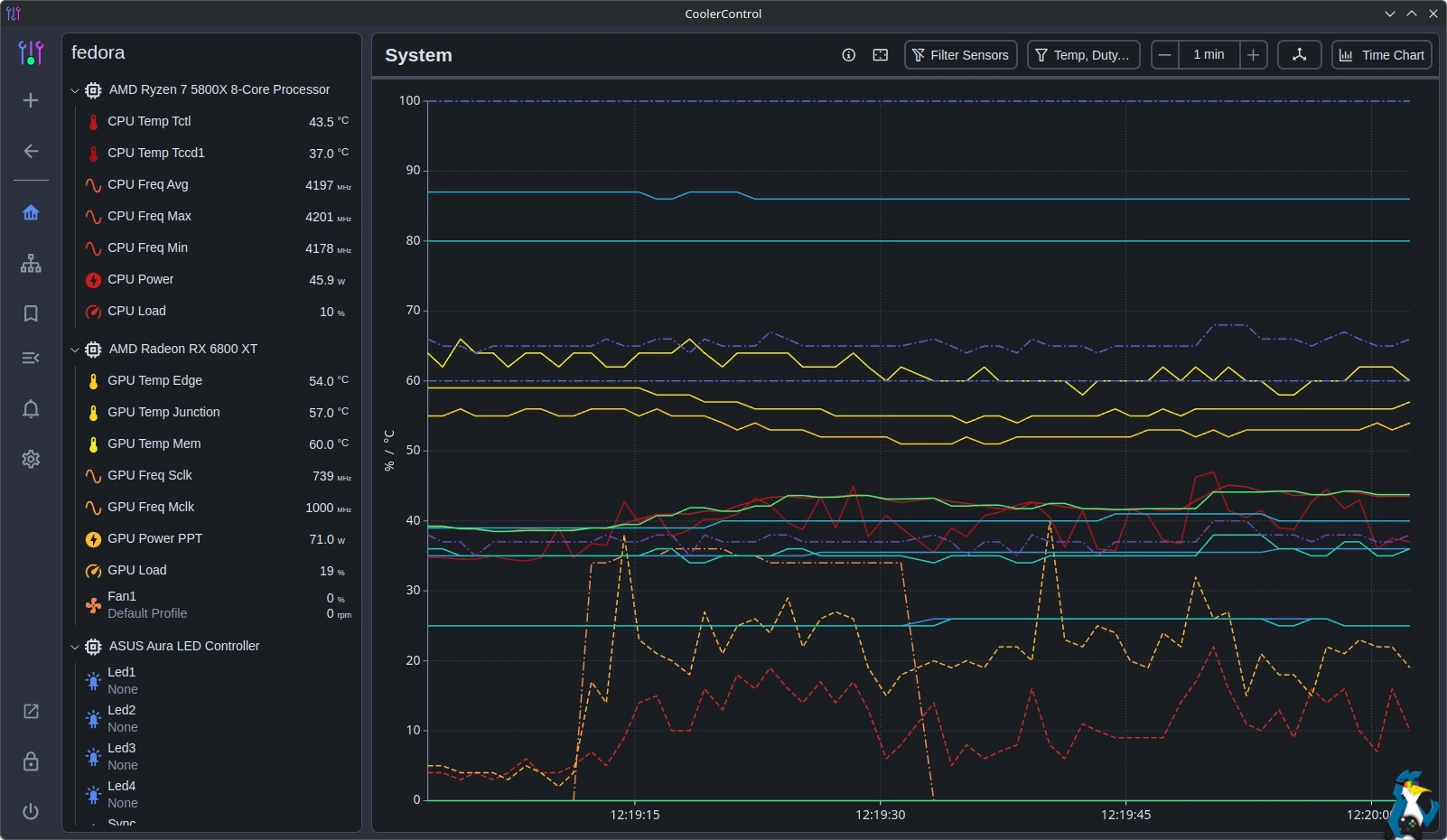
With the 4.2.0 release they've added support to automatic detection of added and removed devices with desktop notifications, stress-testing across CPU / GPU / RAM and Storage, NVIDIA GPU hotspot temperature reporting, Advanced Device Setting to enable AMD GPU Overdrive at the kernel level with improved amdgpu
logging and more.
Overall it's becoming quite the impressive all-in-one thermal monitoring solution for Linux. Good for overclockers to keep an eye on things to get the most of out your gaming system.
See more on the GitLab page.





See more from me




 You can also find comments for this article on social media:
I have a Gigabyte X870E Aorus Pro X3D ICE (with a Ryzen9 9950X3D) and coolercontrol found two unknown ITE sensor chips: 0x8696 at 0x2E and 0x8883 at 0x4E.
I managed to have the 8696 working adding "options it87 ignore_resource_conflict=1 force_id=0x8696" to "/etc/modprobe.d/it87.conf" but "coolercontrold detect --load" still says "Unrecognized Super-I/O chip at 0x4E id:0x8883 - please report for database inclusion" and I can't find a way to report it.

 PlayingOnLinuxphone 23 Apr 2026
