 Support us on Patreon
 PayPal
The Framework team have revealed the fancy new Framework Laptop 13 Pro, and it sounds like quite a dream machine for hardware enthusiasts. While many parts have been redesigned and improved, they're still sticking to their modular idea and so owners of previous models won't be left out and will be able to slot in some new parts to upgrade.
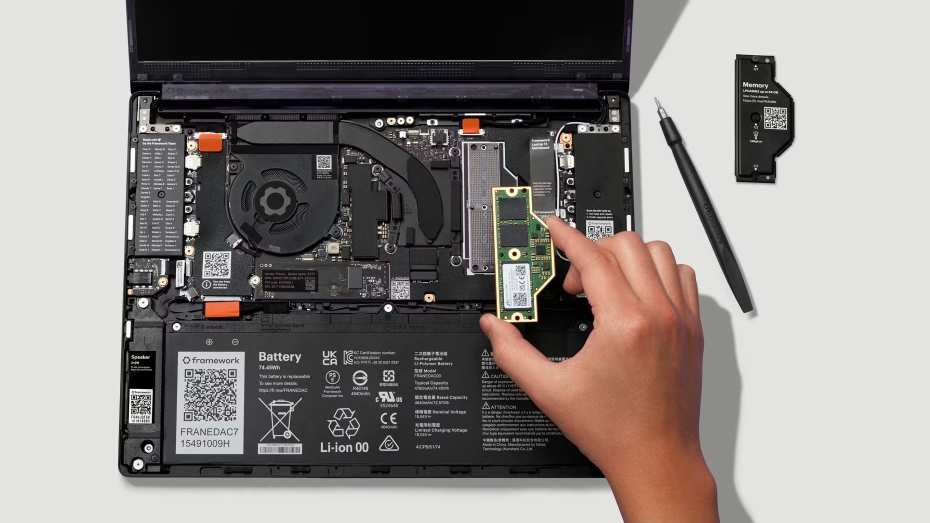
Quite an exciting sounding machine. A ground-up redesign with Intel's Core Ultra Series 3 Processors, a 74Wh battery, new LPCAMM2 memory, a new full CNC aluminium chassis, a purpose-built power-optimized display, a new haptic touchpad and much more.
The system will be available in three main configurations across Core Ultra 5, Core Ultra X7, and Core Ultra X9. I'm really pleased to see more adoption on LPCAMM2, which I was quite excited about when covering it here on GamingOnLinux back in May 2024. Bringing power-efficient and most importantly - easier RAM upgrades to laptops.
You also get access to PCIe 5.0 for super-speedy M.2 2280 NVMe drives, WiFi 7 support and four Thunderbolt 4 interfaces available via their expansion card system.
Their display sounds pretty great too, one they said they developed from scratch to optimize it completely for the new system. It's a 13.5" 3:2 display with 2880x1920 resolution supporting 1800:1 contrast, per-unit colour calibration, 30-120Hz variable refresh rate, up to 700 nit brightness, and a novel anti-glare matte polariser. Oh, it also supports touch too as people kept asking for it so that's cool.
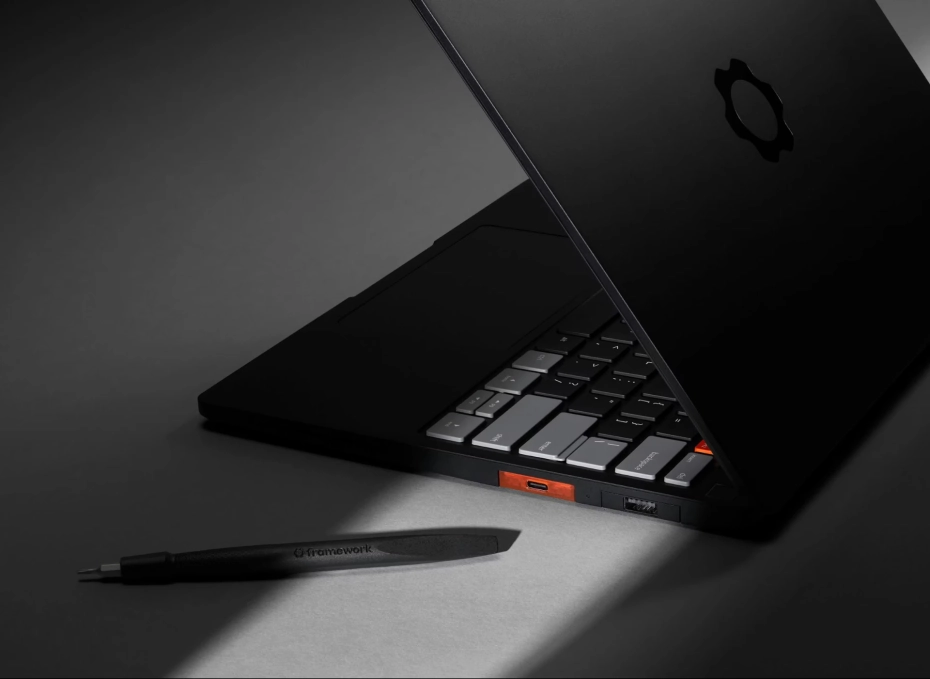
On the subject of Linux support, they said:
"On Linux, as always, we’ve designed for excellent support from the start. That means component selection for Linux compatibility, support for firmware updates through LVFS, and contributing patches upstream where needed. We’ve also seeded pre-release systems to a range of distro partners. This is also our first ever Ubuntu Certified system, and we’re offering pre-built configurations with Ubuntu pre-loaded. That means you get compatibility and guaranteed support right out of the box. In addition to the Ubuntu pre-builts, we have Windows 11 options and our DIY Edition where you can bring your own memory, storage, and OS. We also have new AMD Ryzen AI 300 Series options for Framework Laptop 13 Pro, bringing the new features and functionality. We have one other new configuration item available for US-based customers, which is a 3 year warranty option."
They said their internal discussion when kicking off the new production was basically "MacBook Pro for Linux users".
During their live event, they even had Ken VanDine from Ubuntu maker Canonical on stage to talk about Ubuntu on the device, although they did a bit of a woops and had VanDine's name card up for the person from Intel who appeared before. Bit of a spoiler and a woops all in one. They haven't just been working with Canonical though, they also shipped out hardware to developers on the likes of Debian, Fedora, Arch Linux ("soon"), NixOS, Linux Mint, openSUSE, CachyOS and Bazzite too.
It's really great to see them not just continue to refine their Linux support, but actually begin to offer it pre-loaded. This will be a nice boost for Linux adoption overall.
Framework said the Laptop 13 Pro begins shipping in June.
Some more things they've announced include new expansion card modules, a fancy wireless touchpad keyboard with open source (ZMK) firmware, an OCuLink Dev Kit to hook up external graphics to the Famework Laptop 16, a laptop sleeve and a 10GB Ethernet expansion card.
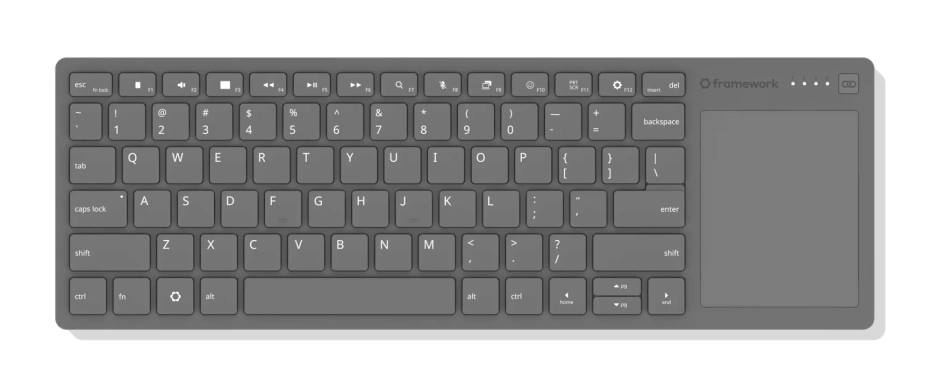
The Framework Wireless Touchpad Keyboard announcement was a slightly amusing one for me, as they mentioned on stage how many people have the Logitech K400 Plus because its quite convenient. That's exactly the same one I also use when doing various things with the Steam Deck or my Legion Go when docked. So it will be interesting to see if their attempt is any better. The keyboard can be connected via wired, Bluetooth, or USB-A dongle.
See more on the Framework website.





See more from me



 You can also find comments for this article on social media:
  mr-victory 5 hours ago
AND TOUCHSCREEN TOO??
The fact that it uses Oculink 8i means that this is PCIe x8 with 128 Gbps.
Quoting: mr-victoryAND TOUCHSCREEN TOO??Meh. This is one of those features that, I know you have to have it nowadays, but I'd pay a bit extra not to. I never use it deliberately, but I do sometimes use it accidentally, which is a pain, and it means I need to think twice before I flick a piece of lint off the screen, and it's an invitation to get my screen all fingermarky. Basically, to me touchscreens are mostly there to create an extra point of failure, a reason for things to randomly fuck up because I touched my screen.

 How to setup OpenMW for modern Morrowind on Linux / SteamOS and Steam Deck
 How to install Hollow Knight: Silksong mods on Linux, SteamOS and Steam Deck