 Support us on Patreon
 PayPal
We're hopefully not too far off the release of the new Steam Controller now, with Valve adding a battery indicator for wireless gamepads. A very useful feature, that I am surprised wasn't actually an official thing already.
Testing it out with my PowerA OPS controller, once I swapped it into the Bluetooth mode, Steam now correctly displays a battery level for it which is pretty great (it didn't work with the dongle).
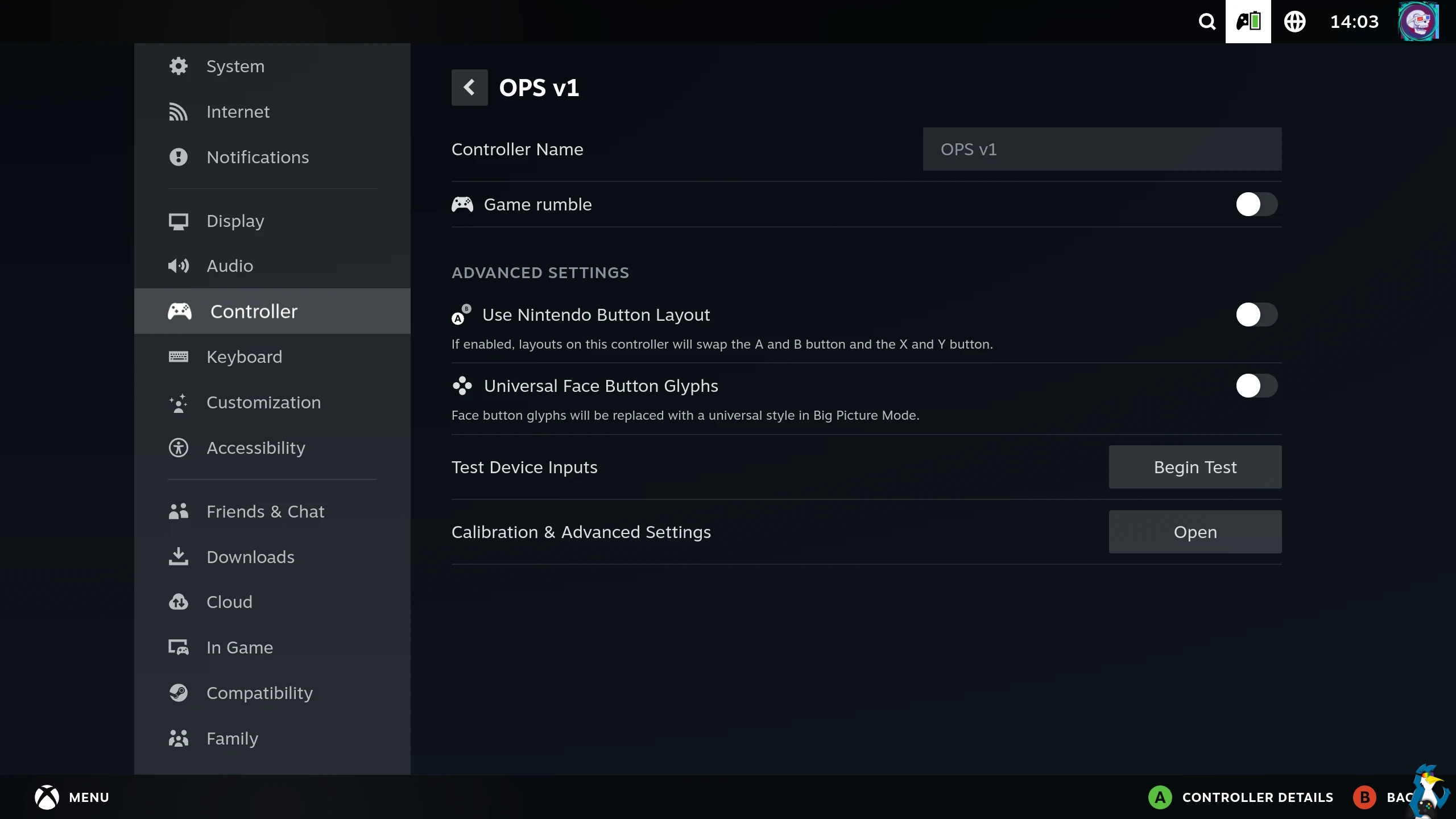
From the Steam Client Beta changelog for April 24th:
General
- Added a low battery level toast for wireless gamepads
Big Picture Mode
- Added a battery indicator to the header for wireless gamepads
- Fixed issue with controller battery status links in the Quick Access Menu not returning to the correct place.
- Fixed several navigation issues with controller settings.
macOS
- Fixed soundtrack playback not working on Apple Silicon machines.
The SteamOS / Steam Deck Beta client update was the same.




About the author - Liam Dawe

I am the owner of GamingOnLinux. After discovering Linux back in the days of Mandrake in 2003, I constantly checked on the progress of Linux until Ubuntu appeared on the scene and it helped me to really love it. You can reach me easily by emailing GamingOnLinux directly. You can follow me personally on Mastodon [External Link].
See more from me
See more from me
Some you may have missed, popular articles from the last month:

 You can also find comments for this article on social media:
 All posts need to follow our rules. Please hit the Report Flag icon on any post that breaks the rules or contains illegal / harmful content. Readers can also email us for any issues or concerns.
7 comments

I am preemptively disappointed at these being sold out before I even get a change to load the order page.
8 Likes
Price leaked via an early review: $99
6 Likes


Have Valve talked at all about using the Steam Controller on games outside of Steam? I own more games in my GOG library and if the controller doesn't function with games not added to the Steam launcher, that's a deal breaker for me. I don't even need the touchpad and gyro to work, just having the main controller function as a Xinput pad would be good enough for me.
Last edited by PaldinoX on 25 Apr 2026 at 6:16 pm UTC
Last edited by PaldinoX on 25 Apr 2026 at 6:16 pm UTC
0 Likes

Quoting: PaldinoXHave Valve talked at all about using the Steam Controller on games outside of Steam? I own more games in my GOG library and if the controller doesn't function with games not added to the Steam launcher, that's a deal breaker for me. I don't even need the touchpad and gyro to work, just having the main controller function as a Xinput pad would be good enough for me.That's a Xinput controller. A recent kernel and recent sdl2 or sdl3 should be sufficient.
Last edited by rea987 on 25 Apr 2026 at 6:44 pm UTC
0 Likes

I wonder if the sc-controller maintainers are planning to support the Steam Controller 2. Could be neat to use it for Luanti or SuperTuxKart.
0 Likes
Quoting: kuhpunktPrice leaked via an early review: $99I forget how much I paid for the original Steam Controller, but I'm pretty sure it was less than half of that. I realize there are "premium-priced" controllers on the market, but $99 seems high.
0 Likes


Quoting: PaldinoXHave Valve talked at all about using the Steam Controller on games outside of Steam? I own more games in my GOG library and if the controller doesn't function with games not added to the Steam launcher, that's a deal breaker for me. I don't even need the touchpad and gyro to work, just having the main controller function as a Xinput pad would be good enough for me.you can change your desktop layout to a normal gamepad layout to make it work
0 Likes
 How to setup OpenMW for modern Morrowind on Linux / SteamOS and Steam Deck
 How to install Hollow Knight: Silksong mods on Linux, SteamOS and Steam Deck