 Support us on Patreon
 PayPal
Forza Horizon 6 has officially launched from Playground Games and Xbox Game Studios, with Valve getting Proton updated ready for it on Linux / SteamOS. Note: personal purchase, no one replied to GamingOnLinux for a code, so big thanks to all our supporters.
Only just recently on GamingOnLinux I wrote about Proton needing some "horrible" workarounds to get the game working properly on Linux, and it seems at least some of those needed changes have arrived. Valve silently updated Proton Hotfix, and they've now also set it as the default for Forza Horizon 6 across all Linux platforms including SteamOS / Steam Deck.
There's nearly 100 comments on the Proton GitHub report, with lots of Linux gamers reporting various issues with the game. The issues differ between NVIDIA and AMD GPUs, with a needed driver update upcoming for NVIDIA users (no ETA as to when).
Keen to see what the experience was like on my Desktop Fedora KDE AMD system (Ryzen 5800x / Radeon 6800 XT - Mesa 26.0.6), I picked up a copy to have a blast through and report for you. This also gives my shiny new Steam Controller an extra workout. I'm not using an extras at all here, no added launch options.
First thing to note - it does require an Xbox account. So if you were hoping to be able to play fully offline, it appears that's not possible. Even trying to go into the settings screen on the main menu, it bugs you to force you to login to an Xbox account. Thankfully, there were no issues there scanning the code on my phone and linking accounts on both Desktop and Steam Deck, so at least that was smooth.
After that, doing a few runs of the benchmark mode. Here's the results for my system on the High preset:
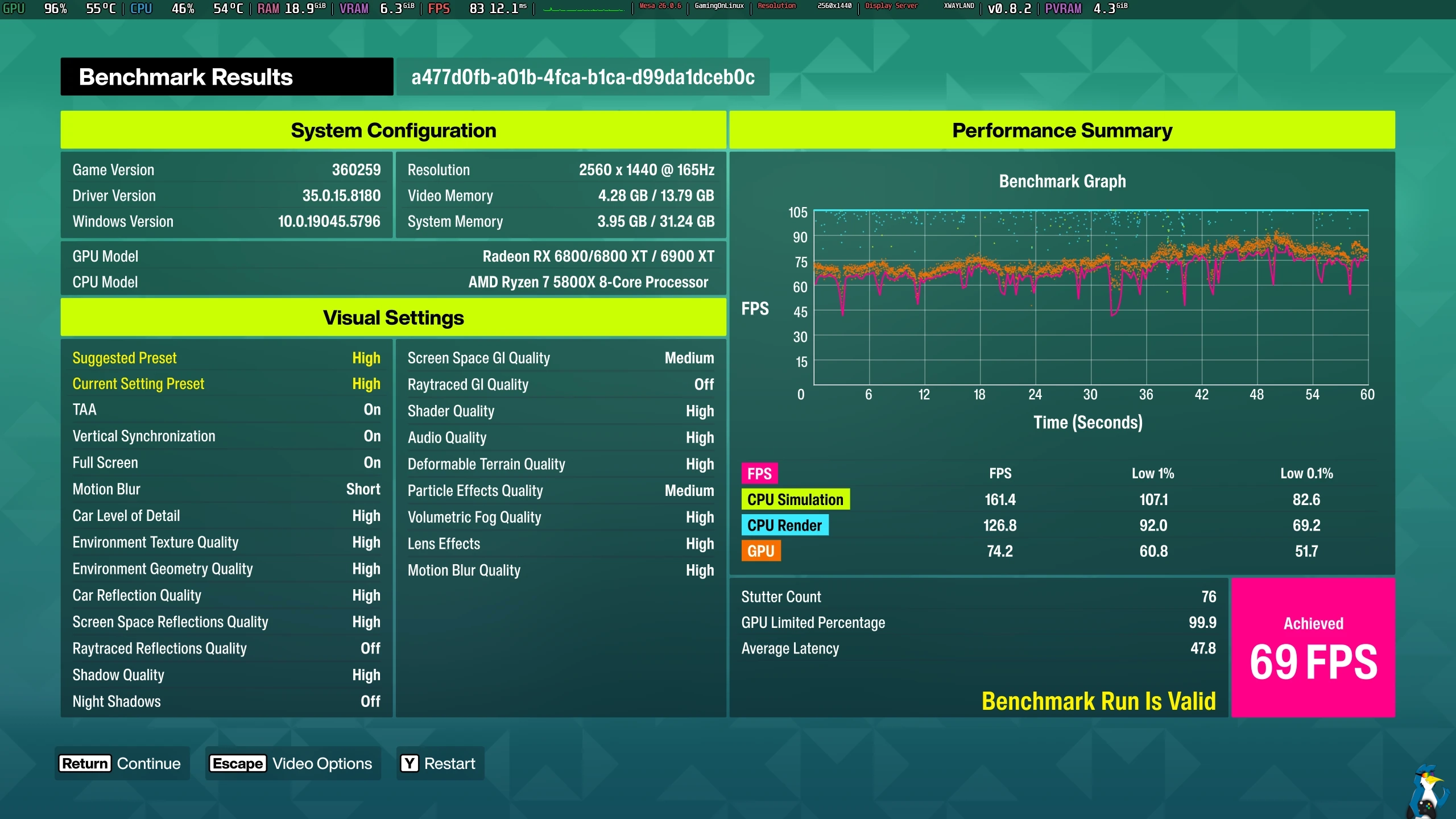
Pictured - Forza Horizon 6 on Fedora KDE
For a brand new AAA game, that needs a special version of Proton - that seems quite reasonable on my system for the initial release.
Testing it also on the Steam Deck OLED (SteamOS 3.8 Beta), here's a benchmark of how it runs there too on the Low preset:
 Pictured - Forza Horizon 6 on Steam Deck OLED (SteamOS 3.8 Beta)
Benchmarks only tell a very curated part of the story though.
Valve gave it a Steam Deck Verified rating with a green tick and it does work out of the box with no tinkering required to get into the game as you would expect for a Verified title - but I wouldn't say it was a particularly nice experience. On the default of Low for the Steam Deck, the performance is a bit all over the place. The frame timing is quite poor too, and the performance drops well below 30FPS quite a lot which makes it a pretty messy experience on Steam Deck.
For Steam Deck players, this is one that will need you to tweak settings to your liking. I changed the resolution to 1280x800 (720p is the default), turned on AMD FSR and set it to Balanced, with the in-game 30FPS cap removed and set the Steam Deck refresh rate to 45FPS via the three-dot Quick Access menu which did give a much nicer experience.
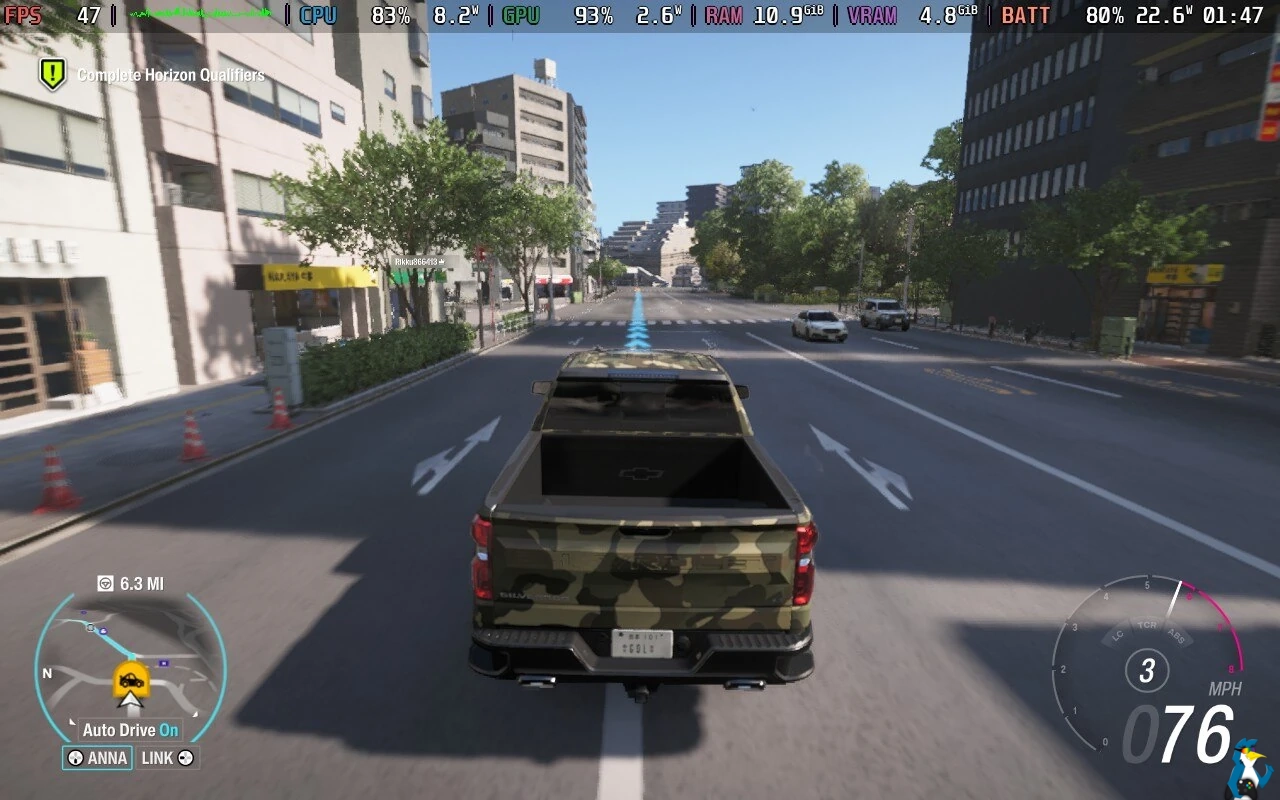
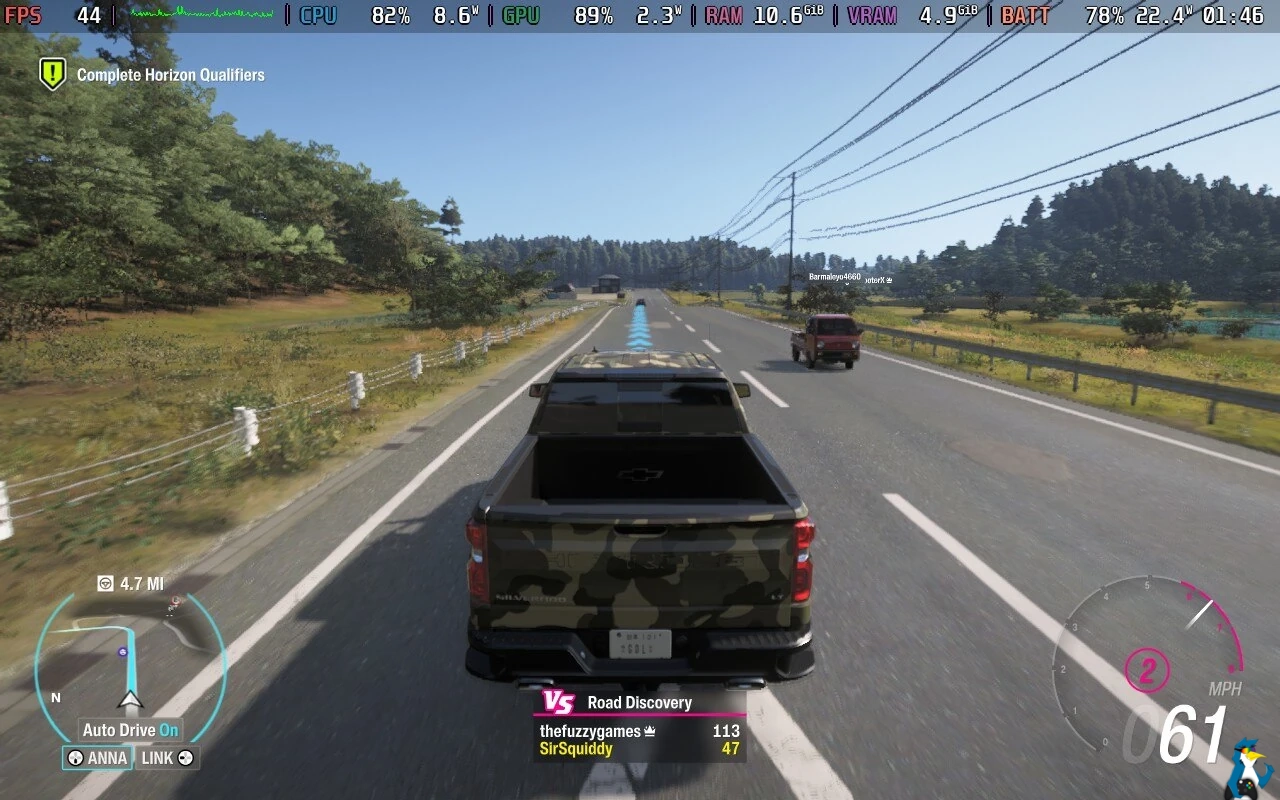
Pictured - Forza Horizon 6 on Steam Deck OLED
So a small bit of adjusting for the Steam Deck to get it actually feeling closer to Verified. On those settings I've driven through the city and out in the sticks and it feels a lot better. Actual races feel noticeably smoother too.
For the Steam Deck OLED you'll get a little bit above 2 hours battery life with it.
How's the rest of it on Desktop then? Well, thanks to Valve's hard work with Proton - it clearly works. Playing mostly on Desktop on the High preset, it has been largely above 100 FPS at 2560x1440 so the developers did a mostly good job on optimizing.
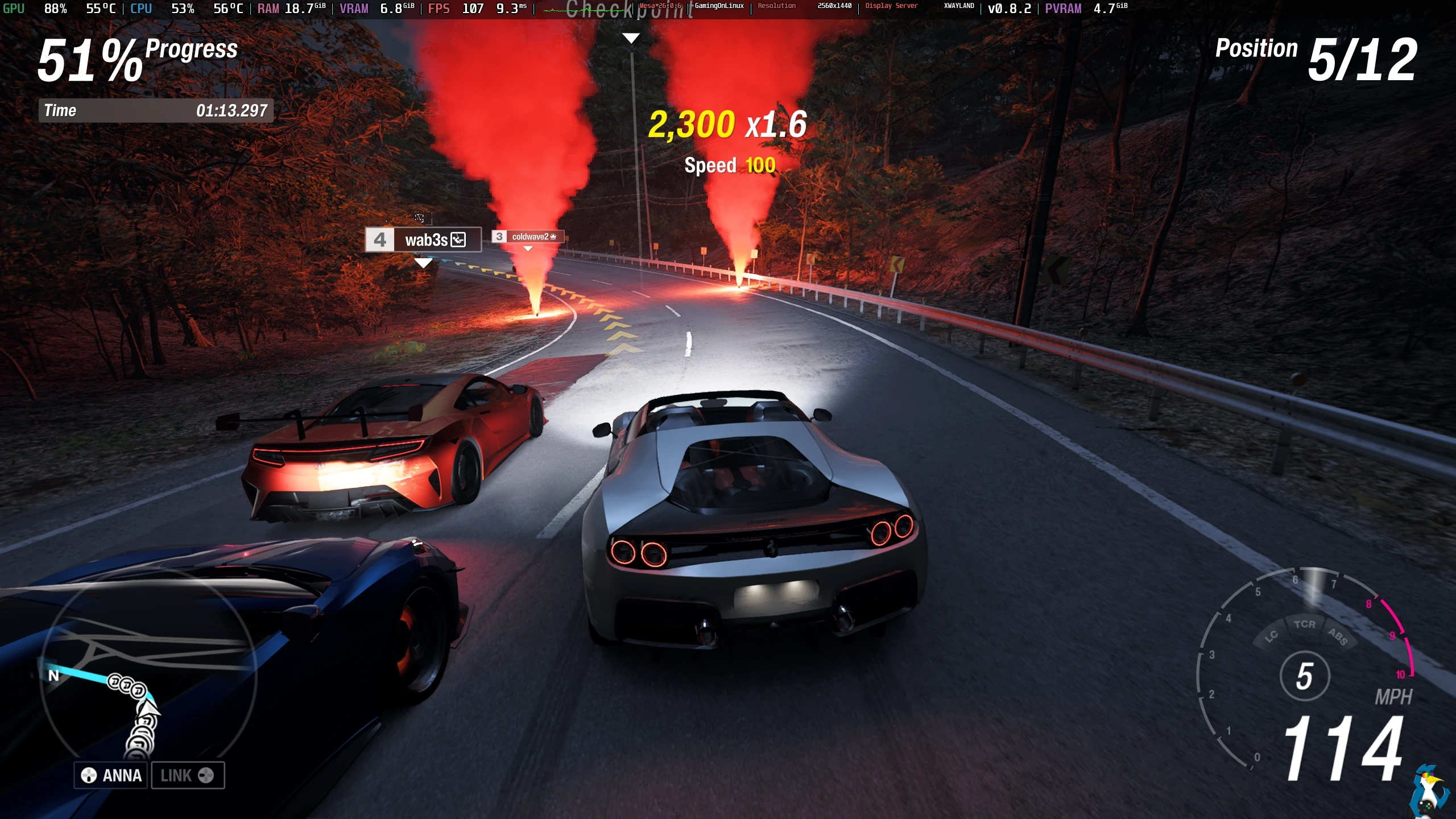
Pictured - Forza Horizon 6 on Fedora KDE
However, there is some incredibly annoying stutter going on with it. This is not specifically a Linux and Proton problem though, as the Steam forum is filling up with people on Windows also noting the same stuttering. It happens in some cases every few seconds, where you can even see visually the car sort-of shunts forwards while things catch up.
The stuttering is probably asset-loading related while it's streaming in bits and pieces as you race. Still, it's quite annoying. Especially so when taking lots of corners, it really pulls you out of it. I'm using MangoHud, and when it happens I can clearly see on the frametime graph there's repeated bumps in it.
Additionally, it seems a bunch of car customization is invisible, which is a bit of a funny (but still annoying) issue. So when you go to add stuff like vinyl shapes and logos - you can't actually see them.
Apart from that, everything else seems to be looking good. It's nice and stable with Valve's Proton Hotfix, with no crashing or freezing at all in multiple consecutive hours of play. There's no black screens, no cut-scene issues, no problems with the audio and I can see other players driving around just fine too. Amazing to see another high-profile game working at the actual release.
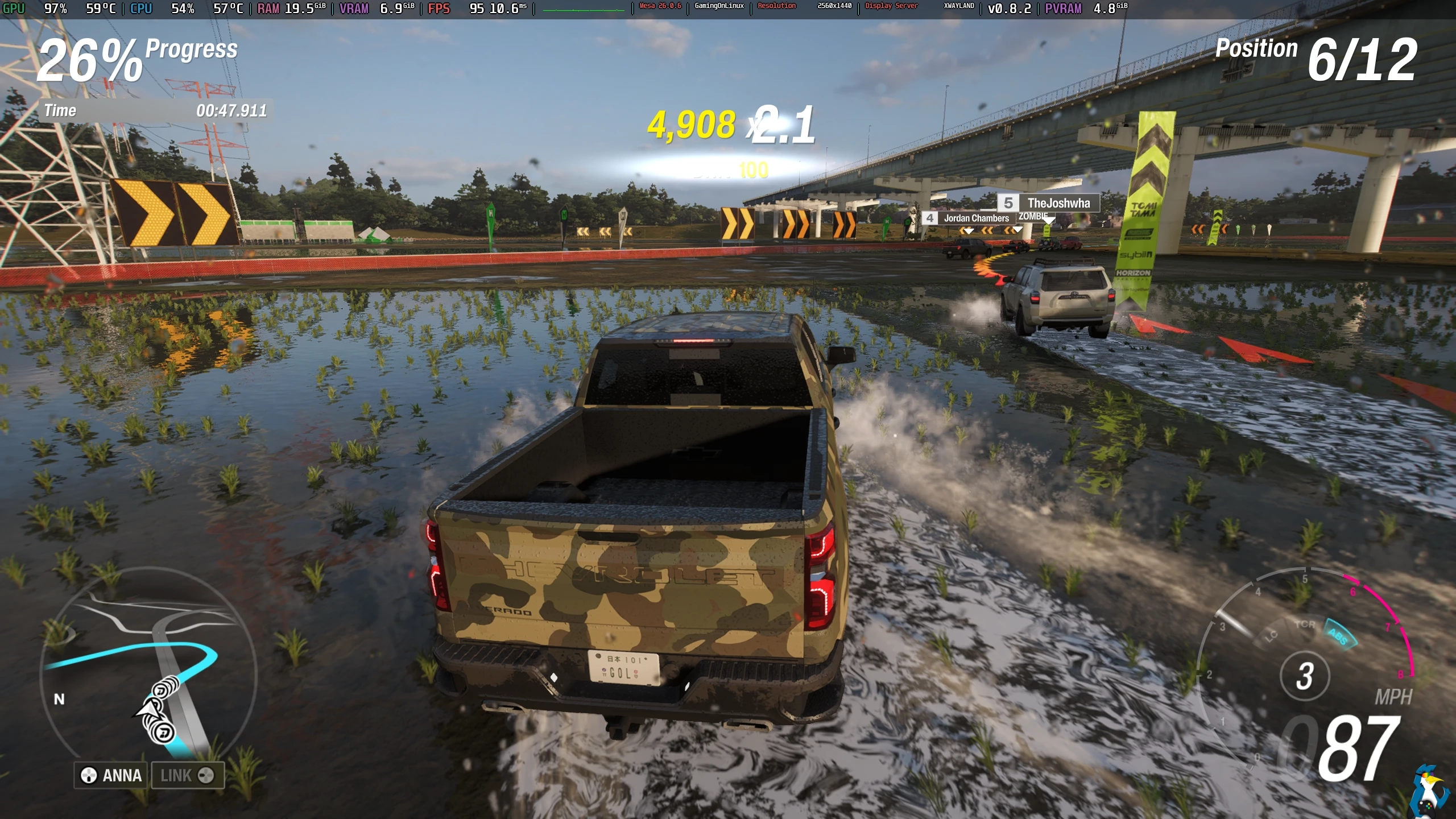
Pictured - Forza Horizon 6 on Fedora KDE
Sure does look pretty! Japan is a truly wonderful looking location to be racing around, and the cars look absolutely fantastic. Playground Games absolutely nailed the visuals on this one. And that's without Ray Tacing, and only on the High preset - you don't need to max out everything for a good looking game here.
One thing that is a bit troublesome with the game as a whole is the AI, there's a great many reports out there on how the AI basically cheats with traction and speed buffs to keep up with you at times. There's reports all over Reddit and the Steam forums about it. I haven't played enough or messed with the difficult yet to really tell.
As a funny side-note here, their team on Steam said it's supported on SteamOS but not Linux:
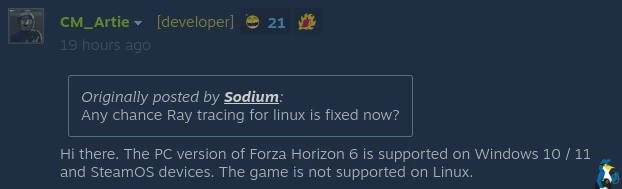
We clearly still have a long way to go before people understand SteamOS is Linux, the Steam Deck runs Linux.
Hopefully after a few game patches, further Proton upgrades and Linux GPU driver updates, it will be properly smooth sailing on all Linux systems.
If you've been playing it on Linux - be sure to leave a comment with your overall experiences with it.





See more from me

 You can also find comments for this article on social media:



So it's confirmed, microsoft doesn't want people to play FH6 on Linux ;-)
 LordDaveTheKind 3 hours ago



 How to setup OpenMW for modern Morrowind on Linux / SteamOS and Steam Deck
 How to install Hollow Knight: Silksong mods on Linux, SteamOS and Steam Deck