 Support us on Patreon
 PayPal
The free and open source Nintendo 64 emulator gopher64 has another useful new release out now, bringing a few more features to make it easier.
The developer has been making some pretty rapid improvements to it. Over the last month they've added Achievements support, SDL3, an improved speed limiter, VSync, drag and drop ROM loading and more. With the new version 1.1.20 out now there's these additions too:
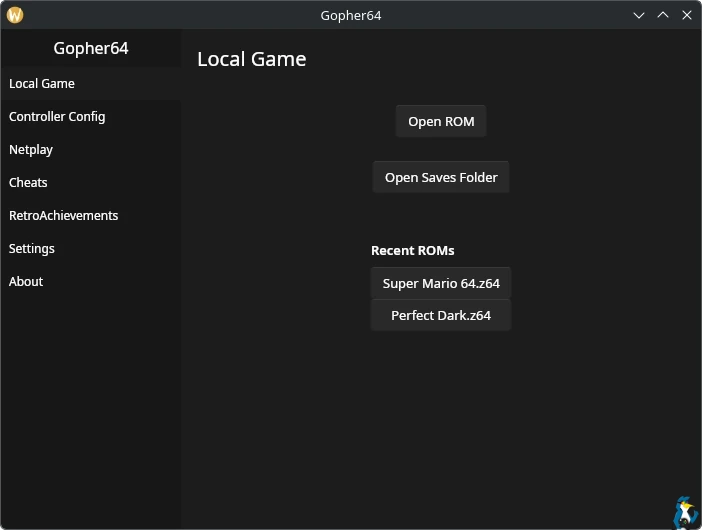
It's quickly becoming my favourite way to run Nintendo 64 games on Linux / SteamOS.
See more on the GitHub.




About the author - Liam Dawe

I am the owner of GamingOnLinux. After discovering Linux back in the days of Mandrake in 2003, I constantly checked on the progress of Linux until Ubuntu appeared on the scene and it helped me to really love it. You can reach me easily by emailing GamingOnLinux directly. You can follow me personally on Mastodon [External Link].
See more from me
See more from me
Some you may have missed, popular articles from the last month:
 You can also find comments for this article on social media:
 All posts need to follow our rules. Please hit the Report Flag icon on any post that breaks the rules or contains illegal / harmful content. Readers can also email us for any issues or concerns.
1 comment
 TheLinuxPleb 3 hours ago
I use Mupen64-Next in Retroarch cause i can get game capture to play nicely with it when parallel is set the plugin. That way it plays with Vulkan and game capture can capture it. I just set my Retroarch to run with OpenGL in general so that the UI won't interfere with the capture.
Gopher seems to lack cropping of the image so you get black bars in top and bottom. Also it seems that you can't just do a folder for games to be picked. It seems to run in Vulkan though which is nice for game capture.
Also it seems that the CPU overclocking does not play that nicely compared to Retroarch Mupen64-Next's fullspeed setting which makes it 60fps constant.
I think i will still stay with Retroarch Mupen64-Next as it has much more verbose options.
Last edited by TheLinuxPleb on 8 May 2026 at 2:01 pm UTC
Gopher seems to lack cropping of the image so you get black bars in top and bottom. Also it seems that you can't just do a folder for games to be picked. It seems to run in Vulkan though which is nice for game capture.
Also it seems that the CPU overclocking does not play that nicely compared to Retroarch Mupen64-Next's fullspeed setting which makes it 60fps constant.
I think i will still stay with Retroarch Mupen64-Next as it has much more verbose options.
Last edited by TheLinuxPleb on 8 May 2026 at 2:01 pm UTC
0 Likes
 How to setup OpenMW for modern Morrowind on Linux / SteamOS and Steam Deck
 How to install Hollow Knight: Silksong mods on Linux, SteamOS and Steam Deck