 Support us on Patreon
 PayPal
More Linux / SteamOS gaming improvements arrive from Valve with a new update to Proton Experimental. This update landed on May 26th.
Proton Experimental is like their testing ground for future stable numbered version Proton updates (like the upcoming Proton 11 that's currently in Beta). You can install any version of Proton by just searching for "Proton" in your Steam Library. If you already have them installed, they will just show up as updates in your Steam Downloads. Check out the recently updated GamingOnLinux Guide to all the different Proton versions.
Be sure to also check out the GamingOnLinux Guide for how to report issues with Proton. And the GamingOnLinux Guide to anti-cheat support on Linux / SteamOS machines.
Here's all the changes for the May 26th update:
- Fixed War Thunder occasionally crashing when pressing "To Battle!".
- Fixed video playback in STAR WARS Starfighter.
- Fixed sound in Idle Iktah.
- Fixed Subnautica 2 hanging on a first launch after install on some setups.
- Fixed Far Cry 4 randomly hanging during launch.
- Fixed Squad randomly hanging on health warning screen on launch.
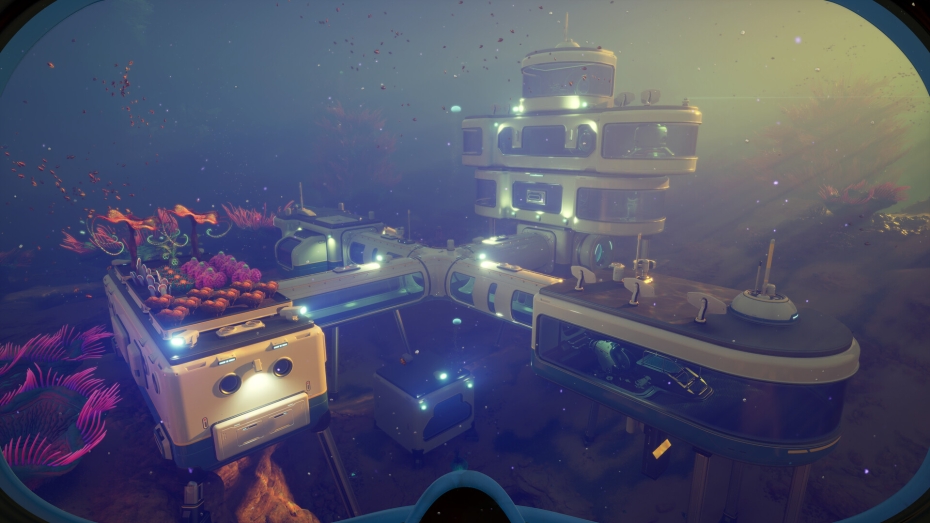
Pictured - Subnautica 2
Source: Valve GitHub





See more from me


 You can also find comments for this article on social media:



Quoting: TuxeeSince I've been playing War Thunder in its native version for many years: Are there any benefits running the Proton version? (Even with all details cranked up to the max I constantly hover around 150 to 200fps on 2560x1600.)I'm not sure if the Proton version can be used in multiplayer - is Anti-Cheat enabled on it?
 Anticheat check - which competitive games actually work on Linux?
 How to give Valve feedback when Proton games have issues on Linux / SteamOS