If you love the idea of building up a massive sprawling factory and taking your time doing so to chill out - shapez 2 is a safe bet. Unlike certain other similar factory-building sims, this really is the most chilled out version you can find. Disclosure: a key was provided to GamingOnLinux back in 2024.
There's no enemies, no swarms coming at you - nothing at all to make you panic. It's all about you and your designs to go at your own pace to plan and discover to feed the hungry vortex full of different shapes.
From the press release sent to GamingOnLinux: “The community's response during Early Access has been incredible,” said Tobias Springer, founder of tobspr Games. “We’re so excited for you to play the 1.0 release as we’ve delivered our most polished version of the game yet, introducing a brand new manufacture mode, new automation tools, achievements, performance improvements and countless quality-of-life upgrades.”

Direct Link
With the 1.0 launch it introduced some major updates including a Manufacture Mode. This lets players build large-scale, permanent factories using advanced layouts, resource chains, and Trade Stations, where shapes can be converted by fulfilling specific recipes. You can also now expand these Trade Stations into Classic Mode, adding new milestones, shapes, and challenges across all difficulty levels, while still keeping the Vortex as a central focus.
Other updates include Achievements, a new Dark Mode, upgraded visuals, five new soundtracks and performance improvements for massive factories. The update also adds a much requested feature with modding that has full Steam Workshop support allowing you to create, share, and play mods.
Unfortunately, the release has come with some instability. For example, simply doing ALT+TAB on the Linux version instantly closes the game, same happens across different fullscreen modes. Thoroughly annoying. This seems to be a problem in newer Unity versions, as I've seen several games now with the same behaviour. Proton 11 Beta does not have this issue and the game works much better there.
Aside from that issue the rest of the game is great. It's no surprise it has an Overwhelmingly Positive user rating on Steam. I've loved just sitting back and chilling with this one, watching all the shapes flow across the conveyor belts, and get cut into various different pieces to then get swallowed up by the vortex. I haven't tested out the new Manufacture Mode yet, but I'm keen to dive in. Can happily recommend it from the main original game mode though.
It will start to warp your mind a little though. As chilled out as it is, once you start combining so many different shapes after rotating and cutting them up, you'll be studying your conveyors closely to ensure everything is correct. Because at times you need to cut, rotate, then stick them back together and more. Often causing you to delete and remake entire parts of your production line.
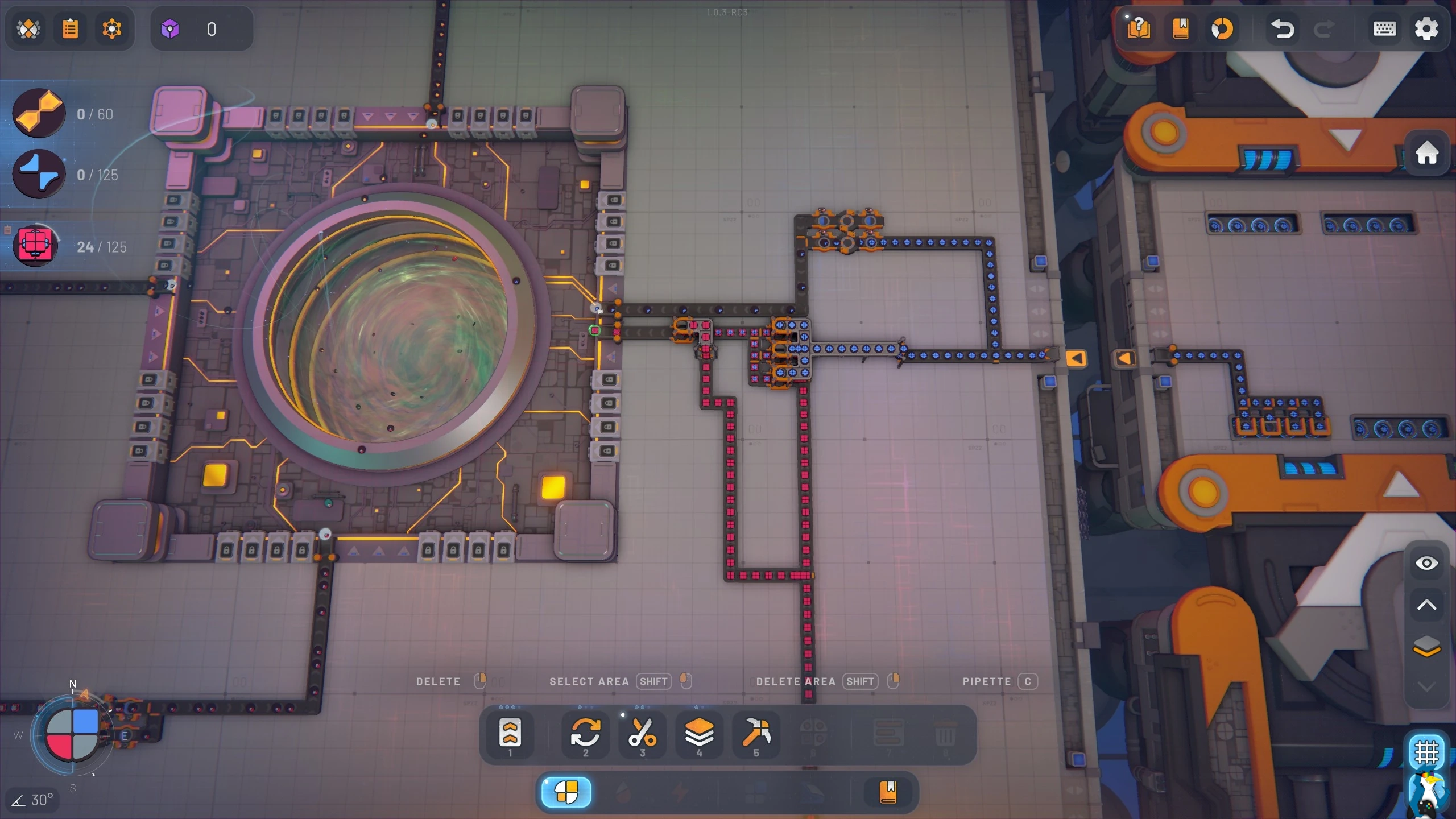
Really interesting to progress through, keeps you thinking constantly. An absolute gem of a factory sim. Some of the shapes you have to make really made me sit and think - "Am I just stupid? How do I do that?". And when you figure it out, and it all clicks together, it's awesome. Then it makes you feel really clever.
Game Highlights:
- Multi-Layer 3D Factories: Design and optimize your factories across three building layers for both buildings and platforms.
- Multiple Game Modes: Two main game modes and multiple scenarios for both new and veteran players, for example there is the experimental Hexagonal scenario if you’re up for the challenge.
- Challenging Shape Mechanics: Discover new shapes types with unique properties and logic.
- Open Production Buildings: Build stunning space factories with animated open buildings, so you can always see exactly what’s going on, or going wrong.
- Research System: Unlock new buildings, mechanics & upgrades that open up new ways to build your factory.
- Blueprint Library: Save, load, export and share factory design blueprints with anyone.
- Full modding support: discover new ways to play and tailor the game to your needs.
- Easy controls: Effortlessly cut, copy & paste parts of your factory and undo & redo up to 50 operations with intuitive keyboard controls.





See more from me




 You can also find comments for this article on social media:

The good part is the ease with which you can build your things. Almost everything works flawlessly and apart from the more "puzzle aspects", you won't have many issues building whatever you want. The main appeal of Shapez is still the same as it was from the original first game. Creating a fully automated MAM (Make Anything Machine) to deal with the random requests that open up after the last milestone. A challenge of controlling everything through wire networks while keeping everything tightly packed and without "stalls" it a fun time. The new "manufacture" game mode is a nice addition. Clearly designed to please those that don't like tearing down bits of the factory that are done with their task and it allows for very quick scaling.
That last part brings me to the "bad" part. Performance. Now, it's not bad that the game starts dropping framerate when you build to much as this is inevitable. But the game is made so scaling goes very quickly and with 20 hours in manufacture mode I exceeded 500k buildings. That's when the cracks start showing. There are a lot of details to the problem, but fundamentally what happens is that when fps starts dropping (usually only when being near certain setups), the consistency of production breaks. Whole production lines that had been working at 100% efficiency for 10 hours start stuttering because you have frame drops when you're working in a specific area. This is really bad for a factory game as this basically marks the end of what you can do.
So good game. I highly recommend it if you like to have a chill factory building experience. But be aware that your system will determine how far you can go before things break.
Unfortunately, the release has come with some instability. For example, simply doing ALT+TAB on the Linux version instantly closes the game, same happens across different fullscreen modes. Thoroughly annoying. This seems to be a problem in newer Unity versions, as I've seen several games now with the same behaviour. Proton 11 Beta does not have this issue and the game works much better there.It also seems to be an AMD only problem. I don't have this problem (native version) on Nvidia/X11 and from the reports that mentioned GPU it was always AMD.


I see the comment about performance issue, and granted I'm not at the "500k huge machine" level of things, but on the opposite side of things I've been surprised by how stable it is right now; I can have the screen full of stuff and it move smoothly… at the current zoom level (LoD kicks in in very visible ways). But I also lock the game at 60fps, it might help.
If having ton of stuff offscreen causes sharp dip in performances to the point of breaking the logic, that's bad… but time will tell. And it might get fixed later on.
For now, it's been nice. The whole UI is well thought of, and the game makes it very easy to experiment/add/change/etc. Not much to complain there.
If you're kind of an extrem player, you can even use a relatively simple text-based format to generate whole machinery and import them in the game… but nobody's going to do that, right? Hehehe

I didn't do any real benchmarks but my fans stay more quiet on the Proton version as well.
Really upset of this half-assed Linux builds, if they're not broken right on the start they often break while time passes and having such a horrible experience does only damage to this otherwise brilliant game and raises frustration among the Linux buyers getting a broken experience out-of-the box. Sometimes not having a native version might be the better choice.
Last edited by tgurr on 5 May 2026 at 7:02 pm UTC
Sometimes I only even know it's happening because of what you said: weird issues / glitches / crashing. Then I go into the game properties, and go to the "force the use" and select whatever version of proton and it'll work so much better.

Quoting: Jarmer^ what's also frustrating about that, is even when you have steam itself set to use whatever version of proton as the default (so for me it's proton-cachyos-11) - if there's a native linux build, you often won't even know it's running on that instead of proton.It's a little hidden, but in the Steam library, if you click on the (i) to "Show game details" there is a "Runs on this computer" section that indicates what runtime is used. That could be Steam Linux Runtime, Proton, etc.
 Patreon
 PayPal
 How to setup OpenMW for modern Morrowind on Linux / SteamOS and Steam Deck
 How to install Hollow Knight: Silksong mods on Linux, SteamOS and Steam Deck