The Windows compatibility layer Wine version 10.20 was released over the weekend, here's all the highlights from it.
From the release notes:
- Bundled vkd3d upgraded to version 1.18.
- More support for reparse points.
- More refactoring of Common Controls after the v5/v6 split.
- Progress dialog for document scanning.
- Various bug fixes.
The release notes fixes for MEGA MAN X DiVE Offline, The Last Stand: Aftermath, Spine (Mod starter for Gothic), GenLauncher (Mod manager for GeneralsZH), MS Office 365 installer, Final Fantasy XI Online's PlayOnline Viewer, Geneforge 1 / 2, an issue with games crashing on launch in WoW64 with NVIDIA GPUs, StarCraft and more.
For the vkd3d 1.18 release the changelog for that notes lots of libvkd3d-shader work with improvements for HLSL, the Metal Shading Language (MSL) and the OpenGL Shading Language (GLSL).




About the author - Liam Squires-Hand

I am the owner of GamingOnLinux. After discovering Linux back in the days of Mandrake in 2003, I constantly checked on the progress of Linux until Ubuntu appeared on the scene and it helped me to really love it. You can reach me easily by emailing GamingOnLinux directly. You can follow me personally on Mastodon [External Link].
See more from me
See more from me
Some you may have missed, popular articles from the last month:


 You can also find comments for this article on social media:
 All posts need to follow our rules. Please hit the Report Flag icon on any post that breaks the rules or contains illegal / harmful content. Readers can also email us for any issues or concerns.
3 comments


Note that it has a regression affecting Cyberpunk 2077: https://gitlab.winehq.org/wine/wine/-/merge_requests/9605
For now before the fix is merged, the workaround is to use this:
For now before the fix is merged, the workaround is to use this:
WINEDLLOVERRIDES=icuin,icuuc=n
2 Likes 👍 (2) See more...


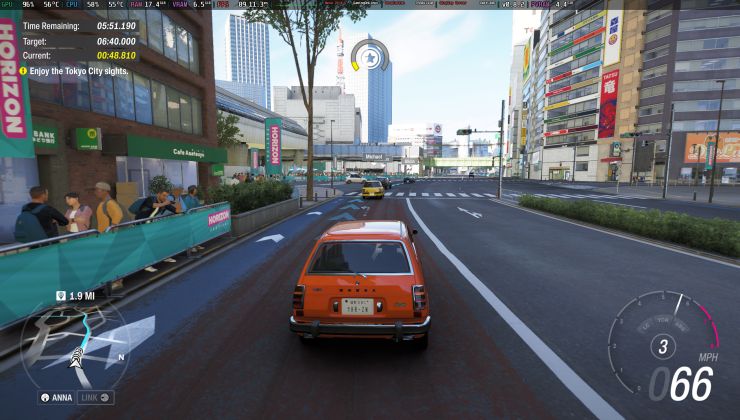
This wine version works with mangohud 0.8.2 released today in my case, test new dx_api option appear in upper left
in other thing in my case with wine 10.19 some titles dont start (previously working on wine 10.18) case f1 race stars, sonic all stars racing transformed back to work and plus bullet witch dont run in my case in several wine versions but now back to work (curiously dx_api option in dx11 title in my case appear like DX?)
bullet witch is a special case because cinematics stay in wmv3 with audio in wmapro (very problematic video format for playback in wine) in my case encode some cinematics with h264 magic (encode in h264+ audio in mp3)
other issue of this game stay related to audio, in my case need some dlls as native using winecfg however on new wow64, 32bit app profile stay in:
HKEY_CURRENT_USER\Software\Wow6432Node\Wine
and in my case appear like this:
Red Faction Guerilla Steam Edition (d3d9 - xactengine3_2 - xaudio2_2) - Sonic and Sega All Stars Racing Transformed
:smile:
External Media: You need to be logged in to view this.
in other thing in my case with wine 10.19 some titles dont start (previously working on wine 10.18) case f1 race stars, sonic all stars racing transformed back to work and plus bullet witch dont run in my case in several wine versions but now back to work (curiously dx_api option in dx11 title in my case appear like DX?)
External Media: You need to be logged in to view this.
bullet witch is a special case because cinematics stay in wmv3 with audio in wmapro (very problematic video format for playback in wine) in my case encode some cinematics with h264 magic (encode in h264+ audio in mp3)
External Media: You need to be logged in to view this.
External Media: You need to be logged in to view this.
other issue of this game stay related to audio, in my case need some dlls as native using winecfg however on new wow64, 32bit app profile stay in:
HKEY_CURRENT_USER\Software\Wow6432Node\Wine
and in my case appear like this:
[HKEY_CURRENT_USER\Software\Wow6432Node\Wine\AppDef aults\witch.exe]Also before cited situation occur in some titles in my case like:
[HKEY_CURRENT_USER\Software\Wow6432Node\Wine\AppDef aults\witch.exe\DirectSound]
"EAXEnabled"="N"
[HKEY_CURRENT_USER\Software\Wow6432Node\Wine\AppDef aults\witch.exe\DllOverrides]
"d3d9"="native"
"xactengine3_7"="native"
"xaudio2_7"="native"
[HKEY_CURRENT_USER\Software\Wow6432Node\Wine\AppDef aults\witch.exe\FileOpenAssociations]
"Enable"="Y"
[HKEY_CURRENT_USER\Software\Wow6432Node\Wine\AppDef aults\witch.exe\X11 Driver]
"GrabFullscreen"="Y"
Red Faction Guerilla Steam Edition (d3d9 - xactengine3_2 - xaudio2_2) - Sonic and Sega All Stars Racing Transformed
:smile:
2 Likes 👍 (2) See more...
Btw, this version has improved videos handling. Now NightDive logo video in System Shock remake works properly.
2 Likes 👍 (2) See more...
 Patreon
 PayPal