After arriving on GOG early in 2025, Dino Crisis 1 and 2 are now available directly on Steam but they have issues running on Linux / SteamOS. The Steam page also notes they both come with "The Enigma Protector" DRM.
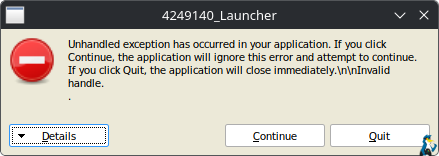
They're pretty old, so it's not really surprising that they have issues, and neither of them will work at all out of the box. You'll end up seeing an error like this:
For Dino Crisis 1, we at least have a workaround.
You'll need to install a program called protontricks which is available on Flathub (or via KDE Discover / GNOME Software). We need to use this to manually add the Windows registry file from each game, which is available in their installed folder.
Open up the game install folder that will be somewhere like this for Dino Crisis 1:
/steamapps/common/4249130_DinoCrisis/
Inside there you'll see a file "dc1.reg", you should copy that to your /home folder to make this next step simpler.
Once protontricks is installed: open regedit on each game. You can just do this real quick command in terminal (like KDE Konsole), the ID number in this example is for Dino Crisis 1:
protontricks 4249130 regedit
You'll then be given a UI screen that looks like this:
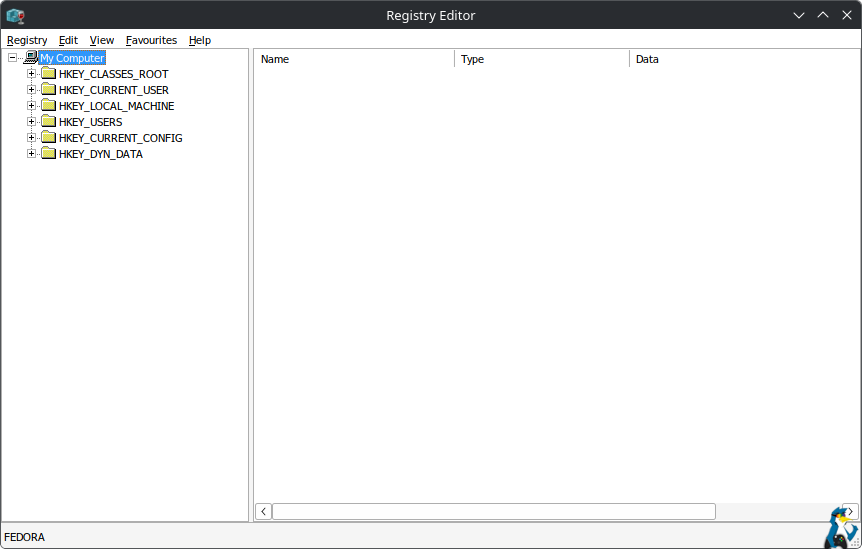
Select Registry from the top left menu, import key, and select the "dc1.reg" file mentioned earlier and it will register it. Then you can just close the registry editor.
Finally, in the Steam game launch options pop this in the box:
WINEDLLOVERRIDES="ddraw=n,b" %command%
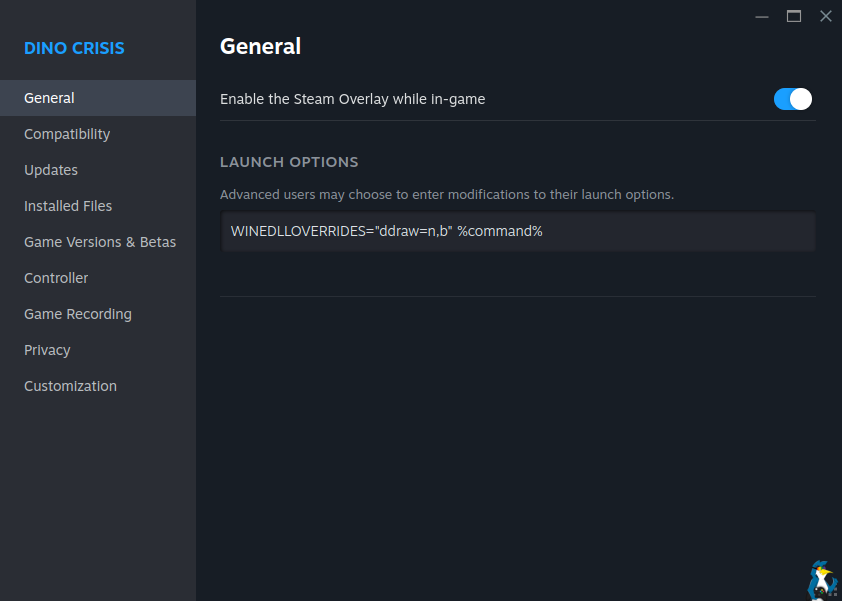
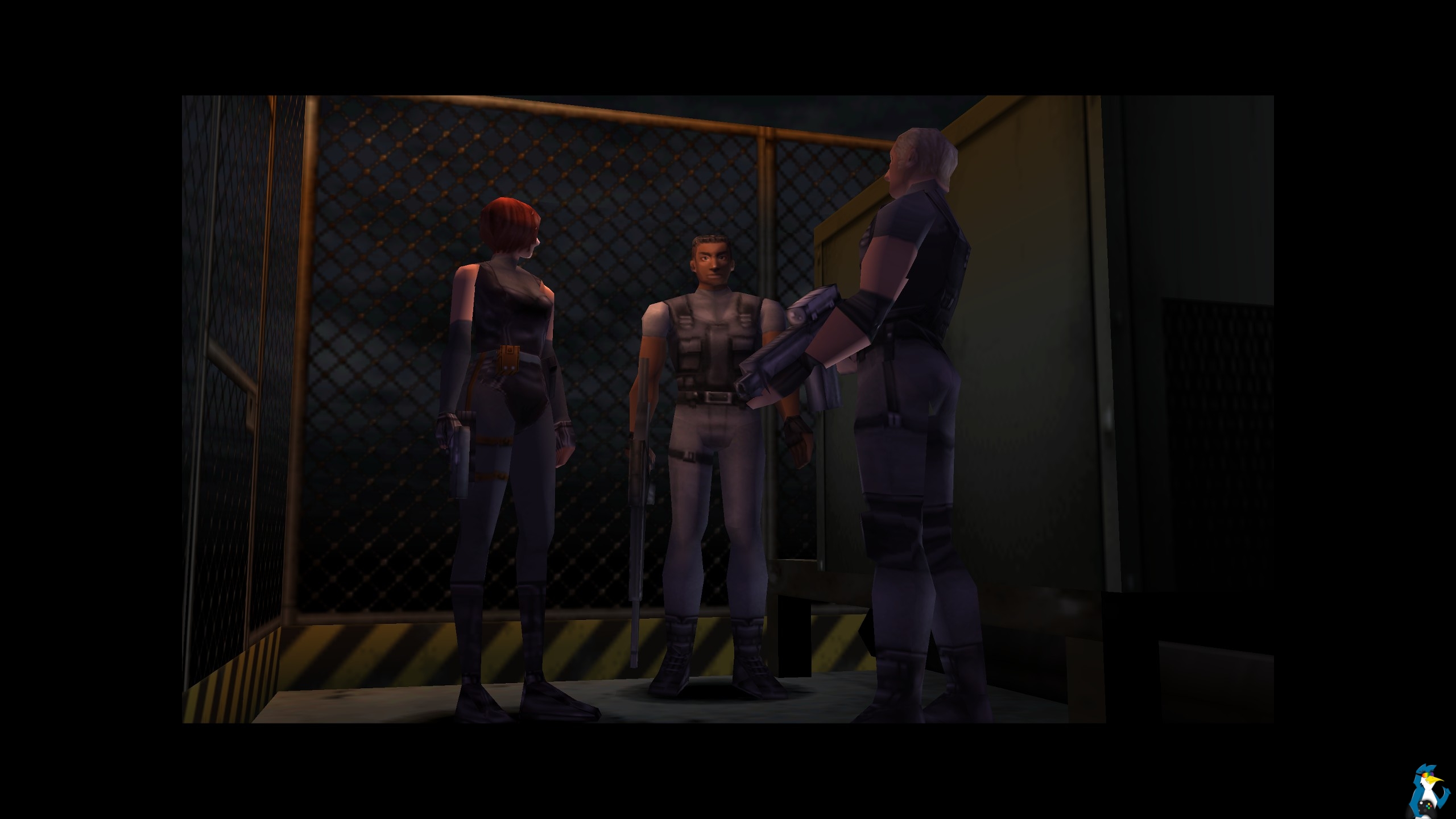
After that, Dino Crisis 1 works fine. Screenshot below in Dino Crisis taken just today:
How about Dino Crisis 2? Well, so far no luck on that one. The registry file included with the Steam release of Dino Crisis 2 is mostly empty, and adding it the same way as for Dino Crisis 1 doesn't help it launch.
Hopefully Valve will be able to update Proton soon to make both games launch properly without workarounds. If not, eventually we'll look to do a proper even clearer guide in our fancy guides section once we figure out the issue with Dino Crisis 2.





See more from me


 You can also find comments for this article on social media:
  fenglengshun 13 Feb 2026

The Enigma Protector DRM though... That's the one with really bad performance hit vs Denuvo on RE4 remake right? That is worrying for RE9 and Onimusha...


 RavenWings 13 Feb 2026
 cameronbosch 13 Feb 2026
Just install Duckstation, problem solved.I agree that DRM in such old games should be not recieved well after Resident Evil 4 had it replaced and now runs worse, but Duckstation might as well be dead, because the developer has become unstable and actively seems to be hindering it, after making it not FOSS anymore.
I'd probably look at a different PS1 emulator or look at an in-development fork of DuckStation pre closing source.
 Linux_Rocks 13 Feb 2026

Quoting: cameronboschSwanstation through RetroArch, then. It's a shame, because Duckstation really is that good, but it is what it is.Just install Duckstation, problem solved.I agree that DRM in such old games should be not recieved well after Resident Evil 4 had it replaced and now runs worse, but Duckstation might as well be dead, because the developer has become unstable and actively seems to be hindering it, after making it not FOSS anymore.
I'd probably look at a different PS1 emulator or look at an in-development fork of Duckstation pre closing source.
Wouldn't be the same without the drama.

Capcom won't see a penny of my money.

Quoting: robvvThe Enigma DRM has been cracked several times recently. Hopefully it will be cracked again, and even legitimate users may be able to play the game!De-enigmated games don't run at all on Wine/Proton, based on my tests.
Quoting: suchDRM in fn Dino Crisis? Just install Duckstation, problem solved.And using the right combo of setting it probably looks better. There are also texture packs for the PS1 game that will run via duckstation..
However.. Look into the drama surrounding duckstation and the main Dev. He is literally blacklisting certain Linux Distro's in the source code ( Which by the way is not fully FOSS & has a strict license )
Not to mention not supporting AUR or Flatpak. At some point i would not be surprised if he entirely stopped supporting Linux altogether. Fortunately before it was locked behind a restrictive license the code was essentially all complete. So a Fork will be possible at some point, even if it takes some time to get upto Duckstation's quality.
Last edited by Lofty on 14 Feb 2026 at 5:55 pm UTC
 benstor214 15 Feb 2026
 mr-victory 15 Feb 2026

Quoting: mr-victoryHave you tried importing reg file of the 1st game into 2nd game's prefix?I tried, but it does not work.

Quoting: LoftyI think is not that simple as you put it. The Flatpak it have some issues that the App Image do no have so that why he remove it. For the not supporting AUR or packaging on general the problem that people start posting issues that where directly related from the packaging in the duckstation repo instead of the packagers that made it, so it all snow ball from there. In one hand there is a guy that is working for free in a project that he have joy on doing it and in the other hand is a lot of work to maintain some thing that has grown a lot.Quoting: suchDRM in fn Dino Crisis? Just install Duckstation, problem solved.And using the right combo of setting it probably looks better. There are also texture packs for the PS1 game that will run via duckstation..
However.. Look into the drama surrounding duckstation and the main Dev. He is literally blacklisting certain Linux Distro's in the source code ( Which by the way is not fully FOSS & has a strict license )
Not to mention not supporting AUR or Flatpak. At some point i would not be surprised if he entirely stopped supporting Linux altogether. Fortunately before it was locked behind a restrictive license the code was essentially all complete. So a Fork will be possible at some point, even if it takes some time to get upto Duckstation's quality.
That say, I believe that he could handle it really more gracious and not burn all the bridges in the process. But is easy to talk from the distantance
 Patreon
 PayPal
 Anticheat check - which competitive games actually work on Linux?
 How to give Valve feedback when Proton games have issues on Linux / SteamOS