Valve released a small tweak update to both Proton Experimental and the Proton 11 Beta, bringing in an update to help with the EA App.
What have they done? From the changelog across both versions they've pulled in an updated build of Xalia, the open source tool that enables gamepad input for traditional apps. With Xalia to 0.4.9, it should now fix various lockups happening when interacting with the EA App directly on Linux / SteamOS systems with Proton. So a small update, but a necessary one because these third-party launchers keep being problematic. All other changes are listed below.
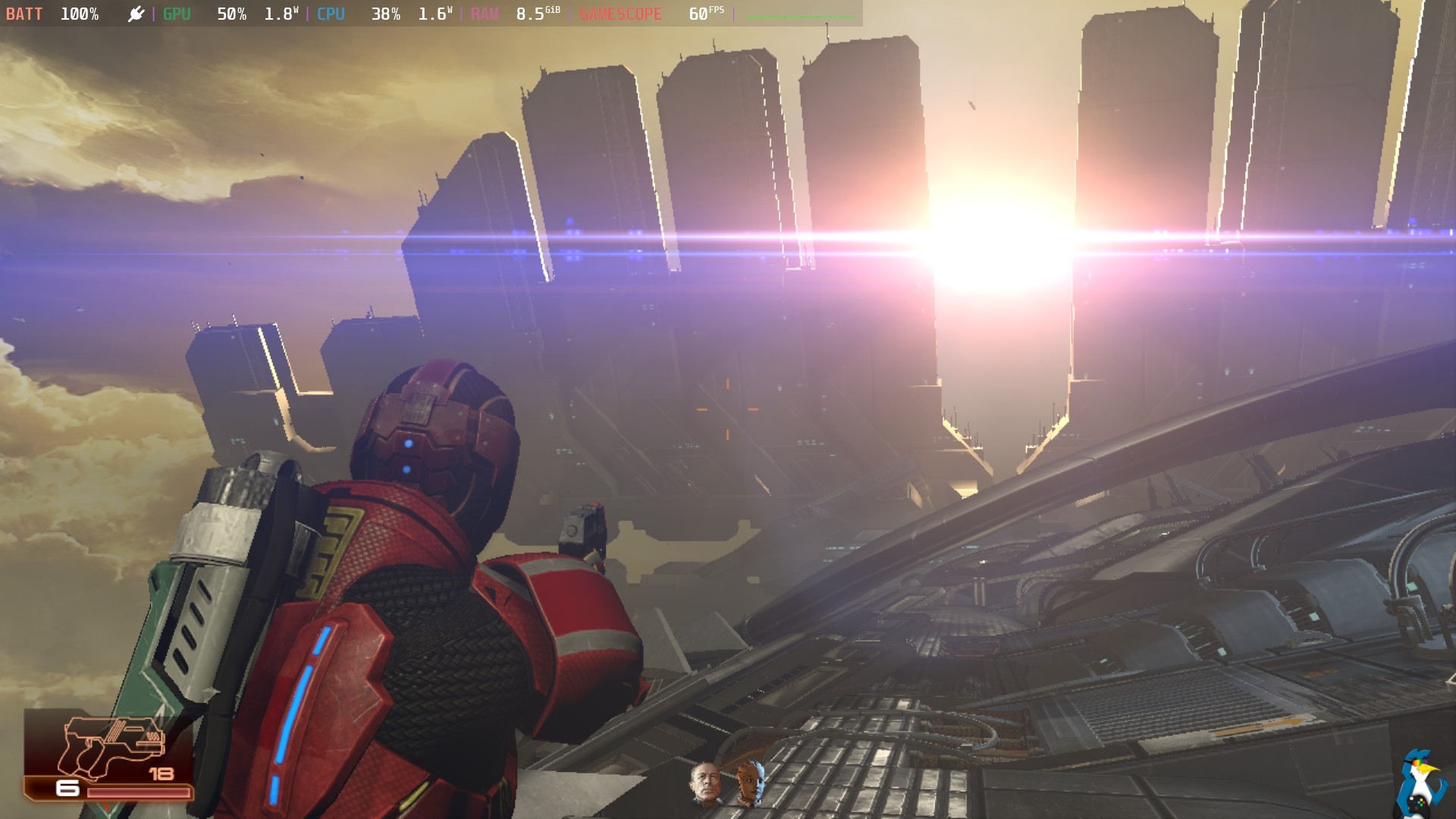
Pictured - Mass Effect Legendary Edition on Steam Deck
Other changes available from Xalia 0.4.9 include:
- Fixed crash on unimplemented UIAutomation method in Wine.
- The following launchers that have builtin gamepad support are ignored: Final Fantasy VII, Final Fantasy VIII, LIGHTNING RETURNS: FINAL FANTASY XIII, various Nixxes game launchers, Deadly Premonition: The Director's Cut
- Opened drop-down menus from combo boxes are now properly ignored for launchers with builtin gamepad support.
- Added partial support for the Final Fantasy VII (2013) launcher, Final Fanasy VIII (2013) launcher, and Chocobo World.
- Added support for the TTntPanel control from TntWare Delphi Unicode Controls.
- Added support for Gumboy: Crazy Adventures launcher.
- Simulated keyboard inputs are now mapped to scancodes, rather than characters or keycodes, when possible.
- When SDL fails to initialize, an error message from SDL will be logged, instead of
"Video driver not supported".- Added XALIA_DEBUG_MAINLOOP debugging environment variable.
- Added support for the various Nixxes game launchers, including: Hitman: Absolution, Tomb Raider (2013), Thief, and Lara Croft and the Temple of Osiris
- Fixed a crash when encountering an IAccessible2 interface while running in Wine Mono.
- Fixed a crash when an HWND is reparented to the top level, or when some but not all of an HWND's children are reparented.
All the current changes in Proton Experimental as of April 28th:
- All changes from Proton 11.0-beta2.
- Fixed Proton 11 regressions:
- They Are Billions should no longer suffer from low FPS when playing the intro cinematic.
- Updated Xalia to 0.4.9 to fix lockups happening when interacting with the EA App.
- Updated vkd3d-proton, dxvk, vkd3d, dxvk-nvapi and FEX to the latest development versions.
All the current changes for Proton 11 Beta 2 that was also released April 28th:
- Updated Xalia to 0.4.9 to fix lockups happening when interacting with the EA App.
- Fixed Proton 11 regressions:
- They Are Billions should no longer suffer from low FPS when playing the intro cinematic.
- Updated vkd3d-proton to the current state of the proton-20260410 branch including fixes for Marvel's Avengers.
And all the previous Proton 11 Beta changes:
- Now playable (previously worked with Proton Experimental):
- Universe Generator: The Golden Sword
- DCS World Steam Edition
- Resident Evil (1996)
- Resident Evil 2 (1998)
- Dino Crisis
- Dino Crisis 2
- From Dust
- Blaite
- Don't Die Dateless, Dummy!
- METAL GEAR SURVIVE
- Warhammer: Vermintide 2
- Metal Fatigue
- SHOGUN: Total War.
- Newly playable:
- Unknown Faces
- Gothic 1 Classic
- X-Plane 12
- Breath of Fire IV
- Deadly Premonition
- Fixed video playback in She Sees Red.
- Fixed rendering of certain symbols with Ukranian language option in Chambers.
- Enabled text-to-speech accessibility feature in Pentiment and Grounded.
- Fixed voice chat in Phasmophobia lobby for desktop players.
- Improved rendering of Rockstar Launcher popups.
- Fixed Sea of Solitude showing black screen on Proton.
- Fixed many EA games being unplayable after a recent EA Desktop update.
- Added support for SteamWorks SDK 1.64.
- Fixed Steam Overlay not working correctly with many EA games.
- Improved emoji support in Idle Trillionaire.
- Fixed intro video playback in Crimson Desert.
- Fixed Rei and the Floating City not being playable with gamescope.
- Fixed mouse movement behavior in Call of Duty 2.
- Fixed rendering issue in launcher of DEATH STRANDING 2: ON THE BEACH.
- Fixed a crash in HELLDIVERS 2 happening in high enemy-count missions.
- Fixed random hangs in Killer Inn.
- Fixed Killer Inn not launching on Steam Decks and other machines with /tmp sizes lower than 10GB.
- Fixed Killer Inn not being able to connect to Square Enix account.
- Fixed graphical gliches in Duck Game that happen with newer Wine Mono versions.
- Fixed REDLauncher (e.g. as seen with Cyberpunk 2077 and The Witcher 3) taking a long time to exit.
- Fixed Hollow Knight Beta update wrongly registering Steam Deck's Steam button as a left trigger.
- Fixed controller hotplug not working for 8BitDo Ultimate 2C and other controllers that expose multiple HID devices.
- Fixed Xalia intermittently failing to start when game is launched.
- Fixed small memory leak with The King of Fighters XIII Global Match video playback.
- Improved timezone detection.
- Fixed video playback in 我打不过漂亮的她们.
- Fixed lag spikes caused by Steam overlay being opened for prolonged time.
- Fixed VR controller tracking in Microsoft Flight Simulator.
- Improved VR support so that No Man's Sky VR mode is playable again.
- Fixed black blocks in dialog windows created by ARC Raiders and The Finals.
- Fixed glitchy video playback in Satisfactory.
- Fixed Rec Room not being playable after a recent game update.
- Fixed The King of Fighters XIII Global Match freezing when playing videos from the gallery.
- Fixed intro video not looping in Blazblue Centralfiction.
- Made more games using MonoGame playable.
- Improved support for Kodi media player.
- Added System Voice support for multiple languages in Phasmophobia.
- Fixed KDE window maximization support.
- Fixed Brighter Shores window resizing support.
- Improved Space Engineers dual monitor support
- Fixed scaling issue with Arma: Reforger when changing window modes.
- Fixed Dungeon Siege tools showing up at character's feet.
- Improved focus loss behavior with RoBoRumble.
- Fixed rendering issue in Hellsinker. launcher.
- Fixed stutter from keyboard input in Titanfall 2.
- Fixed audio playback when playing intro videos in BIRDCAGE.
- Fixed hang after METAL GEAR SOLID 2: Sons of Liberty end credits.
- Fixed Disintegration getting stuck on the first loading screen.
- Fixed CHRONO TRIGGER flickering in windowed mode with certain resolutions when using Gamescope.
- RAGE no longer has focus issues when Alt-Tabbing on KDE Wayland.
- The Elder Scrolls IV: Oblivion Game of the Year Edition (2009) no longer has problems minimizing after Alt-Tabbing.
- Resident Evil 2 should no longer have issues when changing resolutions on GNOME.
- Call of Duty: WWII should no longer fail to render properly in fullscreen native resolution on setups with dual monitors.
- Age of Empires II: Definitive Edition no longer has issues with keyboard registration after refocusing the game.
- Updated Xalia to 0.4.9:
- Added controller support for the MC Visual C++ 2010 redistributable installer.
- Improved gamepad binding support for Graze Counter.
- Added controller support for launchers of the following games: Red Faction®: Armageddon™, Final Fantasy X/X-2 HD Remaster, Sonic the Hedgehog 4 - Episode II, Hellsinker., Disney Bolt, STAR WARS™ Starfighter™.
- Fixed Xalia wrongly selecting option from unfocused tabs in Rayman: Raving Rabbids.
- Added controller support for DirectX Runtime Components installer when launching BioShock for the first time.
- Added controller support for launchers of the following games: Rocket Knight, Puddle, Zero Escape: The Nonary Games, Metal Slug XX, Mortal Kombat Komplete Edition, Disney Epic Mickey 2: The Power of Two, Batman: Arkham Asylum GOTY, LocoCycle, Ys SEVEN, Resident Evil (1996), Resident Evil 2 (1998), Resident Evil 3 Nemesis (1999), Dino Crisis, Dino Crisis 2.
- Rebased on top of Wine 11.0.
- Added FEX-2604 for ARM64EC builds.
- Updated vkd3d to vkd3d-1.19-139-g30b93dcea8b0.
- Updated dxvk to v2.7.1-467-g83e503b4ae6d from Proton 11 support branch.
- Updated dxvk-nvapi to v0.9.1.
- Updated Wine Mono to 11.0.0.
- Updated vkd3d-proton to proton-20260410.
Source: Proton GitHub
You can install any version of Proton by just searching for "Proton" in your Steam Library. If you already have them installed, they will just show up as updates in your Steam Downloads.





See more from me
 You can also find comments for this article on social media:


Quoting: PhlebiacThey have to make fixes for the EA App quite regularly. It's almost like EA is going out of their way to break it.This is the same cat and mouse game that Valve has been dealing with since the release of the Steam Deck and it looks like nothing has changed after all this time.
 Patreon
 PayPal