While you're here, please consider supporting GamingOnLinux on:
Reward Tiers: Patreon. Plain Donations:
  PayPal.
This ensures all of our main content remains totally free for everyone! Patreon supporters can also remove all adverts and sponsors! Supporting us helps bring good, fresh content. Without your continued support, we simply could not continue!
You can find even more ways to support us on this dedicated page any time. If you already are, thank you!
Reward Tiers:
Patreon. Plain Donations: PayPal.This ensures all of our main content remains totally free for everyone! Patreon supporters can also remove all adverts and sponsors! Supporting us helps bring good, fresh content. Without your continued support, we simply could not continue!
You can find even more ways to support us on this dedicated page any time. If you already are, thank you!
Login / Register
Background:
Lately, I've found that I consistently have tons of browser tabs open, several open programs on my panel, text editors with 7+ tabs and several terminal emulators for projects of mine. Normally, I am a purist and wouldn't even consider a "non-standard" display but those ultrawides really have me thinking I could use the real estate. And multimonitor is out of the question as I hate bezels and all the work-arounds that go with multi setups.
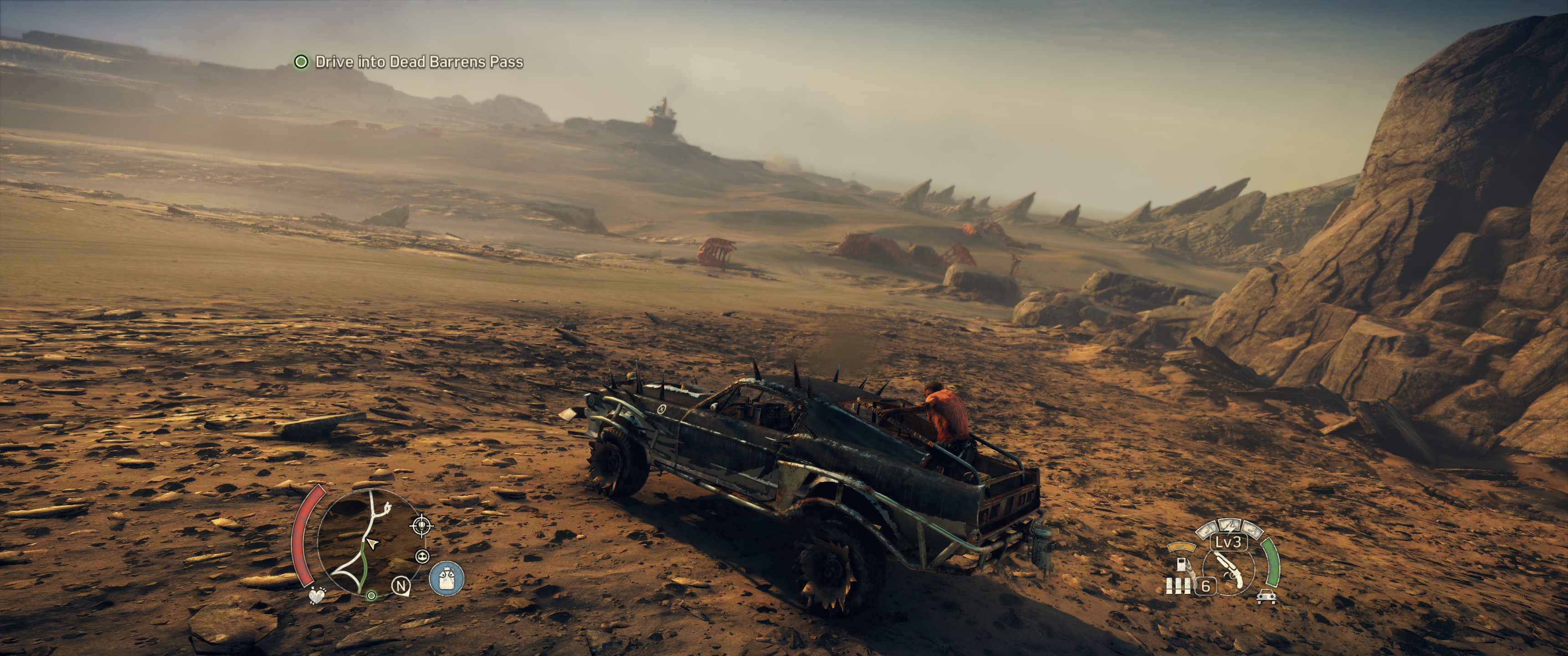
I have found a good number of games support 21:9. Here are some that come to mind: Tomb Raider, Stardew Valley, Rocket League, Divinity: Original Sin, ARK, Civ V (assume Civ VI will, then), I think Borderlands 2, but I'm not certain about that one. I know there are more, but the only one that I specifically remember it NOT working was Trine 3. It actually has the option for 3440x1440, but it still goes to 16:9. And yes, the 16:9 works fine, with black bars on the side.
Of course, a lot of those games DO have some UI issues where menus and static images are cut off to 16:9, since they weren't actually designed with 21:9 in mind. But those games I listed all do 21:9 when in the actual game play.
Overall, I am very happy with the LG monitor I have. If you go 1440p, just make sure you have a good card to push it. I have a GTX 1070.
Anyway, I hope that helps. If there's a specific game you want to know about, let me know. I might have it in my library. I have quite a few games.
Carl
I don't know about the user agent string either. If you can tell me what to do to verify what you need to know, I'd be glad to help you out.
Carl
Edit: Just tried Limbo, but no 21:9 support. It's 16:9 with black bars on the sides.
This is a good site to look for general 21:9 support. Granted, I'm sure most of the testing is done on Windows, but it's a good place to look anyway. http://www.wsgf.org/
Having used it for a month or so now - it was the right decision :)
Chrome & other Linux Desktop Environments adapts to 21:9
21:9 usually gives you an extra advantage in games, if it is compatible & your Graphics processor can handle the extra pixels.
21:9 is also good for Audio/Video editing, as it shows you more of the timeline.
You can choose whether to stretch to full screen or keep original ratio with black bars, on the monitor.
Currently using 25" 2560x1080p LG monitor, looking forward to buying a bigger one with 4800x2000p or 5120x2160p resolution.
Brilliant monitor, totally happy with it, the colour reproduction in Photo mode is very good :)
Games: Almost all that I've tried support the resolution (only Sword Coast Legends comes to mind as not) even Skyrim does!!