Patreon Logo Support us on Patreon to keep GamingOnLinux alive. This ensures all of our main content remains free for everyone. Just good, fresh content! Alternatively, you can donate through PayPal Logo PayPal. You can also buy games using our partner links for GOG and Humble Store.
Title: SteamPlay compatibility list
Page: 8/10
  Go to:
SPCR now is [ProtonDB.com](https://www.protondb.com/)
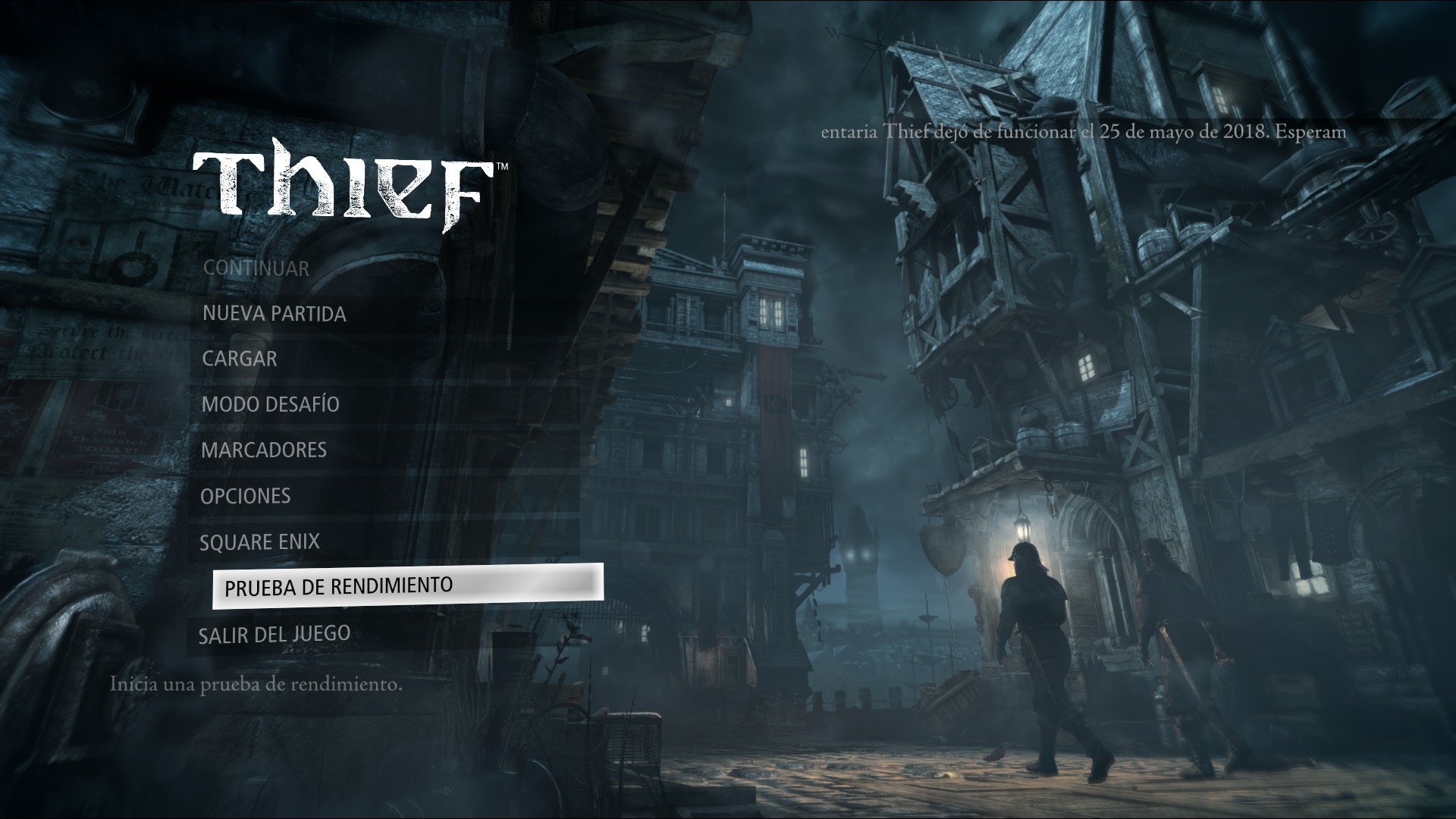
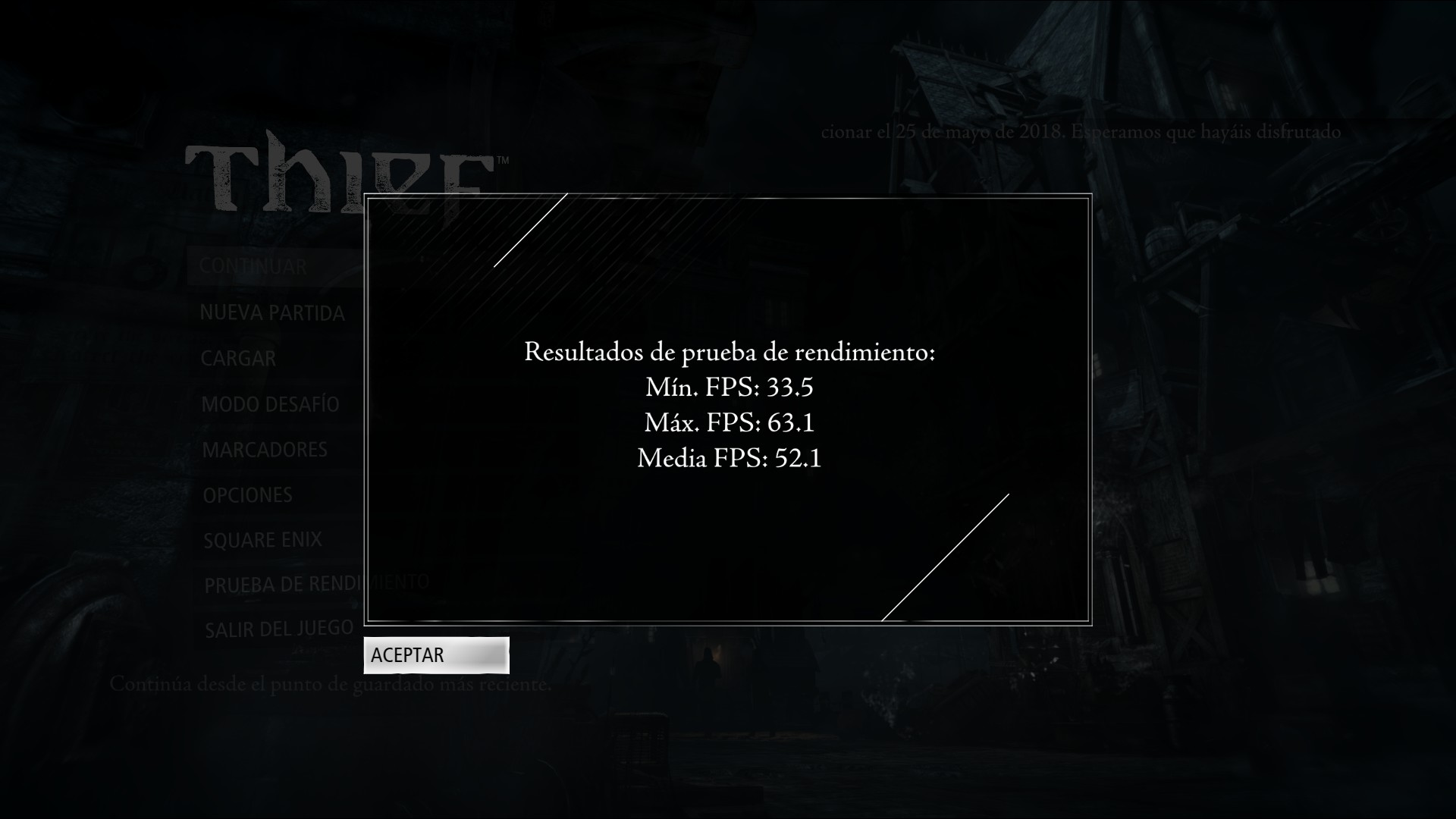
THIEF works OUT OF THE BOX (at least for me)

![](https://steamuserimages-a.akamaihd.net/ugc/940583791261619390/A1CED6A31F6575FFC9951D73914AE6EAAA940310/)

Thief via Proton. Vsync ON. Vulkan ON. HIGH graphics quality. GTX 970, i7-4790K no overclock, 16GB-DDR3-2400CL11
![](https://steamuserimages-a.akamaihd.net/ugc/940583791261610773/FAAC1BE718BB913718DEBE56B794EBAA43780CFE/)
g000h 29 Oct 2018
Quoting: Comandante ÑoñardoTHIEF works OUT OF THE BOX (at least for me)

![](https://steamuserimages-a.akamaihd.net/ugc/940583791261619390/A1CED6A31F6575FFC9951D73914AE6EAAA940310/)

Thief via Proton. Vsync ON. Vulkan ON. HIGH graphics quality. GTX 970, i7-4790K no overclock, 16GB-DDR3-2400CL11
![](https://steamuserimages-a.akamaihd.net/ugc/940583791261610773/FAAC1BE718BB913718DEBE56B794EBAA43780CFE/)
It's a title I've got and want to try. But... maybe my out-of-the-box Nvidia 390.xx driver isn't up to it. Plus, I should really play the games I *have* got installed.

NOTE: Windows title Thief (and earlier ones in the series) is currently for sale on Steam - 85% discount.
Quoting: GuestThe Evil Within seems to work perfectly with a few wine cfg tweaks. From a steam discussions post-select and add one by one <x3daudio1_7>, <xapofx1_5> and <xaudio2_7>, leave them to (native, builtin). After that everything works.
Just for curiosity, how big are those files?
Quoting: Guest
Quoting: Comandante Ñoñardo
Quoting: GuestThe Evil Within seems to work perfectly with a few wine cfg tweaks. From a steam discussions post-select and add one by one <x3daudio1_7>, <xapofx1_5> and <xaudio2_7>, leave them to (native, builtin). After that everything works.
Just for curiosity, how big are those files?
What files? the x3eaudio 7, xapfx1 5, and the xaudio 2 7? You already have them they just need to be added to the dll overrides in winecfg.
I see..
I don't use winecfg or winetricks for to do dll overrides.
I do it manually editing the file user.reg in the game's pfx folder, adding the overrides at the bottom of this entry that is already in the file:
[Software\\Wine\\DllOverrides] 
Just be careful.
g000h 29 Oct 2018
Quoting: Comandante ÑoñardoWhat files? the x3eaudio 7, xapfx1 5, and the xaudio 2 7? You already have them they just need to be added to the dll overrides in winecfg.

I see..
I don't use winecfg or winetricks for to do dll overrides.
I do it manually editing the file user.reg in the game's pfx folder, adding the overrides at the bottom of this entry that is already in the file:
[Software\\Wine\\DllOverrides] 
Just be careful.
Have you got any examples you'd like to share, e.g. XXXX game = added these specific lines to user.reg

In my case, I'd like to get Skyrim SE, Fallout 3 GOTY, AntiHero, Styx: Master of Shadows, Conan Exiles and *many* others working with minimal changes to config within Proton. Of course, I can also wait for the Devs - but impatience ;)
Quoting: g000hHave you got any examples you'd like to share, e.g. XXXX game = added these specific lines to user.reg

In my case, I'd like to get Skyrim SE, Fallout 3 GOTY, AntiHero, Styx: Master of Shadows, Conan Exiles and *many* others working with minimal changes to config within Proton. Of course, I can also wait for the Devs - but impatience ;)
This is from the user.reg of Fallout4
[Software\\Wine\\DllOverrides] 1535035836
"api-ms-win-crt-conio-l1-1-0"="native,builtin"
"api-ms-win-crt-heap-l1-1-0"="native,builtin"
"api-ms-win-crt-locale-l1-1-0"="native,builtin"
"api-ms-win-crt-math-l1-1-0"="native,builtin"
"api-ms-win-crt-runtime-l1-1-0"="native,builtin"
"api-ms-win-crt-stdio-l1-1-0"="native,builtin"
"api-ms-win-crt-time-l1-1-0"="native,builtin"
"atl100"="native,builtin"
"atl110"="native,builtin"
"atl120"="native,builtin"
"atl140"="native,builtin"
"concrt140"="native,builtin"
"msvcp100"="native,builtin"
"msvcp110"="native,builtin"
"msvcp120"="native,builtin"
"msvcp140"="native,builtin"
"msvcr100"="native,builtin"
"msvcr110"="native,builtin"
"msvcr120"="native,builtin"
"msvcr140"="native,builtin"
"ucrtbase"="native,builtin"
"vcomp100"="native,builtin"
"vcomp110"="native,builtin"
"vcomp120"="native,builtin"
"vcomp140"="native,builtin"
"vcruntime140"="native,builtin"
"xaudio2_7"="native,builtin"
g000h 30 Oct 2018
Great news, The Elder Scrolls: Skyrim Special Edition (game id 489830) is now working for me *with sound* (and mods) simply by editing the user.reg file - here: steamapps/compatdata/489830/pfx directory - and adding the single line at the end of the DllOverrides section:

[Software\\Wine\\DllOverrides] ....
.
.
.
"xaudio2_7"="native,builtin"


I installed the game with Steam Play (Proton), latest beta, 3.16-3 and the NPC audio wasn't working. Made this little change in the user.reg file, restarted the game and NPC audio is working fine.

I wish I knew what user.cfg changes to make for the other games which are not working for me (e.g. Fallout 3 GOTY, AntiHero). Note that I'm using "old" Nvidia driver 390.87 (which is part of the regular non-free packages) .

Thanks to Comandante Ñoñardo :)
I just tried the demo of Damned Hours and it works, but has the choppy sound problem.. So, I added the "xaudio2_7"="native,builtin" in the user.cfg file that is at /compatdata/673030/pfx and now the audio works OK.

The game gave me motion sickness, by the way.

For me, the only way to quit the game was to die or using alt+F4
g000h 30 Oct 2018
Quoting: g000hGreat news, The Elder Scrolls: Skyrim Special Edition (game id 489830) is now working for me *with sound* (and mods) simply by editing the user.reg file - here: steamapps/compatdata/489830/pfx directory - and adding the single line at the end of the DllOverrides section:

[Software\\Wine\\DllOverrides] ....
.
.
.
"xaudio2_7"="native,builtin"


I installed the game with Steam Play (Proton), latest beta, 3.16-3 and the NPC audio wasn't working. Made this little change in the user.reg file, restarted the game and NPC audio is working fine.
Okay, so I've now tried this out some more - Attempting to run the game from the start, as a fresh beginning. Unfortunately, it is causing Skyrim SE to stick at particular sections. I've done a fair bit of fiddling, e.g. reloading the problem sections with the xaudio2_7 bit turned off, going past the bit where the game wouldn't go further, with xaudio off, and then restarting the game with xaudio enabled again in user.reg - and I'm getting continued problems with this method.

So disappointing. I thought I'd got it licked, but no - now it stops the game from getting past certain points. I've tried with and without Mods loaded.

For me, this solution doesn't work :(

Also, regarding Fallout 3 GOTY and xlive.dll - I checked my Windows 10 install (a month ago) and that dll does not exist for me to copy it. Not especially keen to just download some dodgy xlive.dll off the internet.

So, no Skyrim for me. Keep on twiddling my thumbs while waiting for progress.
Avehicle7887 30 Oct 2018
Quoting: g000h
Quoting: g000hGreat news, The Elder Scrolls: Skyrim Special Edition (game id 489830) is now working for me *with sound* (and mods) simply by editing the user.reg file - here: steamapps/compatdata/489830/pfx directory - and adding the single line at the end of the DllOverrides section:

[Software\\Wine\\DllOverrides] ....
.
.
.
"xaudio2_7"="native,builtin"


I installed the game with Steam Play (Proton), latest beta, 3.16-3 and the NPC audio wasn't working. Made this little change in the user.reg file, restarted the game and NPC audio is working fine.
Okay, so I've now tried this out some more - Attempting to run the game from the start, as a fresh beginning. Unfortunately, it is causing Skyrim SE to stick at particular sections. I've done a fair bit of fiddling, e.g. reloading the problem sections with the xaudio2_7 bit turned off, going past the bit where the game wouldn't go further, with xaudio off, and then restarting the game with xaudio enabled again in user.reg - and I'm getting continued problems with this method.

So disappointing. I thought I'd got it licked, but no - now it stops the game from getting past certain points. I've tried with and without Mods loaded.

For me, this solution doesn't work :(

Also, regarding Fallout 3 GOTY and xlive.dll - I checked my Windows 10 install (a month ago) and that dll does not exist for me to copy it. Not especially keen to just download some dodgy xlive.dll off the internet.

So, no Skyrim for me. Keep on twiddling my thumbs while waiting for progress.
You can always get a legit xlive.dll by extracting it from the official GFWL setup: http://m.majorgeeks.com/files/details/microsoft_games_for_windows_live.html or get the game on GOG during a discount.
I tried the DEMO of PREY and..WOW!
It works out of the box, but after a couple of hours of gameplay, I had the typical sound distortion, so I added the "xaudio2_7"="native,builtin" in the game's user.reg
Sadly, It is not possible to report DEMO'S in ProtonDB.. They have to fix that.

6 hours of gameplay, exploring, reading computer emails, fighting... The hacking method ssems to be inspired in the first Bioshock.
All the mystery of the DEMO left me in a cliffhanger... Now I have to buy and play the fullgame.
amatai 2 Nov 2018
User Avatar
  • Supporter
Developer ought to have a way to officially support Proton. Like having a Proton-compatible picto that bind them to try to support Proton. I can't right now buy a game that don't have official support of Linux because I don't know if it will still be working on Linux when I decide to play it.
j3kyl 4 Nov 2018
Witcher 1 adn Risen 1 are working out-of-box with no issue under Steam Play ( Proton 3.7.8) . Debian/T430
mylka 5 Nov 2018
i looked up some ubisoft games. far cry 3+5
https://www.protondb.com/app/220240
https://www.protondb.com/app/552520
ubisoft games dont work because of this stupid uplay client, but they used a crack and it works
im sure thats kinda illegal, but if it is that easy to run ubisoft games on linux, maybe valve can talk to ubisoft and make something happen (idk, maybe a separate .exe file for linux users)

do you think that could work?
sr_ls_boy 5 Nov 2018
I don't have any problem running the Far Cry games in regular wine.
Quoting: mylkai looked up some ubisoft games. far cry 3+5
https://www.protondb.com/app/220240
https://www.protondb.com/app/552520
ubisoft games dont work because of this stupid uplay client, but they used a crack and it works
im sure thats kinda illegal, but if it is that easy to run ubisoft games on linux, maybe valve can talk to ubisoft and make something happen (idk, maybe a separate .exe file for linux users)

do you think that could work?
The uplay login bug was fixed in the final release of Wine staging. It's not fixed in wine-devel or proton *yet*, but people seem to have found a way around it (essentially it's a matter of symlinking to the correct version of libgnutls). This is from the protondb page for Assassin's Creed Revelations (obviously it's for Arch, but you get the idea):

You need to set the correct libgnutls lib:

sudo pacman -S lib32-gnutls
sudo ln -s /usr/lib/libgnutls.so.30.14.11 ~/.local/share/Steam/ubuntu12_32/steam-runtime/pinned_libs_64/libgnutls.so.26
sudo ln -s /usr/lib32/libgnutls.so.30.14.11 ~/.local/share/Steam/ubuntu12_32/steam-runtime/pinned_libs_32/libgnutls.so.26

Install corefonts:

wget https://raw.githubusercontent.com/Sirmentio/protontricks/master/protontricks && chmod +x protontricks
sudo mv protontricks /usr/bin/protontricks protontricks 271590 corefonts

Install uplay: WINEPREFIX=/folder_games/steamapps/compatdata/201870/pfx wine Donwnload/Uplay.exe

Let uplay reinstall steam. Launch the game and it will work.
I haven't tried this out myself, though.
mylka 5 Nov 2018
Quoting: wvstolzing
Quoting: mylkai looked up some ubisoft games. far cry 3+5
https://www.protondb.com/app/220240
https://www.protondb.com/app/552520
ubisoft games dont work because of this stupid uplay client, but they used a crack and it works
im sure thats kinda illegal, but if it is that easy to run ubisoft games on linux, maybe valve can talk to ubisoft and make something happen (idk, maybe a separate .exe file for linux users)

do you think that could work?
The uplay login bug was fixed in the final release of Wine staging. It's not fixed in wine-devel or proton *yet*, but people seem to have found a way around it (essentially it's a matter of symlinking to the correct version of libgnutls). This is from the protondb page for Assassin's Creed Revelations (obviously it's for Arch, but you get the idea):

You need to set the correct libgnutls lib:

sudo pacman -S lib32-gnutls
sudo ln -s /usr/lib/libgnutls.so.30.14.11 ~/.local/share/Steam/ubuntu12_32/steam-runtime/pinned_libs_64/libgnutls.so.26
sudo ln -s /usr/lib32/libgnutls.so.30.14.11 ~/.local/share/Steam/ubuntu12_32/steam-runtime/pinned_libs_32/libgnutls.so.26

Install corefonts:

wget https://raw.githubusercontent.com/Sirmentio/protontricks/master/protontricks && chmod +x protontricks
sudo mv protontricks /usr/bin/protontricks protontricks 271590 corefonts

Install uplay: WINEPREFIX=/folder_games/steamapps/compatdata/201870/pfx wine Donwnload/Uplay.exe

Let uplay reinstall steam. Launch the game and it will work.
I haven't tried this out myself, though.
it would be great, if it works OOTB, because i really like ubisoft games
i havent played watch dogs 2, south park 2 and the new assassins creed (im still hanging in origins on windows)
Is Good to see Killing Floor 2 Working out of the box thanks to Proton 3.16-4 beta!
The use of an SSD is recommended for this game.
mylka 9 Nov 2018
Quoting: chancho_zombie
Quoting: mylkai looked up some ubisoft games. far cry 3+5
https://www.protondb.com/app/220240
https://www.protondb.com/app/552520
ubisoft games dont work because of this stupid uplay client, but they used a crack and it works
im sure thats kinda illegal, but if it is that easy to run ubisoft games on linux, maybe valve can talk to ubisoft and make something happen (idk, maybe a separate .exe file for linux users)

do you think that could work?
My understanding is that on the countries that there is some ruling about this, modifying your binaries is completely legal as long it is your local copy. (Australia and EU) So your binaries are yours and you can do whatever you please, as long as you don't distribute them .

The same reasoning that could apply to a car, when you tune it, same thing for software. Don't let them tell you otherwise.
as long as you dont remove DRM... it think
anyway. who will sue you? they see, that you have a legal copy and i dont know if they see, that you use a crack
While you're here, please consider supporting GamingOnLinux on:

Reward Tiers: Patreon Logo Patreon. Plain Donations: PayPal Logo PayPal.

This ensures all of our main content remains totally free for everyone! Patreon supporters can also remove all adverts and sponsors! Supporting us helps bring good, fresh content. Without your continued support, we simply could not continue!

You can find even more ways to support us on this dedicated page any time. If you already are, thank you!
Login / Register