Return to Part 1: Dumpster Diving
Continued from Part 50: Dawn of Civilization
When I first started using Linux full time in 2007, I was still not well versed on how video cards worked. Growing up my brothers and I could not figure out why Quake III Arena would never launch on our Fujitsu LifeBook E362 laptop for instance, unaware of the need to have a compliant 3D accelerator. My initial switch to Linux was cushioned by the fact that we had older ATI cards such as the Radeon 9200, the last generation to have DRI support under Mesa for several years.
This meant that 3D support just worked out of the box for me under Fedora Core, but my white whale would be Doom 3, which refused to run under Mesa at the time. This forced me to actually learn about graphics drivers, and discover that the proprietary ATI fglrx driver needed to run the game had dropped support for my R200 card back in 2006; ATI would go ahead and burn me yet again in 2012 by dropping support for the Radeon HD R600 cards I had upgraded to after that.
What kept me loyal to the brand was the pivot by AMD after they acquired ATI to once again support the development of the free graphics stack, something which proved to be a painful and slow transition at times, but nevertheless paved the way for the now favoured status that Radeon cards enjoy under Linux today. When I first started out though, the received wisdom was that if you were serious about gaming on Linux, you needed to get yourself a Nvidia card and use their proprietary drivers.
I never did, and I still opted against it when building Dianoga, being more curious instead to see the early days of Mesa. Hiding in my father's old home office though was a stack of AGP graphics cards, among them a RIVA TNT2 M64 and a GeForce2 MX 400. It is fair to say I had pushed my ATI Rage 128 Pro about as far as it could go by the time they were found, and the fact that the GeForce 2 MX 400 is comparable in performance to the original GeForce 256 from 1999 made it compelling.
I was not going to go out of my way to switch from "Team Red" to "Team Green", but with the cards just falling into my lap, fate it seemed had made the choice for me. My GV-AG32S ATI card was already a later budget option from 2001, so it was no less feasible to imagine someone upgrading their ageing 1999 computer with the more popular cost reduced alternative pushed by Nvidia at that time. The question after that was deciding on which version of the blob drivers to try.
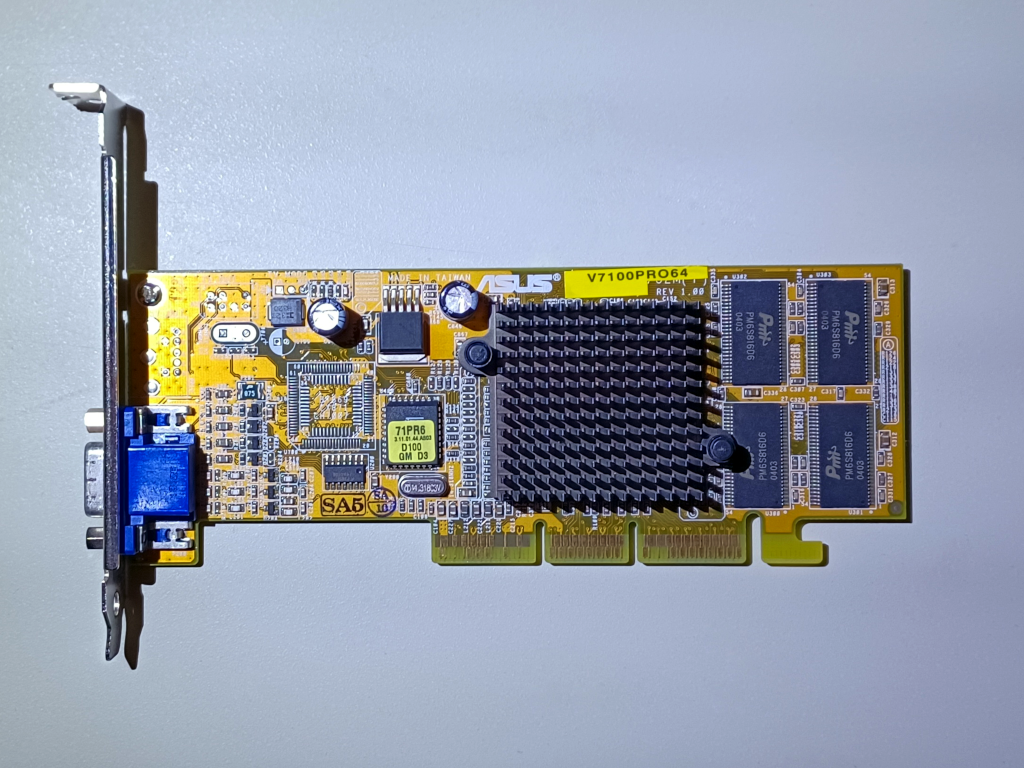
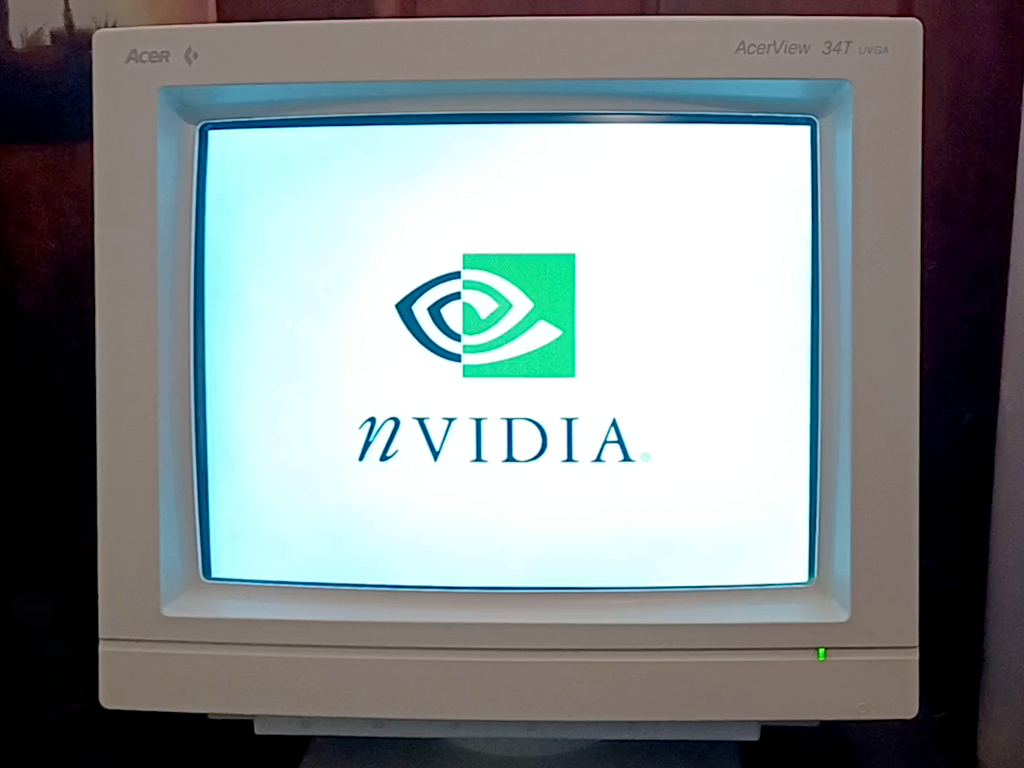
Nvidia pioneered the use of a unified driver model, meaning it was not a question of matching a driver to the card, but instead settling on a time period. In the end I opted for the 1.0-4191 drivers put out in December 2002 for the arbitrary reason that they were the last distributed through RPM packages as opposed to using a more distribution agnostic shell script installer; the files in question being the NVIDIA_GLX-1.0-4191.i386.rpm and NVIDIA_kernel-1.0-4191.rh73up.i386.rpm packages.
Nvidia also provided the NVChooser.sh script for determining which kernel package to use, and the necessary changes to your XF86CONFIG file are laid out in the README file, all of which should be handled from runlevel 3 outside of an X server. To get it to work I had to fall back to the original kernel shipped by Red Hat as opposed to the one I upgraded to from Fedora Legacy; attempting to roll my own kernel module with the NVIDIA_kernel-1.0-4191.src.rpm always resulted in failure.
What followed was not a revolution but an evolution nonetheless. True to the faustian bargain of having shared code between the Windows and Linux drivers, the performance delta between the two shrunk considerably, and I was able to enable more graphical features with less impact on framerates. The biggest advantage was the absence of some of the bugs and quirks in the r128 drivers, particularly the end of freezes in Unreal Tournament, Rune, Quake 2, and Serious Sam.
I also no longer had drawing errors in Soul Ride or Myth II: Soulblighter when using the OpenGL renderer, even though I do still kind of prefer the crispy textures in software. Detail textures now worked in Soldier of Fortune and I could also use multi-texture in Descent 3, with dynamic lighting no longer hammering the framerate in Heretic II and displaying reflective surfaces no longer causing Serious Sam to stall. Both Cube and Tribes 2 saw significant performance boosts, being far more playable.
With the GeForce2 MX 400 I am now confident that it is my Pentium III 500 MHz Katmai which is my main bottleneck, borne out by the fact that turning down the scalability settings in Soldier of Fortune still improves the framerate, with the GHOUL system being very CPU intensive. It was the same for Rune and Return to Castle Wolfenstein, with CPU performant tasks like debris, gore, decals, and wall marks all dragging things down during intense combat. It is time to take the card for a proper spin.
Carrying on in Part 52: What Am I Going to Do With All This Cheese?
Return to Part 1: Dumpster Diving





See more from me
 You can also find comments for this article on social media:

Surprisingly it ran the game better than Windows and I even had surround sound thanks to nforce drivers. Granted, all that at 640x480 resolution, since I didn't had a monitor at the time and I used my TV, which was quite fine for me coming directly from PS1 games.
The AMD side on Linux was quite iffy at the time, even though the cards were superior in Windows, the best one was (I think) Radeon 9000...something and I borrowed one from a friend, only to get something like half of performance with serious graphical bugs, when it worked. Which was somewhat a relief considering they were crazy, crazy expensive, while the geforce was quite affordable.
Anyway, I remember fondly the times when I came back from work, start my Linux computer (he he) see the welcoming Nvidia splash, then the blue glow on my amp confirming I have surround sound and getting immersed in one awesome game. Ah...
Last edited by dubigrasu on 3 Mar 2026 at 10:45 am UTC


[https://icculus.org/~hamish/retro/part51.html](https://icculus.org/~hamish/retro/part51.html)


 Caldathras 3 Mar 2026

When I moved to buying used laptops, I had also discovered the wonderful world of Linux. It was much more common to find used laptops from the twenty-teens with Nvidia Optimus GPUs than with AMD. I would have loved to have a laptop with an AMD GPU but I couldn't find anything comparable to the Nvidia options. So, I adapted and now I am an Nvidia user.
Thank you for the article.
Can you play Quake: The Offering for Linux with GeForce2 MX 400?
Quoting: dubigrasuThat Nvidia white splash brings back sweet memories, the first "serious" card that I used for gaming on Linux was a Geforce4 MX, and it was the card I used to play Doom 3 with.You reminded me of how painful it was to play Quake 4 on Linux with this graphics card back in 2005. I remember that Doom 3 didn't have a better performance, but it was a long time ago. I started to enjoy playing both games when I had a more modern computer with an Intel 2 Core Duo.
Last edited by gbudny on 3 Mar 2026 at 9:28 pm UTC
Quoting: CaldathrasIronically, before I discovered that Linux was viable, I had always used ATI GPUs in my gaming rigs. I suspect that a big part of my choice was that ATI was Canadian.Yep, ATI cards seemed to be more common out here in Alberta largely for that reason too I suspect, in comparison to Nvidia or even 3dfx at least based on what my family encountered while working in IT. Granted, they were not putting Voodoos in many business or home user machines. But we have salvaged many a Radeon card.
Quoting: gbudnyCan you play Quake: The Offering for Linux with GeForce2 MX 400?Yep, it runs just the same as with the Rage 128 Pro, you are limited to the glquake.glx binary for 3D acceleration.
Last edited by Hamish on 3 Mar 2026 at 9:25 pm UTC

It was the very first proper GPU I ever owned, and as an OEM offering, it was very capable.
I ended up replacing it with the mighty ATI Radeon 8500 which was in another league...
My Linux PC at the time was a Pentium III too, but it was equipped with a Matrox G200, which I was very satisfied with. I don't really remember what kind of performance I was getting though...
[Edit] Or maybe it was a G400... now I can't remember 😅
Last edited by omer666 on 4 Mar 2026 at 6:34 am UTC
Quoting: omer666My Linux PC at the time was a Pentium III too, but it was equipped with a Matrox G200, which I was very satisfied with. I don't really remember what kind of performance I was getting though...On my list of nice to haves would be, alongside any kind of Voodoo card to experiment with, a Matrox G400 Max as it seems like it would be a good showcase of the best the free graphic stack was capable of at the time. Good luck not breaking the bank on any of those though.
[Edit] Or maybe it was a G400... now I can't remember 😅
Quoting: gbudny@HamishWell, at the ridiculous (as we see it now) resolution of 640x480 it wasn't that bad. Probably the framerate wasn't also that great, but something like 30 fps was so sweet for a PS1 player like me, accustomed with 24 fps or less, add some overclocking, some graphical tweaking, the TV placed 2 meters away (less sensitive to low fov and fps)...it was great! 😄
Thank you for the article.
Can you play Quake: The Offering for Linux with GeForce2 MX 400?
Quoting: dubigrasuThat Nvidia white splash brings back sweet memories, the first "serious" card that I used for gaming on Linux was a Geforce4 MX, and it was the card I used to play Doom 3 with.You reminded me of how painful it was to play Quake 4 on Linux with this graphics card back in 2005. I remember that Doom 3 didn't have a better performance, but it was a long time ago. I started to enjoy playing both games when I had a more modern computer with an Intel 2 Core Duo.
From what I understand Quake 4 was more graphically intensive than Doom 3, but I did played it with the same card (...I think?), both awesome games. Apparently these Linux versions had some features disabled, which would explain them running better on Linux, but my eyeballmeter couldn't see a difference back then. It still was a blast.
Last edited by dubigrasu on 4 Mar 2026 at 10:27 am UTC
Quoting: HamishYep, it runs just the same as with the Rage 128 Pro, you are limited to the glquake.glx binary for 3D acceleration.Thank you for your response.
Can you play Quake: The Offering using quake.x11 or squake with GeForce2 MX 400?
Quoting: dubigrasuWell, at the ridiculous (as we see it now) resolution of 640x480 it wasn't that bad. Probably the framerate wasn't also that great, but something like 30 fps was so sweet for a PS1 player like me, accustomed with 24 fps or less, add some overclocking, some graphical tweaking, the TV placed 2 meters away (less sensitive to low fov and fps)...it was great! 😄The screen resolution or low settings weren't a problem for me. I think 32-bit processors aren't great for playing these two games. I do not doubt you did a lot to improve the performance of Doom 3. Sadly, I remember Doom 3/Quake 4 started to slow down when I got closer to the doors in buildings. I saw videos with more powerful computers that had the same issue.
Quoting: dubigrasuFrom what I understand, Quake 4 was more graphically intensive than Doom 3, but I did played it with the same card (...I think?), both awesome games. Apparently these Linux versions had some features disabled, which would explain them running better on Linux, but my eyeballmeter couldn't see a difference back then. It still was a blast.They were awesome games, but graphically, they were much ahead of their time, which was problematic for owners of older computers. I can't make any comparisons because I didn't play any of them on Windows.
I remember that Gnome in 2004/2005 required 256 MB of RAM to run smoothly. In this case, I used twm when I wanted to play Doom 3 or Quake 4.
When I first started out though, the received wisdom was that if you were serious about gaming on Linux, you needed to get yourself a Nvidia card and use their proprietary drivers.I think GeForce and Sound Blaster Live! (the OSS emulation in games) was a nice combo of hardware to avoid many issues on Linux back then. Surprisingly, more modern GeForce cards had issues with Quake: The Offering for Linux.
Last edited by gbudny on 4 Mar 2026 at 6:19 pm UTC
Quoting: gbudnyCan you play Quake: The Offering using quake.x11 or squake with GeForce2 MX 400?Sure, and it runs just the same, as it is in software mode on the CPU.
Quoting: gbudnySurprisingly, more modern GeForce cards had issues with Quake: The Offering for Linux.Can you elaborate on this? Was it an issue with the GeForce cards specifically or was it a conflict with using a later distro for the newer cards?
Quoting: HamishSure, and it runs just the same, as it is in software mode on the CPU.I start to wonder if Quake: The Offering works with GeForce 3, which is better in many ways than even the GeForce 4 MX 440 (but not the Ti version). You probably know that Cold War doesn't work with GeForce 4 MX 440, but you can play it with GeForce 3.
Quoting: HamishSurprisingly, more modern GeForce cards had issues with Quake: The Offering for Linux. Can you elaborate on this? Was it an issue with the GeForce cards specifically or was it a conflict with using a later distro for the newer cards?Yes. I didn't spend too much time trying to solve these issues, but I've included some details below that I remember:
SuSe 9.0
GeForce 7600GS 512MB
NVIDIA drivers: 1.0 8874
squake - graphical glitches (unplayable)
quake.x11 - works
glquake.glx - it doesn't start
Red Hat 7.3
GeForce4 MX 440
NVIDIA drivers: 1.0 6XXX
I had a black screen when I tried to install drivers 1.0 4XXX or 1.0 5XXX.
I'm not sure, but I think only squake worked well. I have an issue with the buffer in probably two other versions. I read that I had to make a change in one of the files and rebuild it. Of course, I couldn't do it with binary files from this game. I can't find this post on one of the forums anymore.
The GeForce4 MX 440 is a budget-friendly card, and you may want to experiment with binary drivers. When you see a black screen, you can always switch to nv if your system doesn't start. You can also transfer drivers to your computer with a flash drive and a Live CD with more modern versions of Linux.
Does Terroid work on your computer?
Last edited by gbudny on 8 Mar 2026 at 1:01 pm UTC
 Patreon
 PayPal
 Anticheat check - which competitive games actually work on Linux?
 How to give Valve feedback when Proton games have issues on Linux / SteamOS