NVIDIA just launched their latest update to the cloud gaming service GeForce NOW, with version 2.0.83 bringing some big improvements overall.
For Linux gamers testing out the Linux Beta, this release brings improvements for UI scaling making the app fit a lot better and hopefully giving you the correct resolution in games too.
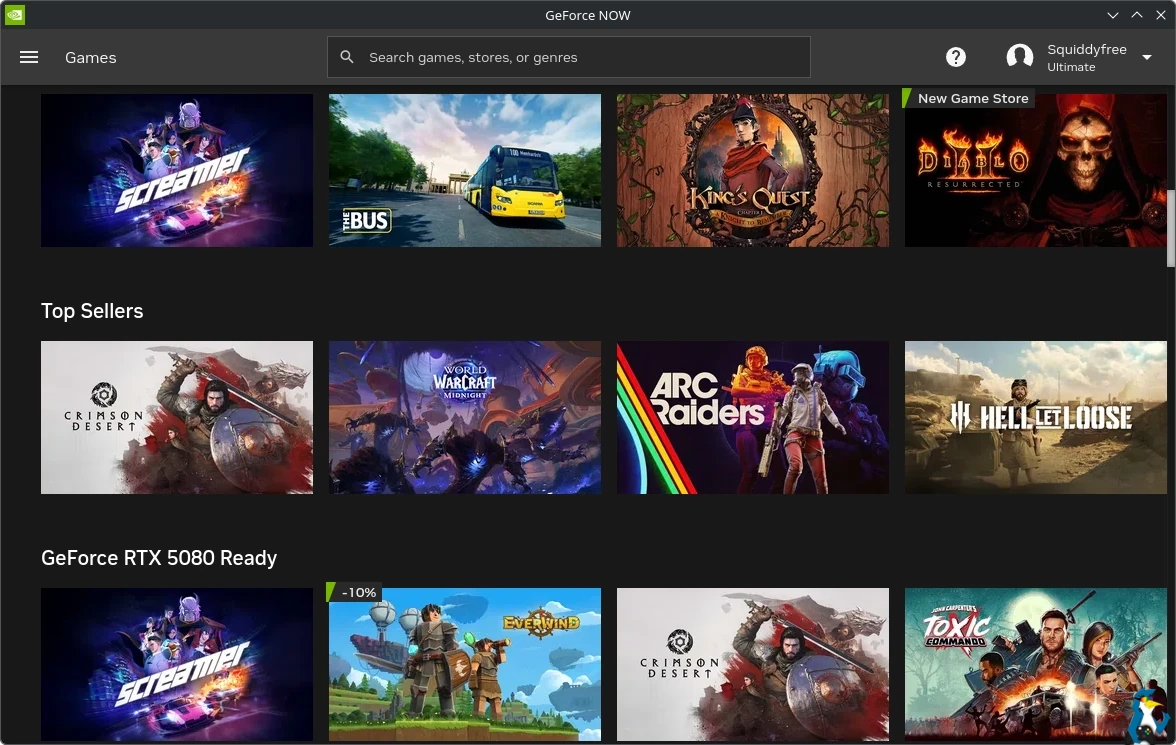
There's plenty more in this update, you can see all the changes below:
90 FPS Streaming for Supported VR Headsets
- Ultimate members can now stream at up to 90 FPS on supported VR headsets, delivering smoother and more immersive gameplay.
- Balanced mode: up to 1080p with 90 FPS
- Custom mode: up to 1440p with 90 FPS on Pico and Meta Quest devices
- Apple Vision Pro: up to 4K with 90 FPS
More Control Over Network Adaptation
- The improved “Adjust for network conditions” streaming quality setting gives members greater control over how GeForce NOW adapts to changing network conditions. Choose “Optimal Latency” to prioritize responsiveness during gameplay, or “Optimal Quality” to maintain the best possible visual fidelity when network conditions fluctuate.
Customizable In-Game Overlay Shortcut
- Gamepad members can now customize the shortcut used to open the In-Game Overlay. If the default hold Start button conflicts with a game’s controls, simply select a new button combination from a list of available options. To change the shortcut, open the In-Game Overlay > Settings > Shortcuts > Gamepad and select your preferred button combination.
Expanded HOTAS Support
- More peripherals are now supported for flight control games on GeForce NOW. Newly supported devices include: Thrustmaster Pendular Rudder, Thrustmaster Warthog HOTAS, and Logitech X56 HOTAS.
Improved Display Scaling for Linux Beta
- Fixed an issue in the GeForce NOW Linux beta app where incorrect UI scaling detection could cause streaming resolutions to mismatch the display. Streaming resolution now properly aligns with your display resolution for the best visual clarity.
Expanded H.265 Streaming Support for Browsers
- H.265 (HEVC) video decoding will begin rolling out to browser clients on select platforms over the coming weeks. This update can improve streaming efficiency and visual quality for supported systems.
Have you been testing out the Linux Beta? Let us know your current thoughts in the comments below.




About the author - Liam Squires-Hand

I am the owner of GamingOnLinux. After discovering Linux back in the days of Mandrake in 2003, I constantly checked on the progress of Linux until Ubuntu appeared on the scene and it helped me to really love it. You can reach me easily by emailing GamingOnLinux directly. You can follow me personally on Mastodon [External Link].
See more from me
See more from me
Some you may have missed, popular articles from the last month:

 You can also find comments for this article on social media:
 All posts need to follow our rules. Please hit the Report Flag icon on any post that breaks the rules or contains illegal / harmful content. Readers can also email us for any issues or concerns.
2 comments


They may be scaling the stream, but the UI is still tiny at 125% in Gnome. Oh, well, one step at a time.
1 Likes

It's not bad. It's definitely got old Linux/Wine compatibility-in-progress vibes. I ran the beta alongside the Infinity client on pop_os 24.04 LTS. My microphone and controller would only work with GFN Beta; the UI was sluggish and playing felt like being stuck in treacle. It was the opposite with Infinity, which also looked a little better.
I switched to CachyOS this past week and now the microphone and controller work in both the GFN beta and Infinity apps with the caveat that the microphone is either too low in the mix or sounds messed up in the one game I've been playing as of late. It isn't the standalone USB microphone, which sounds crystal clear in Audacity and which I've tried in several USB ports. qpwgraph says it's the capture device for GFN as well. I haven't found a willing soul to subject to poor in-game VoIP audio yet to figure out if it's dependent on Nvidia VM lottery yet or something else.
Given how much support for flight sims and the like they're putting out with HOTAS and VR updates I hope they figure out how to make regular headtracking work too. Right now it doesn't work at all (at least on Linux, wouldn't know about 10/11) and especially won't if your headtracking software is a Steam purchase far as I know.
Last edited by szorza on 31 Mar 2026 at 8:19 am UTC
I switched to CachyOS this past week and now the microphone and controller work in both the GFN beta and Infinity apps with the caveat that the microphone is either too low in the mix or sounds messed up in the one game I've been playing as of late. It isn't the standalone USB microphone, which sounds crystal clear in Audacity and which I've tried in several USB ports. qpwgraph says it's the capture device for GFN as well. I haven't found a willing soul to subject to poor in-game VoIP audio yet to figure out if it's dependent on Nvidia VM lottery yet or something else.
Given how much support for flight sims and the like they're putting out with HOTAS and VR updates I hope they figure out how to make regular headtracking work too. Right now it doesn't work at all (at least on Linux, wouldn't know about 10/11) and especially won't if your headtracking software is a Steam purchase far as I know.
Last edited by szorza on 31 Mar 2026 at 8:19 am UTC
0 Likes
 Patreon
 PayPal
 Anticheat check - which competitive games actually work on Linux?
 How to give Valve feedback when Proton games have issues on Linux / SteamOS