The popular open source app, Linux GPU Configuration And Monitoring Tool (LACT), has a huge new release out now with a brand new UI and major new features.
With the 0.9.0 release the developer reworked the whole UI mentioning that it has a new layout styling, so it should be nicer to look at and use "without sacrificing information density". They said it now uses libadwaita rather than plain GTK4, which allows them to "make use of various new widgets, layouts and other improvements from the ecosystem". For users on KDE Plasma (like me, hi) it has a "in-app Breeze theme option". Here's how it looks now:
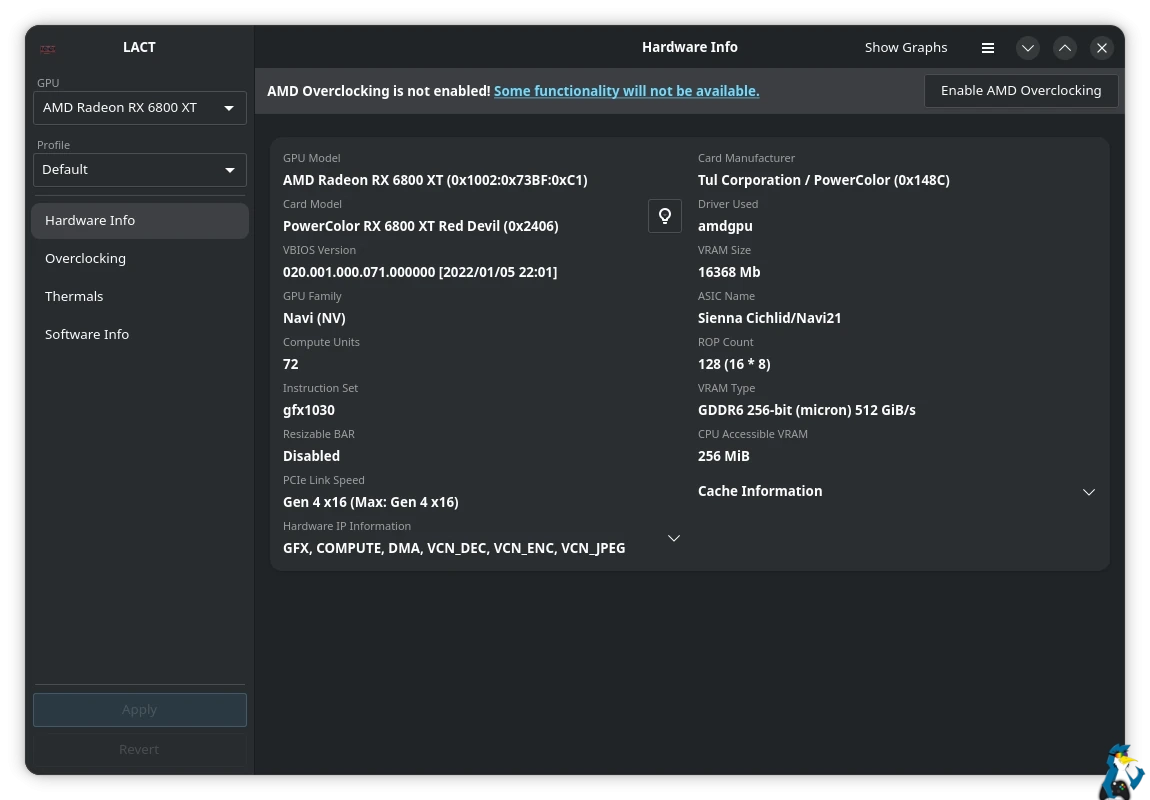
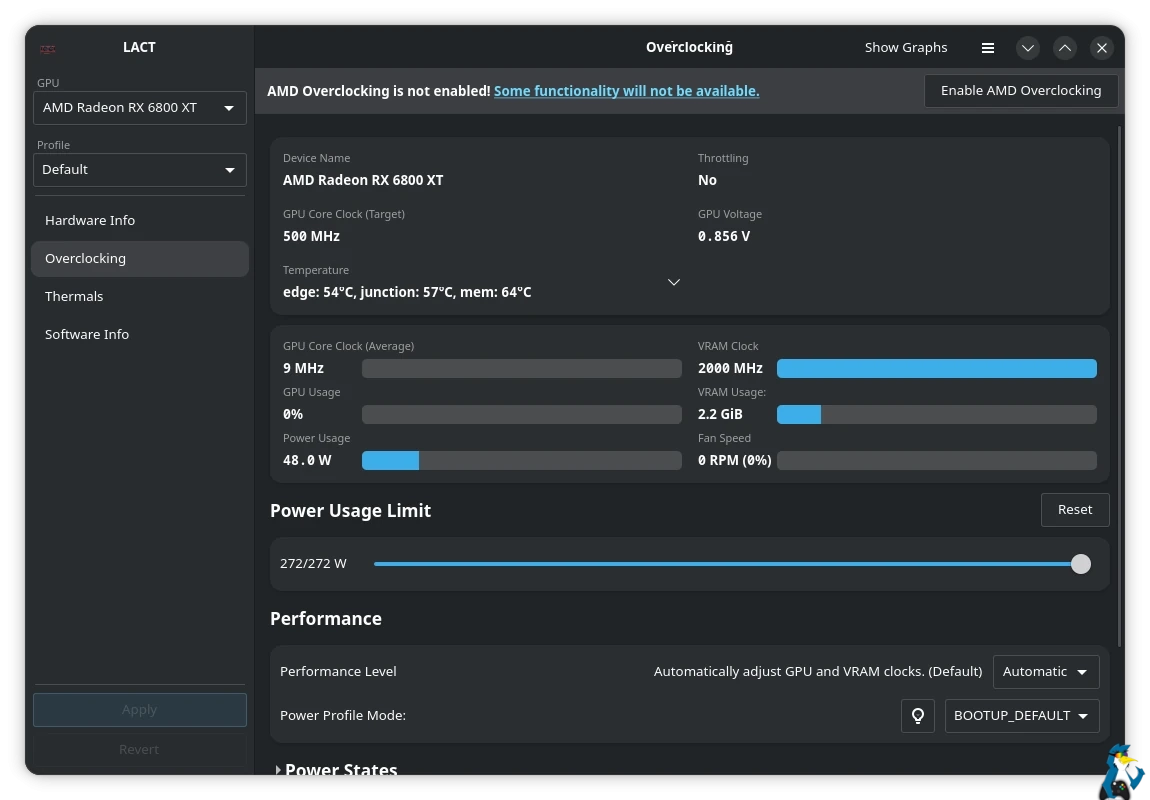
Some other major new bits include:
NVIDIA Voltage-Frequency Curve Editor, which allows you to more fine-tune your NVIDIA GPU. However, it relies on "entirely undocumented driver functionality, and as such there are zero guarantees regarding its stability or safety". So use at your own peril. And with that, there's also an NVIDIA target temperature setting.
On top of that there's also AMD Hardware blocks information reporting, updates and fixes for more AMD hardware quirks, improvements for the Flatpak and various bug fixes.
Source: GitHub





See more from me

 You can also find comments for this article on social media:
  Patreon
 PayPal