 Bluesky
 Mastodon
You've tried to run that fancy new game on your Linux / SteamOS system with Proton - but it has issues! Here's what you can do to help improve things. This is the same across any Linux powered system from Desktop Linux to Steam Deck and Steam Machine / Steam Frame.
This is specifically about providing feedback correctly to Valve, to report bugs and issues properly with running Windows games via the Proton compatibility layer. As a lot of the time the games aren't made directly for Linux / SteamOS like they are for Windows and consoles. A lot of the work is down to Valve directly to fix up on their compatibility layer.
Firstly, you want to ensure you're actually using the official Valve Proton builds (not community stuff like GE-Proton). There's many different versions, and we have a GamingOnLinux Guide to explain the differences between all the Proton versions. If in doubt, try using the highest numbered Proton version.
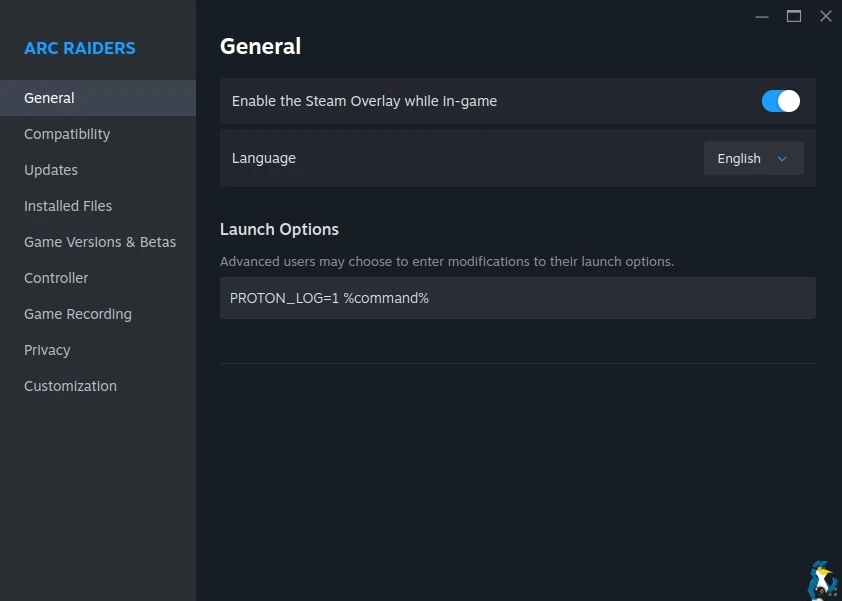
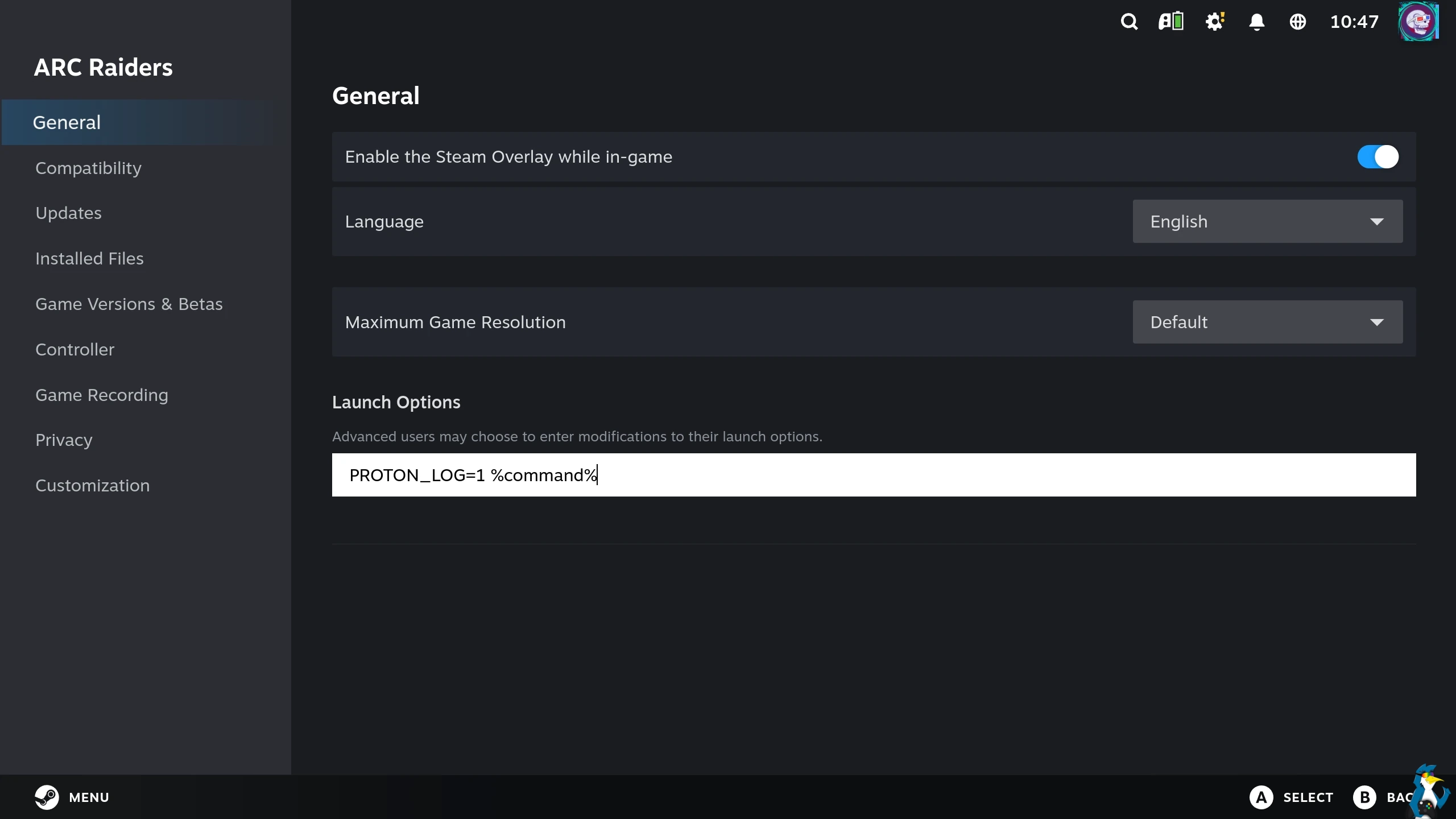
Next, you need to gather a Proton log file. This is easy to do! You just need to go into the game Properties, and enter this below into the text box for the launch options:
PROTON_LOG=1 %command%
On Desktop Linux / Desktop Mode on SteamOS it looks like this below. Found via right clicking on a game and going to Properties:
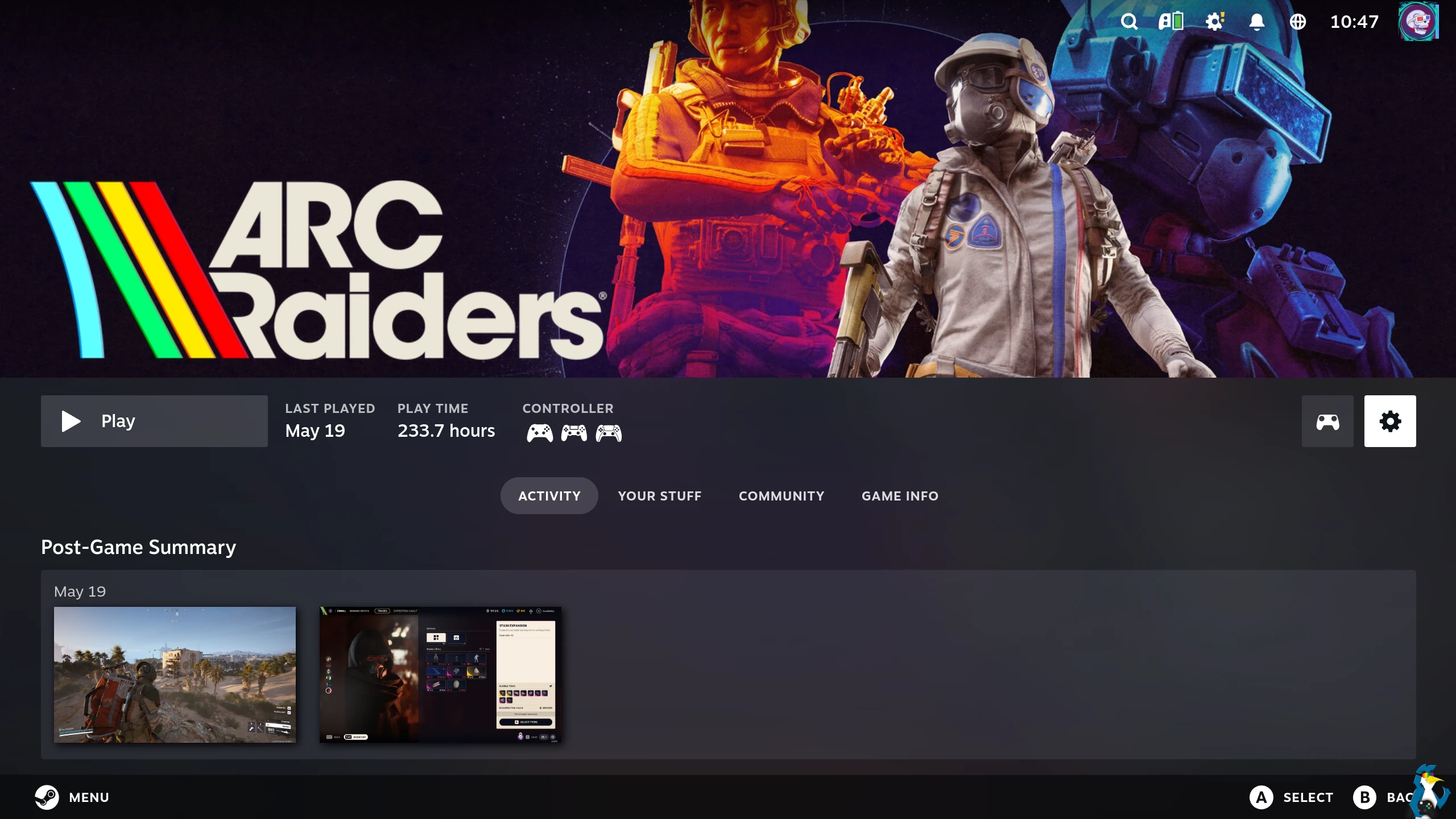
On SteamOS Gaming Mode / Steam Big Picture mode you need to find the game in your Library, go along to the little Cog icon on the right and select Properties from there:
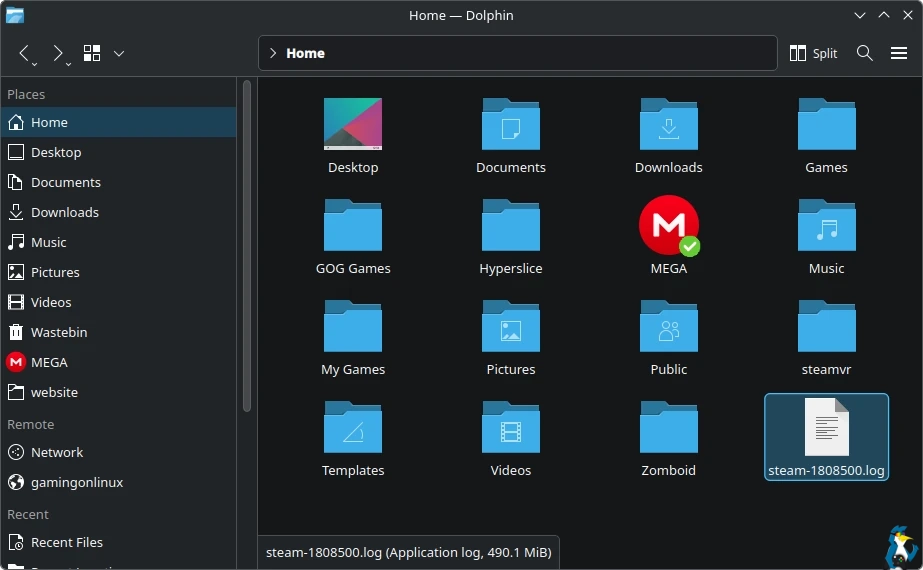
After that, when you launch the game it will create a log file named something like "steam-1808500.log" (which is the Steam ID for ARC Raiders in this example) which will be placed directly into your "home" folder. So on SteamOS directly, you'll need to boot into Desktop Mode for the next bit.
Valve have a dedicated Proton GitHub page where they collect all the bug reports, and this is where we need that Proton log file. The log file will contain lots of information, some of which can tell the Proton developers what's causing the problems.
On the Proton GitHub Issues page, you should first check if the game already has an open ticket - if so you can simply attach your log file with a reply. Otherwise, you'll need to make your own bug report if you're the first to find issues with a game. Searching for a game is quite easy as the titles usually have both the name and Steam ID. The Steam ID can be found any time on a Steam page URL like: https://store.steampowered.com/app/1808500/ARC_Raiders/ for example.
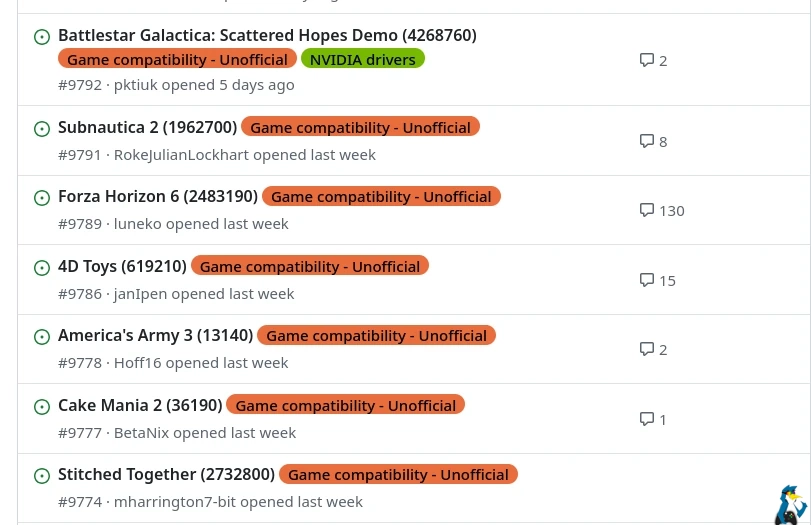
Why isn't any of this automatic? Why do we have to manually do this? Well, it's complicated. Valve of course don't want to get spammed by every single person trying to run every game out there on Steam. It would become thoroughly unmanageable pretty quickly.
Additionally, some Proton log files can end up absolutely massive. Hundreds of MB and GB, depending on how long you play through. Imagine multiple GB files being constantly sent. And, filling up all your disk space. Not ideal. So with that in mind, you may need to compress it to a zip before attaching it to your Proton GitHub post.
Hopefully you found that helpful.





See more from me




 You can also find comments for this article on social media:

/this is a joke, don't do this.

I was facing an issue with a game last week, and ended up getting proton logs out this way. It was quite helpful. Ubuntu 24.04 have nvidia 595 drivers, but for some reason they didn't ship with the 32 bit builds of the various libraries. The proton logs showed that the game (a 32-bit windows executable) was just not seeing the GPU *at all* and moved to llvmpipe.
Still, a useful post; I'm sure there are issues that can't quite get fixed on our end.
 Patreon
 PayPal
 Anticheat check - which competitive games actually work on Linux?
 How to give Valve feedback when Proton games have issues on Linux / SteamOS