This website makes use of cookies to enhance your browsing experience and provide additional functionality -> More infoDeny Cookies - Allow Cookies
Support us on Patreon to keep GamingOnLinux alive. This ensures all of our main content remains free for everyone. Just good, fresh content! Alternatively, you can donate through PayPal. You can also buy games using our partner links for GOG and Humble Store.

Heroic Games Launcher continues evolving to provide a way to manage your Epic Games and GOG libraries on Linux and other platforms with a fresh Beta release out now.
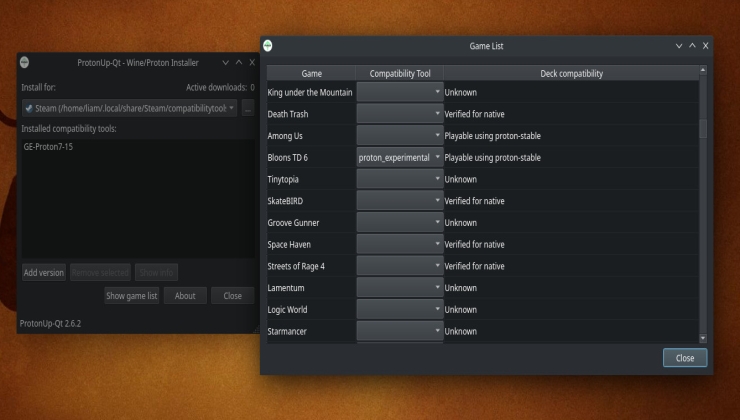
ProtonUp-Qt is great. A very simple application that allows you to download extra compatibility layers for Linux desktops and the Steam Deck and now it's even better.
The Heroic Games Launcher is a very simple to use free and open source app to manage and download your Epic Games Store and GOG collections on Linux and Steam Deck.
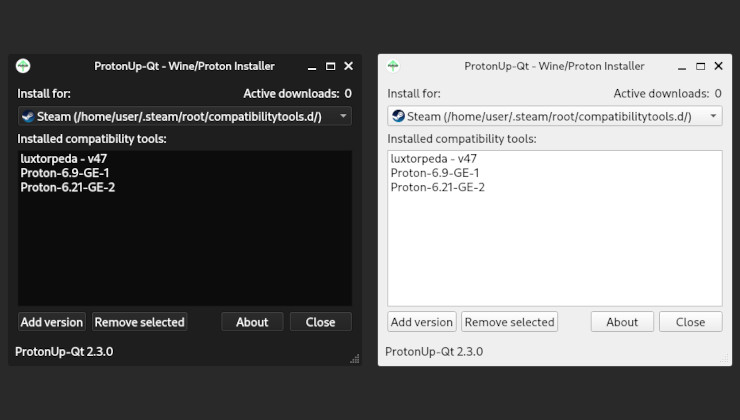
ProtonUp-Qt gives you an incredibly easy way to install compatibility layers on Linux like GE-Proton (formerly Proton GE), Lutris-Wine, Luxtorpeda and more.
Heroic Games Launcher, the community-made open source app for the Epic Games Store, is now available as a Flatpak on Flathub making it even easier to install and setup on Linux and Steam Deck.
This is a short update to my previous guide on installing the Epic Games store on the Steam Deck using Proton, plus how to enable access to an SD Card.
Heroic Games Launcher is a great multi-platform alternative client for Epic Games and GOG, which helps get your games working on Linux and Steam Deck and a new release is out with version 2.2.2.
You have your shiny new Steam Deck, which I’ve gone over in an initial look on — but what about desktop mode apps and other stores? I’ve also been testing that with the Epic Games Store.
Heroic Games Launcher is truly becoming one of the best game managers available for Linux. Not only does it support Epic Games, it's just expanded to cover GOG too.
With the Steam Deck only a few days away from release, it seems people are wondering the support status of other stores. Seems GOG won't be supporting it, which isn't surprising.
Were you hoping to easily play Fortnite on the upcoming Steam Deck? Well, Tim Sweeney the Epic Games CEO has made it clear that it's not going to happen officially.
Readying up for the onslaught of users on the Steam Deck who will probably want to play some of their Epic Store loot, the free and open source Heroic Games Launcher has a new bug fix release up.
Quick tip - GOG and Amazon Prime Gaming have teamed up to give subscribers an offer they can't refuse - another free game! Get a copy of Stellaris from Paradox Interactive / Paradox Development Studios.
ProtonUp-Qt is the fantastic and simple way to download and upgrade the Linux compatibility tools Proton-GE, Luxtorpeda, Boxtron or Roberta for Steam and works with both Lutris and Heroic Games Launcher too.
There are certain games that work better with the community-built unofficial Proton GE, plus using Luxtorpeda for Native Linux game engines can give a lot of benefits too - here's how to easily download or upgrade them using the fab ProtonUp-Qt.